> ## Documentation Index
> Fetch the complete documentation index at: https://guides.koinx.com/llms.txt
> Use this file to discover all available pages before exploring further.
# ITR Filing with KoinX: A Complete Step-by-Step Guide
> Crypto trades, staking rewards, multiple exchanges — KoinX pairs your tax report with an expert who files your ITR for you, end to end.
Tax season hits different when you've got crypto in the mix. Salary? Straightforward. But throw in trades across three exchanges, some staking rewards, maybe a DeFi position you half-forgot about — and suddenly ITR filing feels like a puzzle with missing pieces. KoinX fixes that by combining your crypto tax report with expert-assisted filing, so you're not doing this alone at 11pm before the deadline.
The entire ITR filing process with KoinX typically takes around **7 working days** — provided your documents are ready and you respond to your expert promptly. The faster you move, the faster it's done.
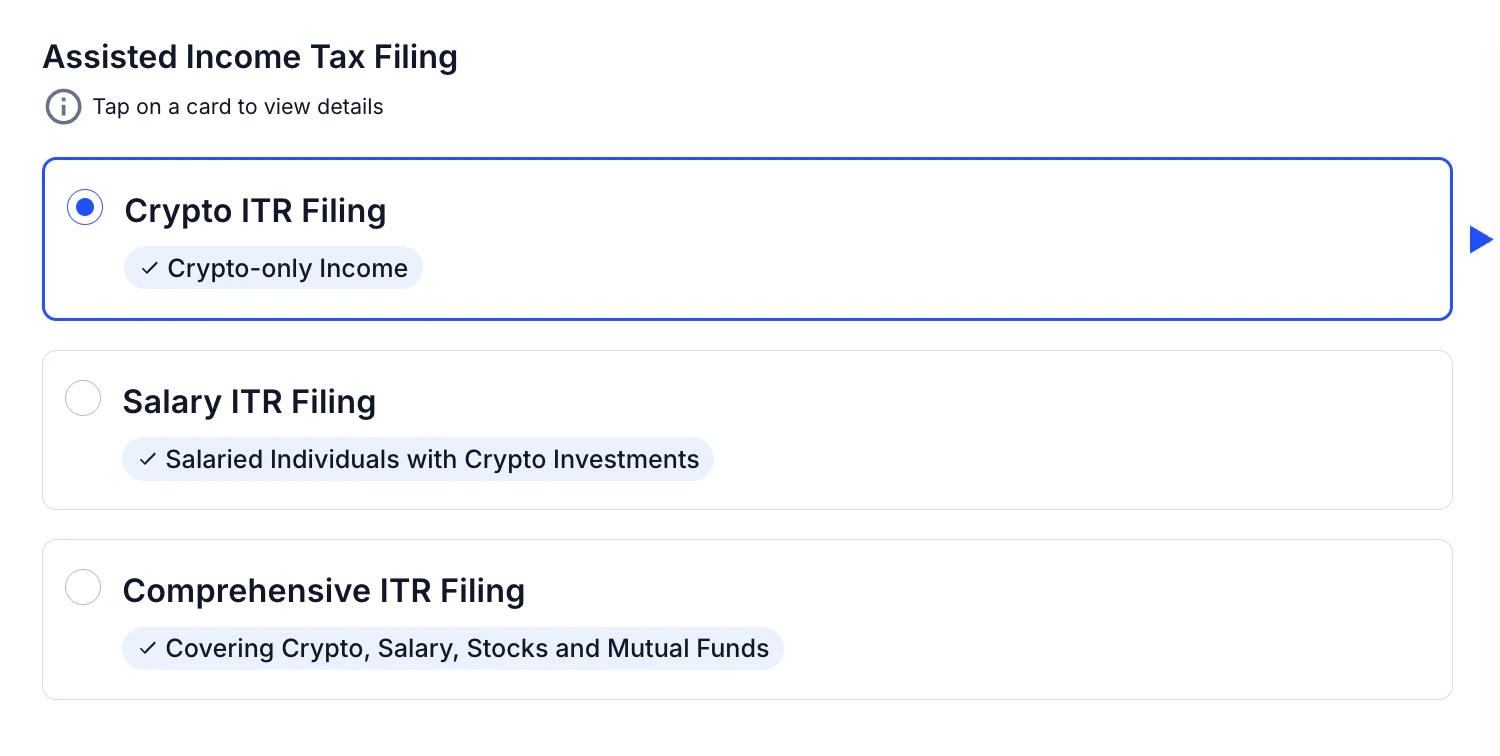
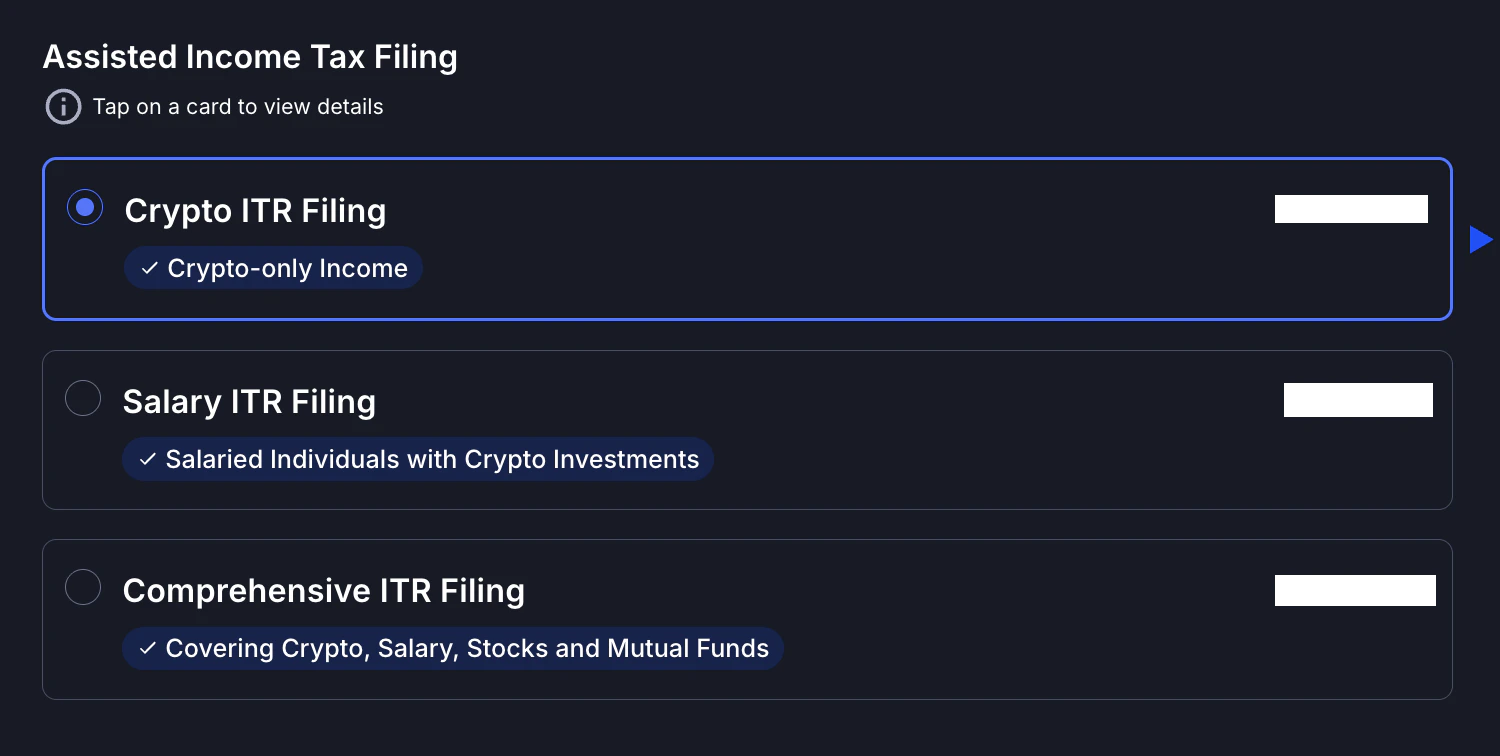
Not all income situations are the same, so KoinX offers three plans based on what you're working with:
Not 100% sure which plan fits? Pick the closest match and purchase it. Your assigned expert will review your income sources during the initial consultation and flag if an upgrade is needed — you'll only pay the difference, not the full plan price again.
## Your ITR Filing Journey, Step by Step
Head to the **ITR Filing** section on your KoinX dashboard and select the plan that matches your income sources. Complete the purchase to get the process started.
 Within minutes of purchase, a qualified tax expert is assigned to your account. Their contact details show up directly in your KoinX dashboard — no hunting through emails.
Expect them to reach out within **24–36 hours** to kick things off. This is your dedicated point of contact for the entire filing process.
Your expert will get on a call (or connect over chat) to understand your full income picture — what exchanges you've used, whether you've earned staking rewards, any F\&O exposure, and so on.
They'll also share a **document checklist** tailored to your situation so you know exactly what to gather next.
The documents you need to submit depend on the plan you selected and the income sources included in your filing.
The sooner you submit, the sooner your filing moves forward. Delays here are the #1 reason filings take longer than expected.
Best if your income is primarily crypto — trading gains, staking rewards, airdrops.
This is the starting point for most crypto-first users.
### Documents Needed
* PAN Card
* Aadhaar Card
* Bank Statements (6–12 months)
* KoinX Crypto Tax Report
* Income Tax ID details / Previous ITR (if available)
* Rental Income Proof *(if applicable)*
* Other Income Proof *(if applicable)*
Built for salaried individuals who also have crypto exposure.
If you're trading futures alongside your 9-to-5, this is your plan.
### Documents Needed
* PAN Card
* Aadhaar Card
* Bank Statements (6–12 months)
* KoinX Crypto Tax Report
* Salary Slips (last 3–6 months)
* Form 16 *(if available)*
* Income Tax ID details / Previous ITR (if available)
* Other Income Proof *(if applicable)*
* Rental Income Proof *(if applicable)*
Covers everything — business income, stocks, mutual funds, crypto, F\&O, and more.
If your CA needs a full-picture view of your financials, start here.
### Documents Needed
* PAN Card
* Aadhaar Card
* Bank Statements (6–12 months)
* KoinX Crypto Tax Report
* Salary Slips / Form 16 *(if applicable)*
* Investment Proofs (stocks, mutual funds, bonds, FD)
* Business Income Records (GST returns, P\&L, income statements)
* Income Tax ID details / Previous ITR (if available)
* Other Income Proof *(if applicable)*
* Rental Income Proof *(if applicable)*
Before this step, make sure all your exchanges and wallets are connected in KoinX and your crypto tax report is complete and accurate. Your expert builds your ITR on top of this data — gaps here create gaps there.
Your expert prepares a detailed breakdown of your tax liability — or refund, if you're lucky. You'll see exactly how your income is categorised and how much tax is owed.
Review this carefully. Ask questions if anything looks off. **Don't approve it until you're satisfied** — this is your last checkpoint before filing.
If there's tax payable, your expert walks you through the payment process on the Income Tax portal. Filing can only proceed once payment is confirmed.
Don't skip or delay tax payment thinking you can do it after filing. The ITR submission won't go through until any outstanding tax is cleared. Plan for this step in advance.
Your expert submits the ITR to the Income Tax Department. You receive confirmation directly — both from KoinX and from the IT portal.
Keep a copy of your acknowledgement (ITR-V) for your records. You're done for the year.
## Understanding Your Filing Status
Once your process is underway, your KoinX dashboard shows a real-time status so you always know where things stand.
| Status | What It Means | What You Should Do |
| ---------------------- | --------------------------------------------- | ---------------------------------------------------------- |
| 🟡 In Progress | Expert assigned, documents being collected | Share all required documents promptly |
| 🟠 Computation Sent | Tax calculation ready, awaiting your review | Review computation and complete tax payment |
| 🔺 Upgrade Needed | Current plan doesn't cover all income sources | Pay the difference to upgrade — your expert will guide you |
| 🟢 Done | ITR successfully filed | Save your ITR-V acknowledgement for records |
| ⏸ On Hold | Pending documents or no response from you | Check messages and share required details to resume |
| ❌ Service Not Required | Filing stopped — you chose not to proceed | No action needed unless you want to restart |
If your status shows **On Hold**, check your KoinX dashboard messages first — your expert has almost certainly left a note on what's needed. A quick response gets things moving again immediately.
## Upgrade Needed: What It Means
Sometimes, users purchase a plan based on what they believe their income sources are. During the review, your expert may identify additional income that is not covered under the selected plan.
For example, you may have purchased the Crypto ITR Filing plan, but salary income may also appear in your ITR portal.
In such cases:
* Your status will be marked as **Upgrade Needed**
* You’ll need to upgrade to the correct plan
* You only need to **pay the difference amount**, not the full plan again
This ensures your ITR is filed correctly without missing any income.
## Common Mistakes That Slow Things Down
Most filing delays come down to the same few things. Avoid these and your 7-day timeline stays on track:
* **Starting too late** — Expert slots fill up as the deadline approaches. Don't wait.
* **Incomplete documents** — Missing a bank statement or income proof stalls the entire process.
* **Skipping the computation review** — Approving without checking is how errors slip through.
* **Incomplete crypto data** — If you've traded on 4 exchanges but only connected 2 to KoinX, your report is incomplete. Your expert can only file what they can see.
Before you even purchase a plan, spend 20 minutes connecting all your exchanges and wallets in KoinX and generating your crypto tax report. Walking into the consultation with this ready cuts your timeline significantly.
## Frequently Asked Questions
Yes — your KoinX crypto tax report is the foundation of your ITR. Your expert uses it to report your trading gains, staking income, and any other crypto-related income accurately. Make sure all your exchanges and wallets are connected and your report is complete before the consultation.
Choose the plan that covers the broadest range of your income sources. If you're unsure, pick the closest match — your expert will review everything during the initial consultation and advise if an upgrade is needed. You'll only pay the difference, not start over.
No need to repurchase. If your expert identifies a mismatch during consultation, you simply pay the difference to upgrade to the right plan. Your progress and assigned expert stay the same.
You'll receive a confirmation from KoinX and an official acknowledgement (ITR-V) from the Income Tax Department. If you're eligible for a refund, it's processed directly by the IT Department — timelines vary but are typically within a few weeks of filing.
Absolutely — that's what they're there for. The computation review step is specifically designed for you to ask questions, flag anything that looks wrong, and get clarity before you approve. Don't hesitate to push back if something doesn't add up.
Within minutes of purchase, a qualified tax expert is assigned to your account. Their contact details show up directly in your KoinX dashboard — no hunting through emails.
Expect them to reach out within **24–36 hours** to kick things off. This is your dedicated point of contact for the entire filing process.
Your expert will get on a call (or connect over chat) to understand your full income picture — what exchanges you've used, whether you've earned staking rewards, any F\&O exposure, and so on.
They'll also share a **document checklist** tailored to your situation so you know exactly what to gather next.
The documents you need to submit depend on the plan you selected and the income sources included in your filing.
The sooner you submit, the sooner your filing moves forward. Delays here are the #1 reason filings take longer than expected.
Best if your income is primarily crypto — trading gains, staking rewards, airdrops.
This is the starting point for most crypto-first users.
### Documents Needed
* PAN Card
* Aadhaar Card
* Bank Statements (6–12 months)
* KoinX Crypto Tax Report
* Income Tax ID details / Previous ITR (if available)
* Rental Income Proof *(if applicable)*
* Other Income Proof *(if applicable)*
Built for salaried individuals who also have crypto exposure.
If you're trading futures alongside your 9-to-5, this is your plan.
### Documents Needed
* PAN Card
* Aadhaar Card
* Bank Statements (6–12 months)
* KoinX Crypto Tax Report
* Salary Slips (last 3–6 months)
* Form 16 *(if available)*
* Income Tax ID details / Previous ITR (if available)
* Other Income Proof *(if applicable)*
* Rental Income Proof *(if applicable)*
Covers everything — business income, stocks, mutual funds, crypto, F\&O, and more.
If your CA needs a full-picture view of your financials, start here.
### Documents Needed
* PAN Card
* Aadhaar Card
* Bank Statements (6–12 months)
* KoinX Crypto Tax Report
* Salary Slips / Form 16 *(if applicable)*
* Investment Proofs (stocks, mutual funds, bonds, FD)
* Business Income Records (GST returns, P\&L, income statements)
* Income Tax ID details / Previous ITR (if available)
* Other Income Proof *(if applicable)*
* Rental Income Proof *(if applicable)*
Before this step, make sure all your exchanges and wallets are connected in KoinX and your crypto tax report is complete and accurate. Your expert builds your ITR on top of this data — gaps here create gaps there.
Your expert prepares a detailed breakdown of your tax liability — or refund, if you're lucky. You'll see exactly how your income is categorised and how much tax is owed.
Review this carefully. Ask questions if anything looks off. **Don't approve it until you're satisfied** — this is your last checkpoint before filing.
If there's tax payable, your expert walks you through the payment process on the Income Tax portal. Filing can only proceed once payment is confirmed.
Don't skip or delay tax payment thinking you can do it after filing. The ITR submission won't go through until any outstanding tax is cleared. Plan for this step in advance.
Your expert submits the ITR to the Income Tax Department. You receive confirmation directly — both from KoinX and from the IT portal.
Keep a copy of your acknowledgement (ITR-V) for your records. You're done for the year.
## Understanding Your Filing Status
Once your process is underway, your KoinX dashboard shows a real-time status so you always know where things stand.
| Status | What It Means | What You Should Do |
| ---------------------- | --------------------------------------------- | ---------------------------------------------------------- |
| 🟡 In Progress | Expert assigned, documents being collected | Share all required documents promptly |
| 🟠 Computation Sent | Tax calculation ready, awaiting your review | Review computation and complete tax payment |
| 🔺 Upgrade Needed | Current plan doesn't cover all income sources | Pay the difference to upgrade — your expert will guide you |
| 🟢 Done | ITR successfully filed | Save your ITR-V acknowledgement for records |
| ⏸ On Hold | Pending documents or no response from you | Check messages and share required details to resume |
| ❌ Service Not Required | Filing stopped — you chose not to proceed | No action needed unless you want to restart |
If your status shows **On Hold**, check your KoinX dashboard messages first — your expert has almost certainly left a note on what's needed. A quick response gets things moving again immediately.
## Upgrade Needed: What It Means
Sometimes, users purchase a plan based on what they believe their income sources are. During the review, your expert may identify additional income that is not covered under the selected plan.
For example, you may have purchased the Crypto ITR Filing plan, but salary income may also appear in your ITR portal.
In such cases:
* Your status will be marked as **Upgrade Needed**
* You’ll need to upgrade to the correct plan
* You only need to **pay the difference amount**, not the full plan again
This ensures your ITR is filed correctly without missing any income.
## Common Mistakes That Slow Things Down
Most filing delays come down to the same few things. Avoid these and your 7-day timeline stays on track:
* **Starting too late** — Expert slots fill up as the deadline approaches. Don't wait.
* **Incomplete documents** — Missing a bank statement or income proof stalls the entire process.
* **Skipping the computation review** — Approving without checking is how errors slip through.
* **Incomplete crypto data** — If you've traded on 4 exchanges but only connected 2 to KoinX, your report is incomplete. Your expert can only file what they can see.
Before you even purchase a plan, spend 20 minutes connecting all your exchanges and wallets in KoinX and generating your crypto tax report. Walking into the consultation with this ready cuts your timeline significantly.
## Frequently Asked Questions
Yes — your KoinX crypto tax report is the foundation of your ITR. Your expert uses it to report your trading gains, staking income, and any other crypto-related income accurately. Make sure all your exchanges and wallets are connected and your report is complete before the consultation.
Choose the plan that covers the broadest range of your income sources. If you're unsure, pick the closest match — your expert will review everything during the initial consultation and advise if an upgrade is needed. You'll only pay the difference, not start over.
No need to repurchase. If your expert identifies a mismatch during consultation, you simply pay the difference to upgrade to the right plan. Your progress and assigned expert stay the same.
You'll receive a confirmation from KoinX and an official acknowledgement (ITR-V) from the Income Tax Department. If you're eligible for a refund, it's processed directly by the IT Department — timelines vary but are typically within a few weeks of filing.
Absolutely — that's what they're there for. The computation review step is specifically designed for you to ask questions, flag anything that looks wrong, and get clarity before you approve. Don't hesitate to push back if something doesn't add up.