> ## Documentation Index
> Fetch the complete documentation index at: https://guides.koinx.com/llms.txt
> Use this file to discover all available pages before exploring further.
# Fixing Transaction Issues
> Troubleshoot common KoinX transaction problems—₹0 cost basis, duplicates and missing history—so your portfolio and crypto tax reports reflect the right gains and losses.
Something doesn't look right — a ₹0 cost basis, duplicate transactions, a P\&L that doesn't match your exchange. Most of these issues have clear causes and straightforward fixes. This guide walks you through each one.
* A ₹0 cost basis means KoinX couldn't find your original purchase — and that inflates your tax bill significantly
* Duplicate transactions usually happen when both API and CSV are active for the same exchange
* P\&L differences between the Transactions tab and Tax Report are expected — the Tax Report is always the source of truth as it follows taxation rules
* Fewer transactions in KoinX than your exchange usually means an API lookback limit — fix it with a CSV import
***
## My cost basis is showing ₹0 — what's happening?
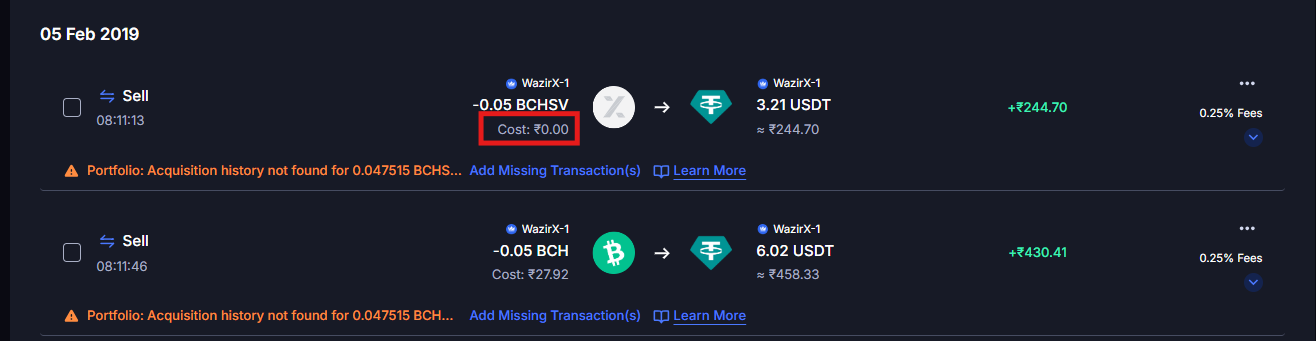
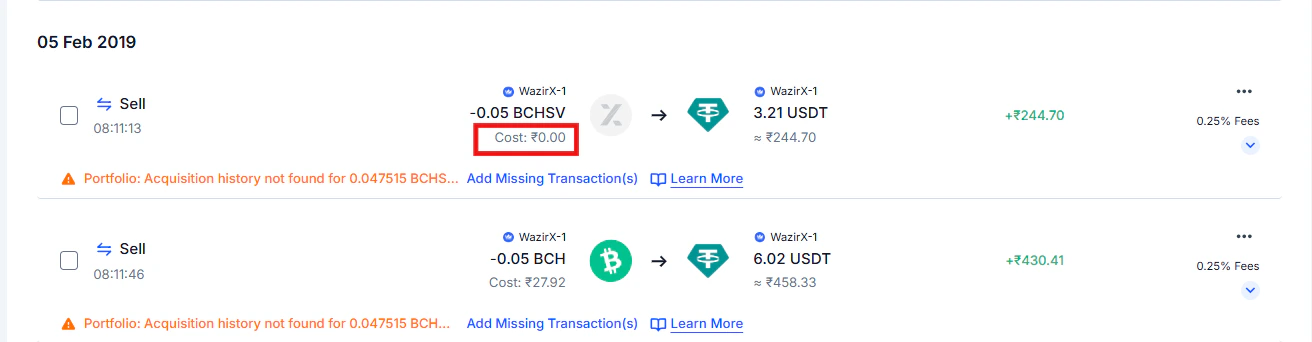
A ₹0 cost basis means KoinX found a disposal — a sale, trade, or transfer out — but couldn't find the original purchase for that asset.
### Why this matters
When the acquisition cost is ₹0, KoinX treats your entire sale proceeds as taxable gain.
**Example:**
* You sold ETH worth ₹5,00,000
* Acquisition cost = ₹0 (missing)
* KoinX calculates your gain as ₹5,00,000
In reality, if you bought that ETH for ₹3,00,000, your actual gain is only ₹2,00,000. That's a massive difference on your tax bill.
 ### Why it happens
* You haven't imported historical data from the exchange where you originally bought the asset — so KoinX has the sale but not the purchase
* The exchange API only provides the last 90–180 days of data, so older purchases didn't come through
* The asset was acquired before you set up KoinX and that history was never imported
### Why it happens
* You haven't imported historical data from the exchange where you originally bought the asset — so KoinX has the sale but not the purchase
* The exchange API only provides the last 90–180 days of data, so older purchases didn't come through
* The asset was acquired before you set up KoinX and that history was never imported
 ### How to fix it
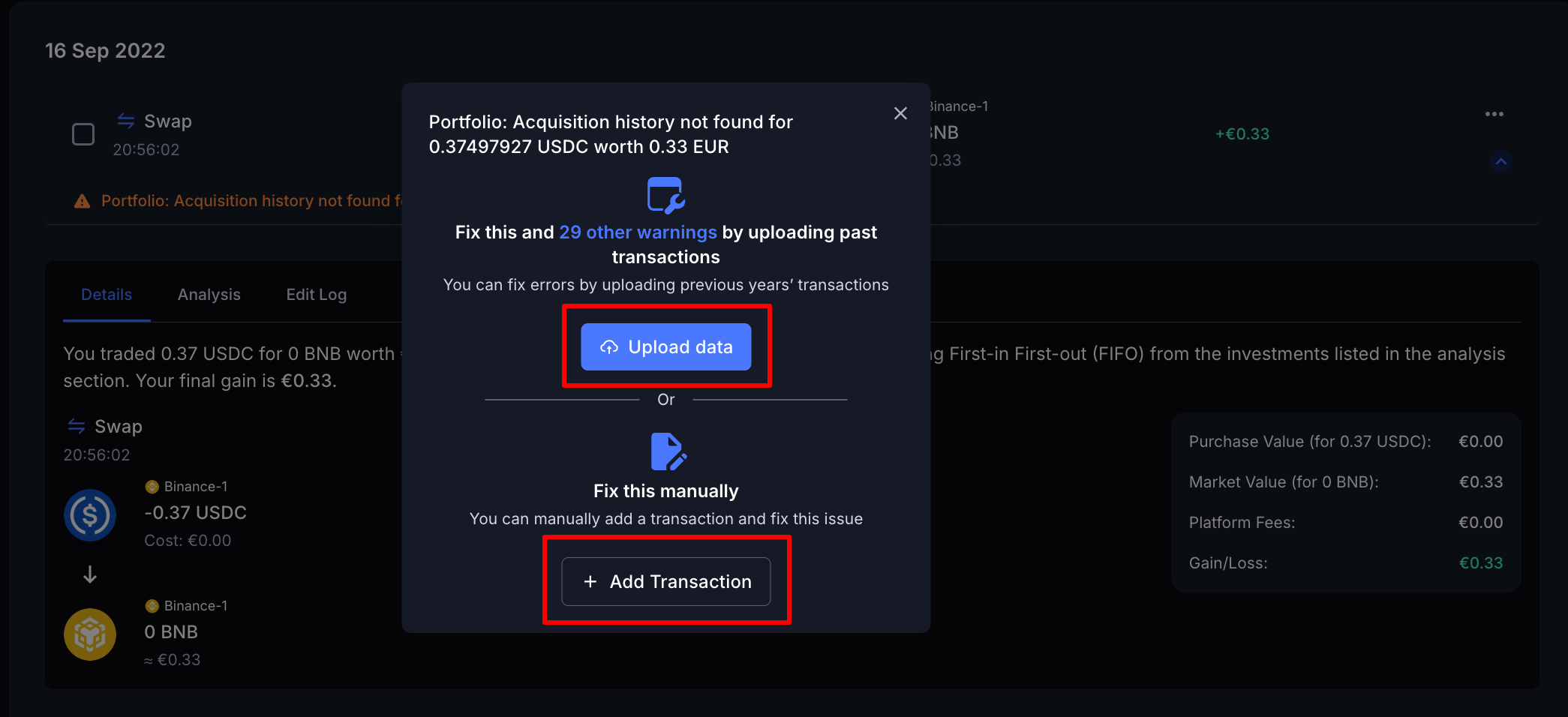
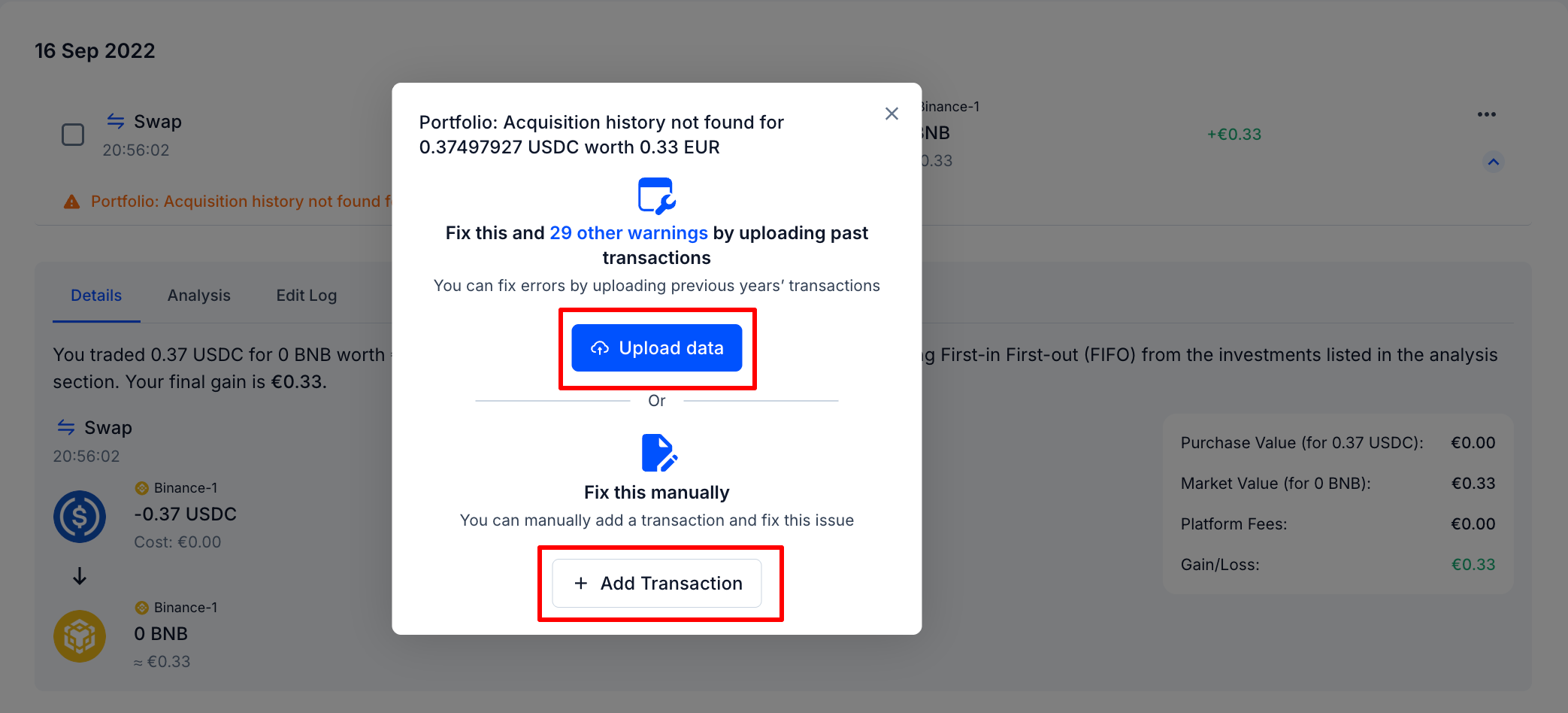
**Option 1 — Upload Data (recommended for multiple transactions)**
Upload historical transaction data from the exchange or wallet where the asset was originally acquired. KoinX will automatically reconstruct the missing acquisition history.
**Option 2 — Add Transaction Manually**
For a single missing acquisition: click **Add Transaction**, review the pre-filled fields KoinX suggests, and click **Add**.
Once the acquisition record is added, KoinX will recalculate the cost basis and update the gain or loss automatically.
***
## I'm seeing duplicate transactions — how do I clean them up?
The same transaction is appearing twice — same asset, same amount, same or very similar timestamp.
### Why it happens
The most common cause: you've connected both an **API integration** and uploaded a **CSV export** for the same exchange, and they overlap on dates. Both sources import the same trades, creating doubles.
### How to fix it
**Option 1 — Upload Data (recommended for multiple transactions)**
Upload historical transaction data from the exchange or wallet where the asset was originally acquired. KoinX will automatically reconstruct the missing acquisition history.
**Option 2 — Add Transaction Manually**
For a single missing acquisition: click **Add Transaction**, review the pre-filled fields KoinX suggests, and click **Add**.
Once the acquisition record is added, KoinX will recalculate the cost basis and update the gain or loss automatically.
***
## I'm seeing duplicate transactions — how do I clean them up?
The same transaction is appearing twice — same asset, same amount, same or very similar timestamp.
### Why it happens
The most common cause: you've connected both an **API integration** and uploaded a **CSV export** for the same exchange, and they overlap on dates. Both sources import the same trades, creating doubles.
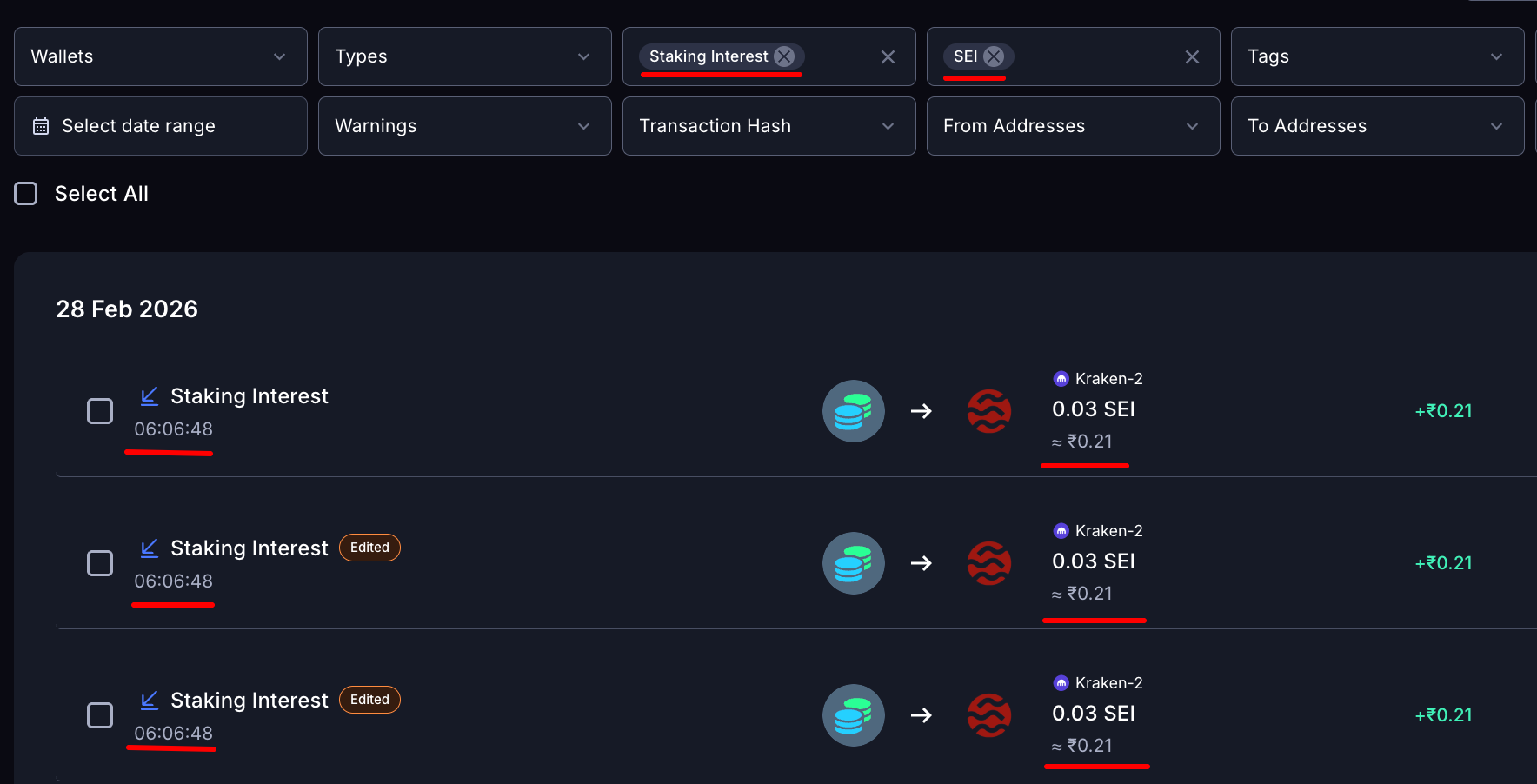
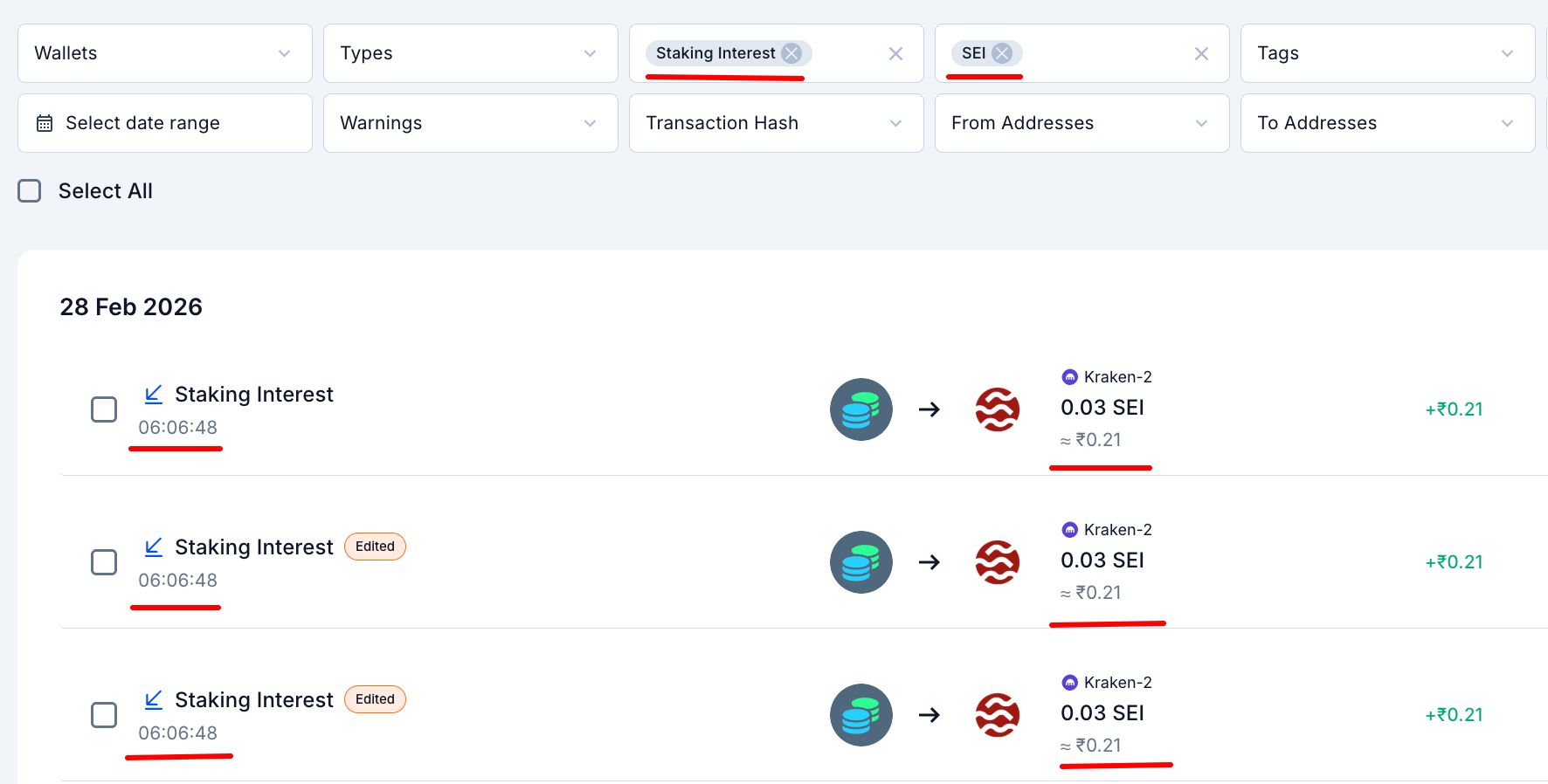 ### How to identify them
### How to fix them
If you're seeing duplicates across many transactions, go to **Integrations** — you may have two active connections for the same exchange (one API, one CSV). Remove the redundant one.
### **Prevent duplicates going forward**
Choose one import method per exchange — either API or CSV — and stick with it. Only mix both if you're backfilling a specific older period the API can't reach, and keep the date ranges clean so they don't overlap.
***
## The P\&L on my Transactions page doesn't match my Tax Report — which one is right?
The gain/loss shown on individual transaction cards differs from what your Tax Report shows for the same period. This is expected in many cases — the Tax Report is always the source of truth.
### Why the numbers differ
* **Accounting method mismatch** — if the accounting method used when generating the Tax Report differs from what's applied in the Transactions tab, the calculated gains will vary
* **Loss offset treatment** — the Transactions tab may show P\&L where losses are offset against gains; some jurisdictions don't allow this, so the Tax Report reflects jurisdiction-compliant calculations
* **Data changes before report generation** — if transactions were edited, added, or deleted before generating the report, the final report reflects those updated calculations
### What to do
The regenerated report will reflect accurate, jurisdiction-compliant P\&L. If the numbers still don't look right, contact our Customer Support team.
The Tax Report is always the source of truth — it follows taxation rules. The Transactions tab is a working view, not the final calculation.
***
## KoinX shows fewer transactions than my exchange — what's missing?
You check your exchange's own history and see more trades than what's in KoinX.
### Why it happens
This is almost always an API limitation, not a KoinX bug:
* Many exchange APIs only expose the last **90 or 180 days** of history
* Some exchanges have API rate limits that cause partial syncs
* Certain transaction types — funding fees, staking distributions, P2P trades — may not be exposed through the API at all
* KoinX may not yet support certain transaction types for newly launched exchange features
If you notice specific transactions missing that don't fall under API lookback limits, contact the support team so we can review and add support where possible.
### How to close the gap
Most exchanges let you export going back to account creation.
Filter your Transactions by that exchange's wallet and see the oldest transaction date — that tells you the gap.
***
## Common Issues / Edge Cases
This happens when the exchange API covers recent transactions but doesn't go back far enough for older ones. Import a CSV covering the older period to fill the gap.
Some CSV exports don't include a price column — only the asset amount. KoinX tries to auto-fetch the historical market price, but this can fail for obscure tokens or older dates. Use the **Edit** option or the **Add Price** link on the flagged transaction to enter the correct price manually.
***
## Frequently Asked Questions
Usually because the exchange API doesn't expose that transaction type — common for OTC trades and P2P purchases. Fix: CSV upload or manual entry. KoinX may also not yet support certain transaction types for newly launched exchange features. If you notice specific transactions missing, contact the support team so we can review and add support where possible.
Click the three-dot menu (···) on the transaction → **Edit** → update the **Market Price** → Save.
A ₹0 acquisition cost means KoinX found a disposal but couldn't locate the original purchase or deposit. This usually means earlier transaction data is missing. Upload historical data or add the missing acquisition manually to fix it.
This happens when KoinX is unable to retrieve the historical market price for a token — usually if the token has limited price data or isn't supported by the pricing source. You can manually add the price using the **Edit** or **Add Price** option on that transaction.
Yes — even a small difference should be reviewed carefully. One missing or incorrectly mapped transaction can significantly affect your balances, cost basis, and tax calculation if the amount involved is large.
### How to identify them
### How to fix them
If you're seeing duplicates across many transactions, go to **Integrations** — you may have two active connections for the same exchange (one API, one CSV). Remove the redundant one.
### **Prevent duplicates going forward**
Choose one import method per exchange — either API or CSV — and stick with it. Only mix both if you're backfilling a specific older period the API can't reach, and keep the date ranges clean so they don't overlap.
***
## The P\&L on my Transactions page doesn't match my Tax Report — which one is right?
The gain/loss shown on individual transaction cards differs from what your Tax Report shows for the same period. This is expected in many cases — the Tax Report is always the source of truth.
### Why the numbers differ
* **Accounting method mismatch** — if the accounting method used when generating the Tax Report differs from what's applied in the Transactions tab, the calculated gains will vary
* **Loss offset treatment** — the Transactions tab may show P\&L where losses are offset against gains; some jurisdictions don't allow this, so the Tax Report reflects jurisdiction-compliant calculations
* **Data changes before report generation** — if transactions were edited, added, or deleted before generating the report, the final report reflects those updated calculations
### What to do
The regenerated report will reflect accurate, jurisdiction-compliant P\&L. If the numbers still don't look right, contact our Customer Support team.
The Tax Report is always the source of truth — it follows taxation rules. The Transactions tab is a working view, not the final calculation.
***
## KoinX shows fewer transactions than my exchange — what's missing?
You check your exchange's own history and see more trades than what's in KoinX.
### Why it happens
This is almost always an API limitation, not a KoinX bug:
* Many exchange APIs only expose the last **90 or 180 days** of history
* Some exchanges have API rate limits that cause partial syncs
* Certain transaction types — funding fees, staking distributions, P2P trades — may not be exposed through the API at all
* KoinX may not yet support certain transaction types for newly launched exchange features
If you notice specific transactions missing that don't fall under API lookback limits, contact the support team so we can review and add support where possible.
### How to close the gap
Most exchanges let you export going back to account creation.
Filter your Transactions by that exchange's wallet and see the oldest transaction date — that tells you the gap.
***
## Common Issues / Edge Cases
This happens when the exchange API covers recent transactions but doesn't go back far enough for older ones. Import a CSV covering the older period to fill the gap.
Some CSV exports don't include a price column — only the asset amount. KoinX tries to auto-fetch the historical market price, but this can fail for obscure tokens or older dates. Use the **Edit** option or the **Add Price** link on the flagged transaction to enter the correct price manually.
***
## Frequently Asked Questions
Usually because the exchange API doesn't expose that transaction type — common for OTC trades and P2P purchases. Fix: CSV upload or manual entry. KoinX may also not yet support certain transaction types for newly launched exchange features. If you notice specific transactions missing, contact the support team so we can review and add support where possible.
Click the three-dot menu (···) on the transaction → **Edit** → update the **Market Price** → Save.
A ₹0 acquisition cost means KoinX found a disposal but couldn't locate the original purchase or deposit. This usually means earlier transaction data is missing. Upload historical data or add the missing acquisition manually to fix it.
This happens when KoinX is unable to retrieve the historical market price for a token — usually if the token has limited price data or isn't supported by the pricing source. You can manually add the price using the **Edit** or **Add Price** option on that transaction.
Yes — even a small difference should be reviewed carefully. One missing or incorrectly mapped transaction can significantly affect your balances, cost basis, and tax calculation if the amount involved is large.