How to Download Crypto Tax Reports
Tax season doesn’t have to be stressful. With KoinX, you can generate and download accurate crypto tax reports in just a few clicks. Whether you’re on a paid plan or exploring our free sample reports, here’s how to get your hands on your data in moments.
This guide is designed to help you understand how to generate tax reports, providing a step-by-step approach that covers multiple scenarios.
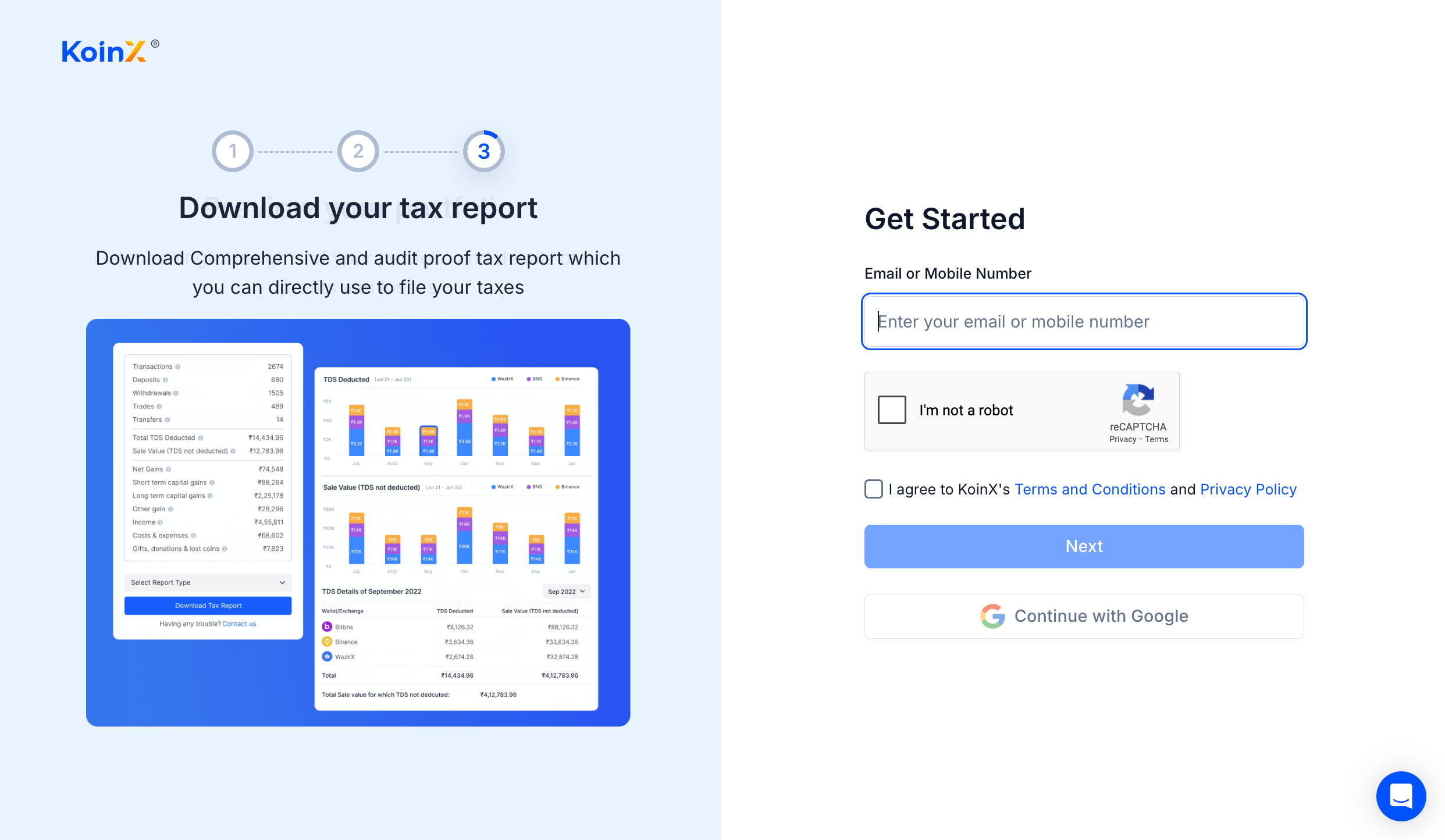
Log In to Your KoinX Account
- Head to KoinX (opens in a new tab) and sign in with your registered email and password.
Navigate to the KoinX Tax Reports Page
-
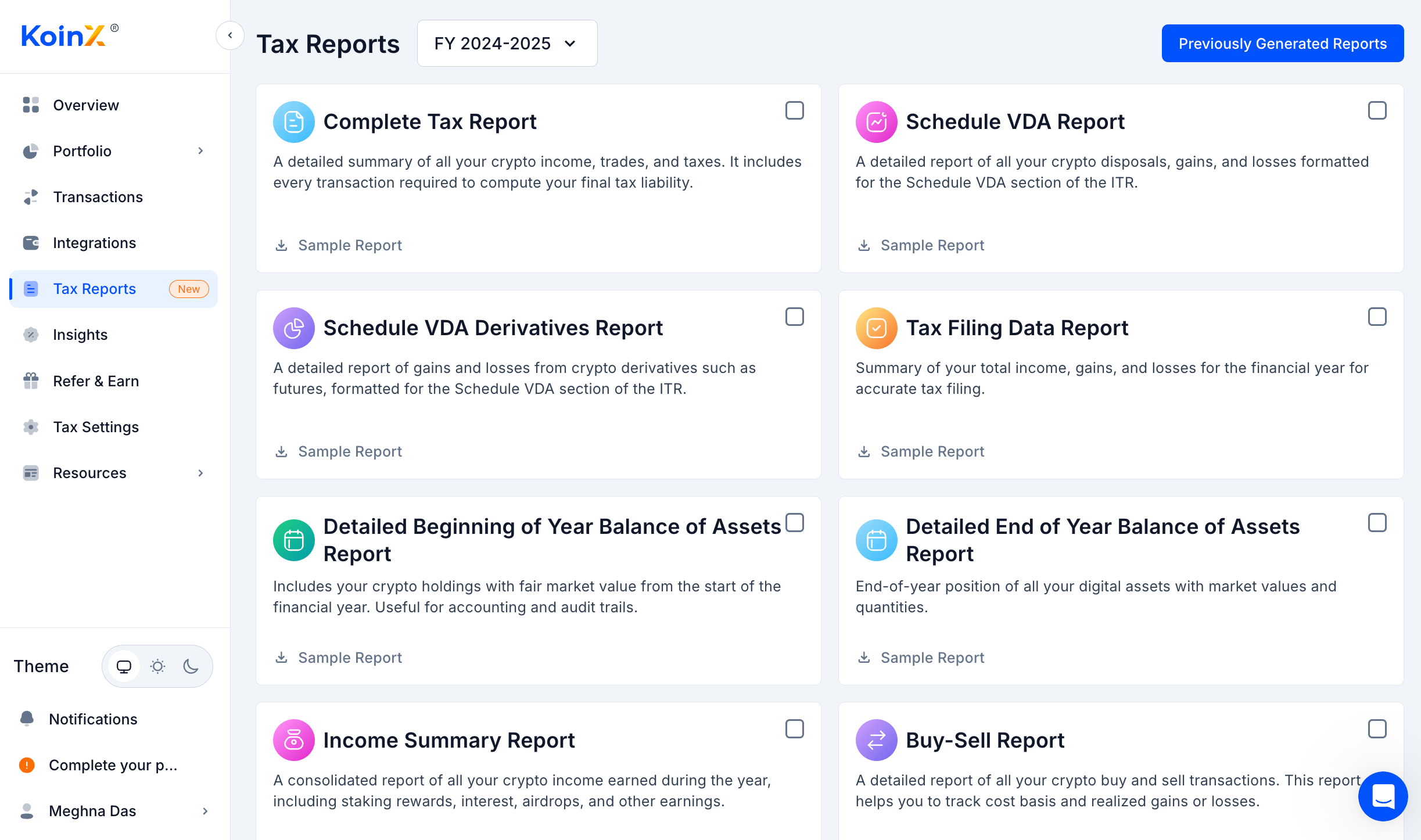
Once logged in, navigate to the Tax Reports page.
-
This is your dashboard for all past and future reports.
-
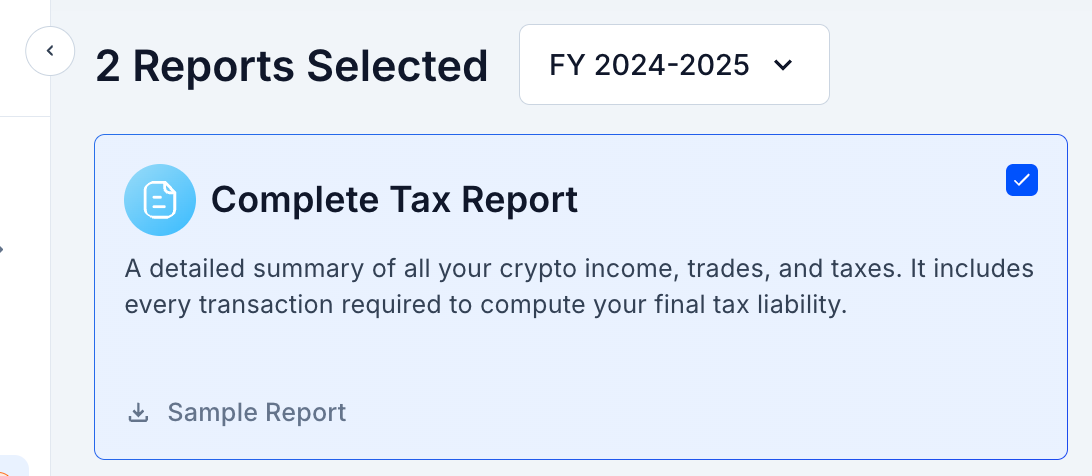
You’ll see multiple types of tax reports available. Select "Complete Tax Report", it’s the most preferred option for full tax compliance.
Click on “Generate Now”
- First, select the year for which you would like to obtain the report.
- Now, click the blue Generate button in the top corner.
Note:
If you have already paid, you can proceed directly to Step 4.
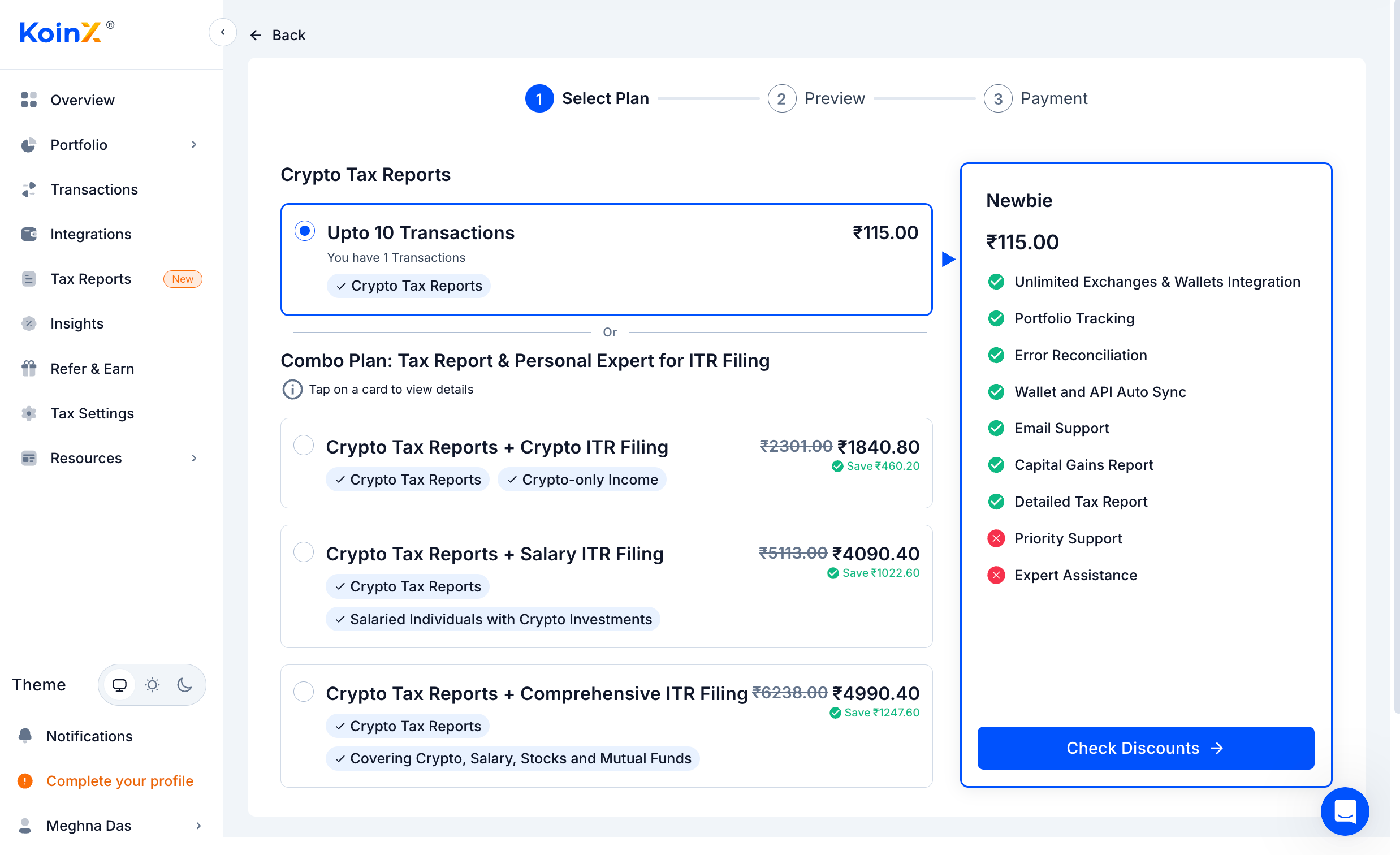
If not, you’ll be redirected to the pricing page.
- For Indian users: Choose between a standalone Crypto Tax Report or three specially curated bundles (opens in a new tab) combining tax reporting with end-to-end ITR filing support, all aligned with Indian tax laws.
- For Global users: Access an audit-ready Crypto Tax Report (opens in a new tab) tailored to your country’s regulations, with integrations, real-time categorization, and backend support.
- After payment, the system will automatically process your trading history and generate a tax report based on your transaction data.
Check Your Registered Email Inbox
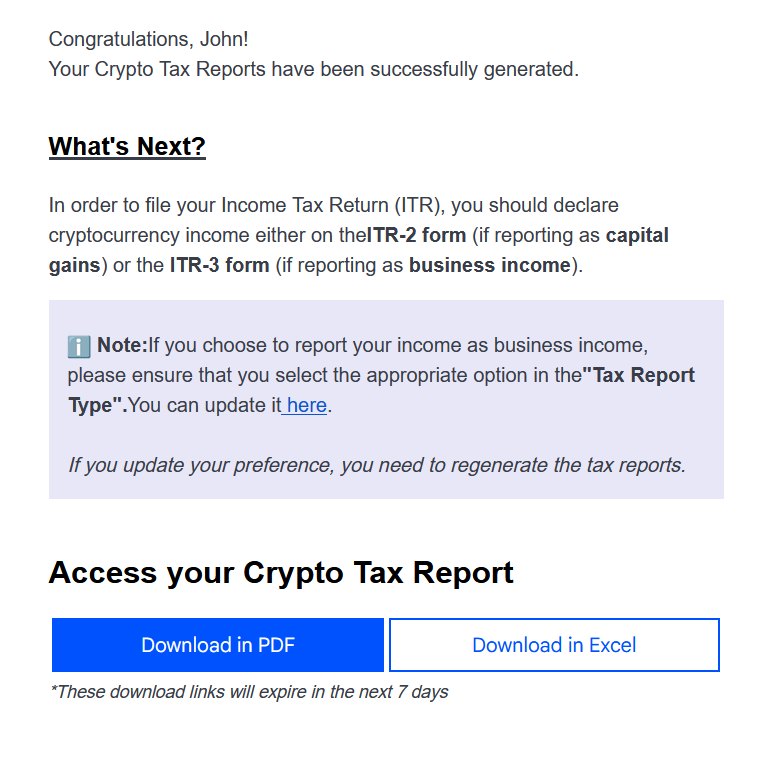
Once generation completes, look for an email in your registered inbox with the subject “KoinX Tax Reports.”
- If you don’t see it in Primary, check Spam or Promotions.
- You can also find it in Previously Generated Reports (opens in a new tab) on the Tax Report page.
Open the Email and Download the Report
- Open the “KoinX Tax Reports” email and choose your preferred format — PDF or Excel.
- Click to download, and the file will save to your device.
You can generate multiple types of reports according to your requirements. Each is tailored to different data insights. Below, we give you a brief on what’s included in each report. Please refer to the Tax Reports (opens in a new tab) page for a detailed overview.
Generate Multiple Reports
You can generate multiple types of reports according to your requirements. Each is tailored to different insights.
-
Navigate to the Tax Reports Page.
-
Select your Financial Year (e.g., FY 2024–2025).
-
Tick the report cards you need:
-
Complete Tax Report
Contains:- A comprehensive summary of all your crypto income, trades, disposals, gains, losses, and computed tax liabilities for the selected financial year. When to download:- Use this when you need a comprehensive report for filing your ITR or submitting it to your accountant.
-
Schedule VDA Report (Available for Indian Crypto Investors)
Contains: Detailed disposals, gains, and losses explicitly formatted for the Schedule VDA section of your ITR.
When to download: Download when you’re ready to fill out the Schedule VDA portion of your tax return. -
Schedule VDA Derivatives Report (Available for Indian Crypto Investors)
Contains: All gains and losses from crypto derivative trades (futures, options, etc.) formatted for Schedule VDA.
When to download: Grab this before filing if you traded derivatives and need to report them separately. -
Tax Filing Data Report (Available for Indian Crypto Investors)
Contains: High-level summary of your total crypto income, gains, and losses for the year, ready for direct entry into your ITR forms.
When to download: Use this for quick reference or to populate the key fields of your tax return without the full breakdown. -
Detailed Beginning of Year Balance of Assets Report
Contains: Your opening-year crypto holdings with fair market values.
When to download: Download at the start of your tax journey to establish opening balances for audit trails. -
Detailed End-of-Year Balance of Assets Report
Contains: A snapshot of all your crypto asset holdings, quantities, and market values as of March 31.
When to download: Use this when you need to verify closing balances or prepare balance-sheet disclosures. -
Income Summary Report
Contains: Consolidated listing of all staking rewards, airdrops, interest, and other crypto-earned income during the year.
When to download: Pull this when you need to report “income from other sources” or supporting schedules. -
Buy-Sell Report
Contains: Line-by-line record of every buy and sell transaction, complete with cost basis and realized P&L.
When to download: Use this to audit your cost basis calculations or when your accountant requests detailed trade data. -
Transaction History Report
Contains: Chronological log of all trades, transfers, deposits, and withdrawals across every integration.
When to download: Download for a full audit trail or to reconcile your exchange and wallet activity.
-
-
Click Download to grab all selected reports at once.
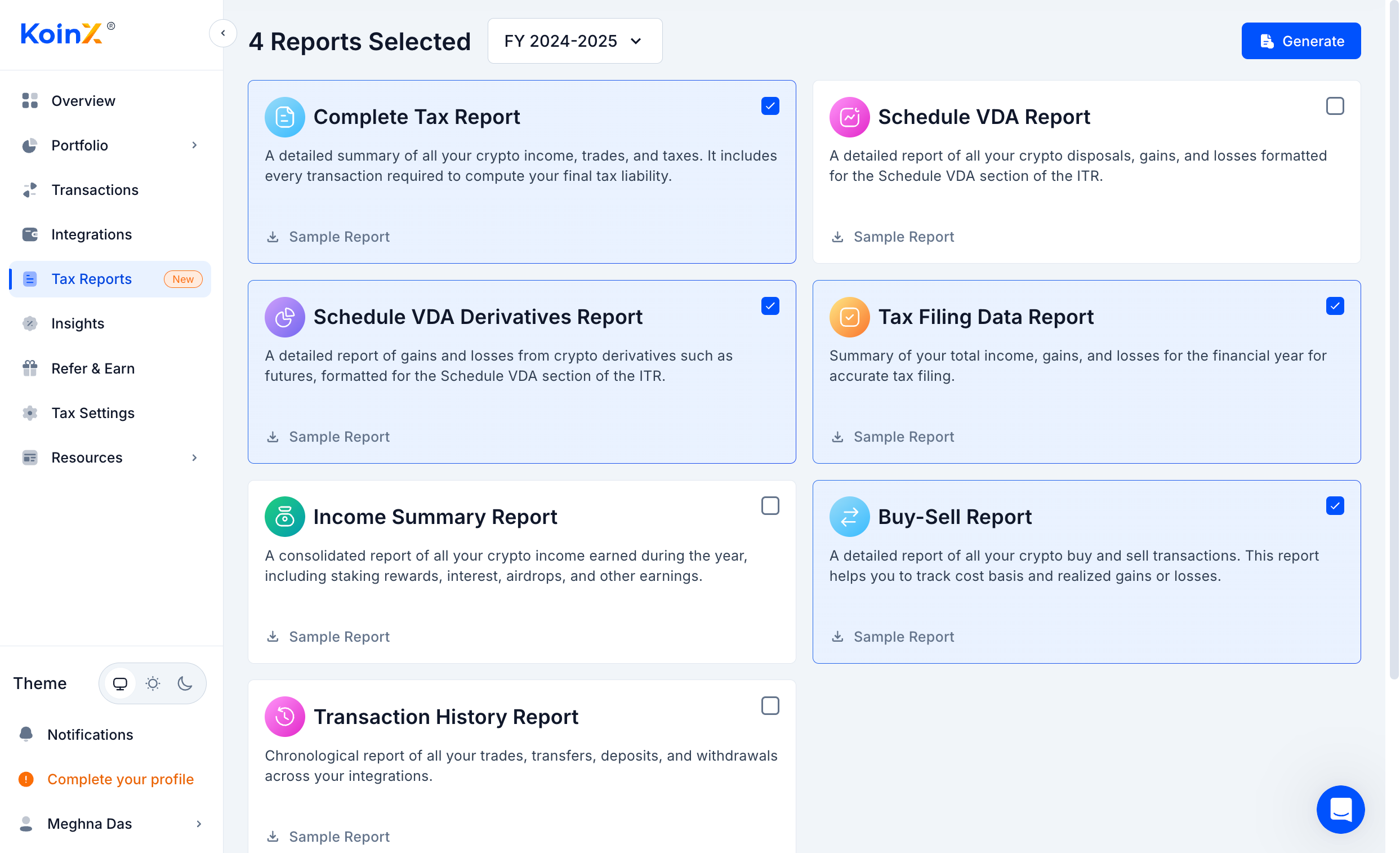
If you’d like to understand what each Tax Report includes and how the data is presented, you can review sample reports for reference.
Download Sample Reports
We provide sample reports so you can preview the format before payment.
- We have sample reports available for you, allowing you to get a clear idea of what you can expect after payment.
- Under each report card (e.g., Complete Tax Report, Schedule VDA Report, Income Summary Report, etc.), you’ll see a Sample Report link with a download icon.
- Just click the Sample Report beneath the report type you want to preview.
- Your browser will automatically download the sample PDF file, allowing you to review the layout and data.
Why Choose KoinX’s Crypto Tax Report?
- Regulation-Ready: Built to meet all local tax requirements, Schedule VDA and beyond, so you file with confidence.
- Pinpoint Accuracy: Every trade, every entry, meticulously calculated to ensure error-free reporting.
- Crystal-Clear Understanding: Tax summaries and explanations designed for ease of understanding and no guesswork.
Get started today by syncing your wallets, selecting the report types you need, and downloading in the format that suits you best. This way, you can focus on what matters most: your trading strategy, not the paperwork.