
October brings improvements across transaction management, AI tools, tax reporting, and integrations. From bulk transaction edits and archiving to KoinX MCP and regional tax updates, this month’s updates make it easier to manage your crypto activity and tax reports.
Better Transactions Experience
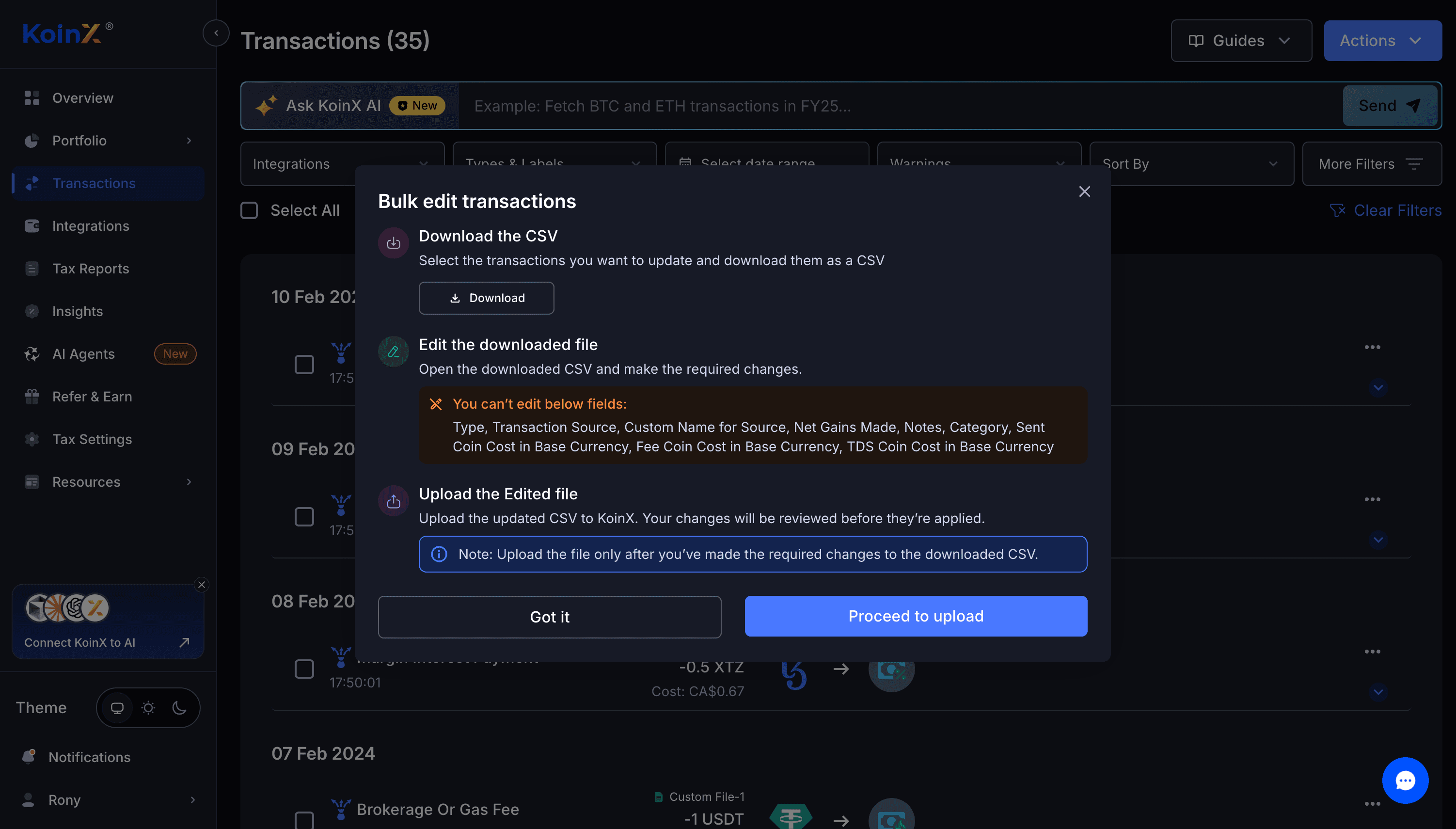
Bulk Edit Transactions via CSV
You can now update multiple transactions at once using a KoinX Transactions CSV. Download your transactions from KoinX, edit the relevant details, and upload the file to apply your changes in bulk.
The upload flow now gives clearer feedback when a file is invalid or contains no changes, and you can download the file directly from the results.
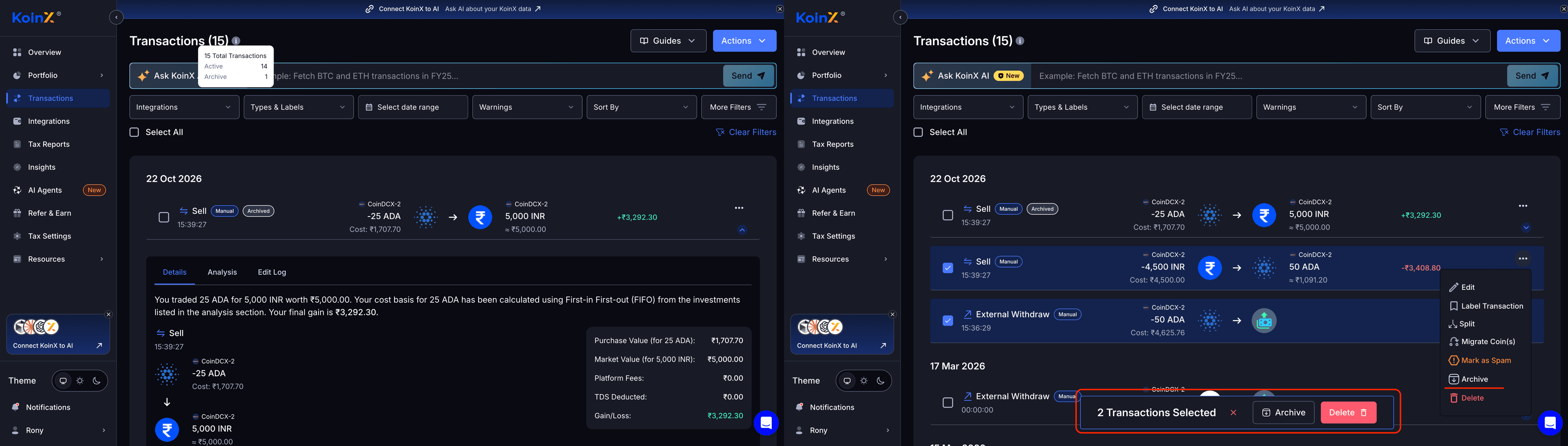
Archive and Unarchive Transactions
You can now archive transactions you want to exclude from your tax calculations. Archive a single transaction or select multiple transactions, then manage archived transactions from the Transactions page. You can unarchive them whenever you need them again.
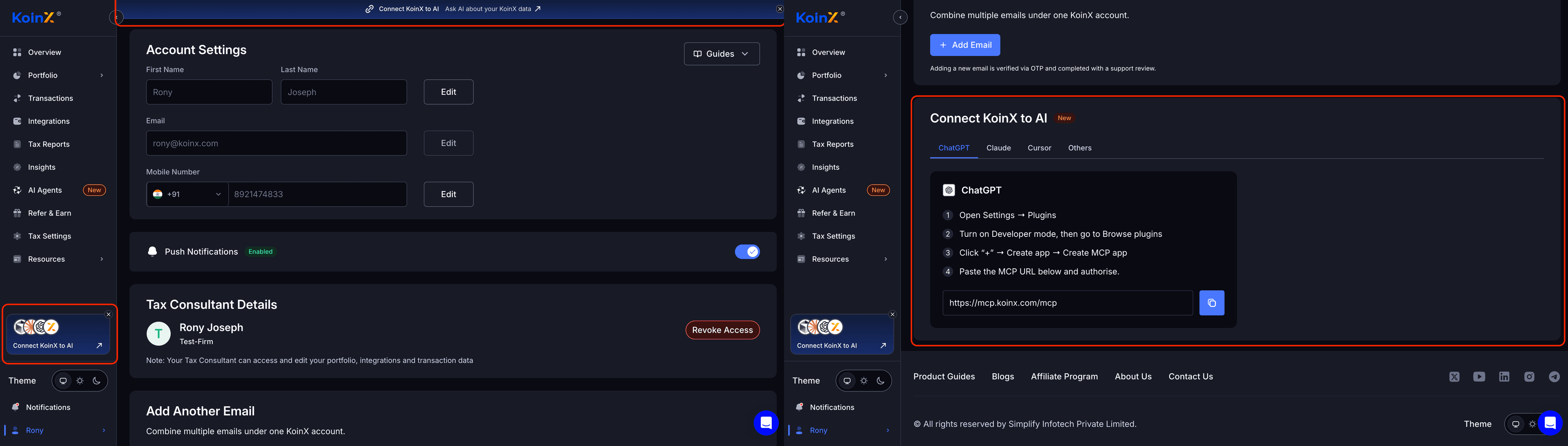
Connect KoinX to AI Tools with MCP
KoinX now supports the Model Context Protocol (MCP), so compatible AI tools can connect to your KoinX data and access your crypto tax information.
You can connect KoinX to an AI tool (opens in a new tab) from your account settings.
Tax Improvements
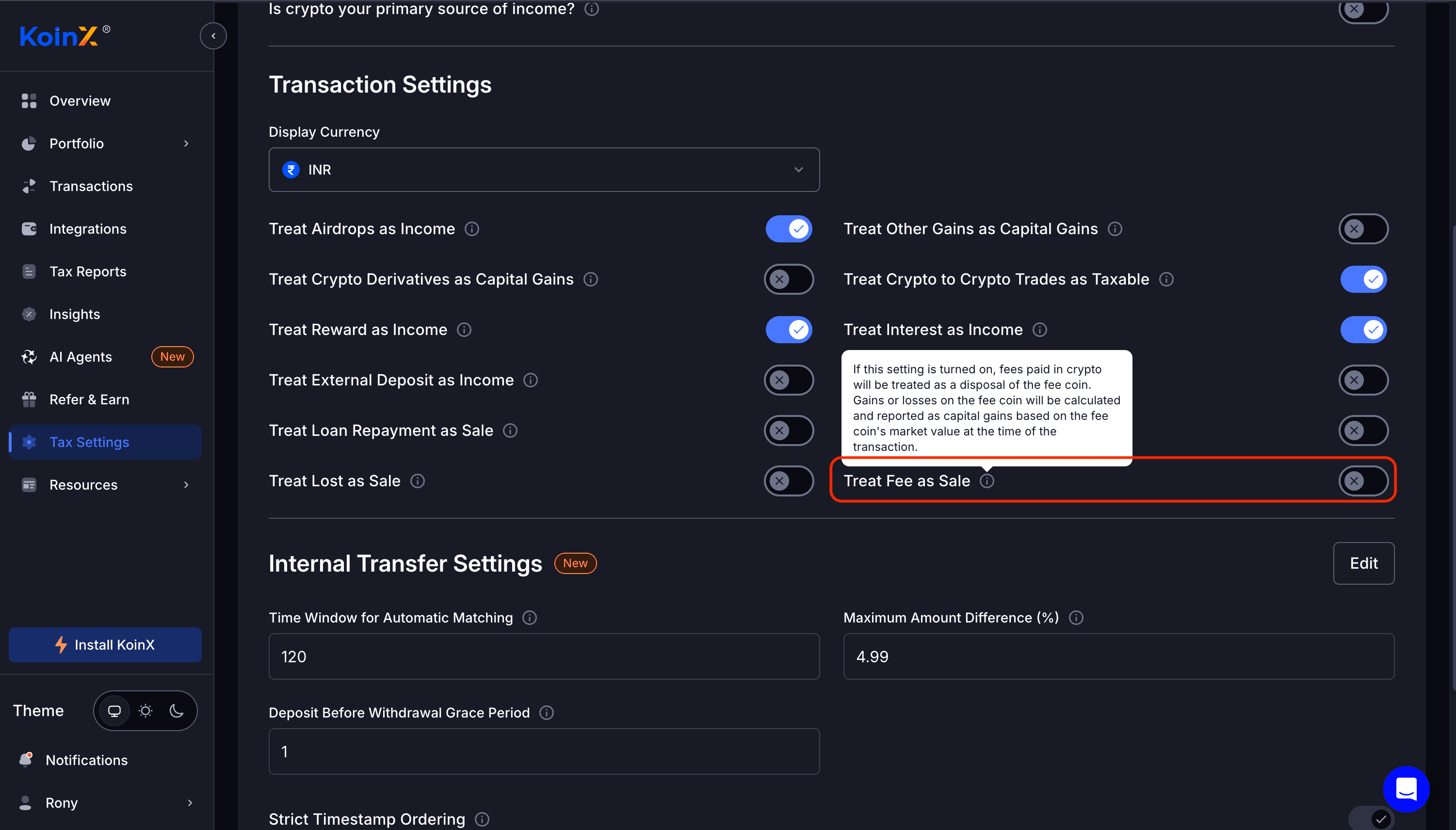
Treat Fee as Sale
The Treat Fee as Sale setting is now available. When enabled, fees embedded in a transaction are treated as separate disposals for tax and accounting purposes.
Canada: Universal Cost Basis Method
Canadian Tax Calculations now follow the Universal Cost Basis Method, applying a consistent cost basis across your crypto assets.
Expanded Integration Support
We’ve continued expanding transaction coverage and improving integration reliability across the platform.
- Transaction mappings — Added or improved mapping for Binance, Coinbase, KuCoin, Bybit, Crypto.com App, BingX, Bitbns, and Kraken.
- Bitget — Added support for UTA API trades and improved the file-to-API migration flow, including identifying stale wallets so syncing can resume.
- Delta Exchange — Added TDS capture for spot trades.
- New import options — Added support for the CoinSmart file format, the Uphold API, and a new Bitbuy file format.
- API error handling — Improved error handling for XT, Bitget, and Coinbase.
Other Improvements
- Tax Professionals Landing Page — Launched a redesigned global landing page for tax professionals, with country-specific pages rolling out.
- Australia and US Tax Calculators — Updated the content and added clearer guidance on how to use the calculators and how KoinX can help.
- Buy Fees — Buy Fees now appear under Brokerage and Other Fees for withdrawals, transfers, and capital gains transactions.
- Transaction Filters — Added filters for Cost of Acquisition, Gains, and Fees, alongside the existing Received Value filter.