
This month, we’ve rolled out a packed set of updates across the platform—spanning everything from transactions to reports—to make crypto accounting smoother than ever. From powerful new filters and customizable tables to advanced reporting enhancements, each feature is designed to simplify your workflow and give you greater clarity. Here’s everything we’ve shipped in this release.
Advanced Filters
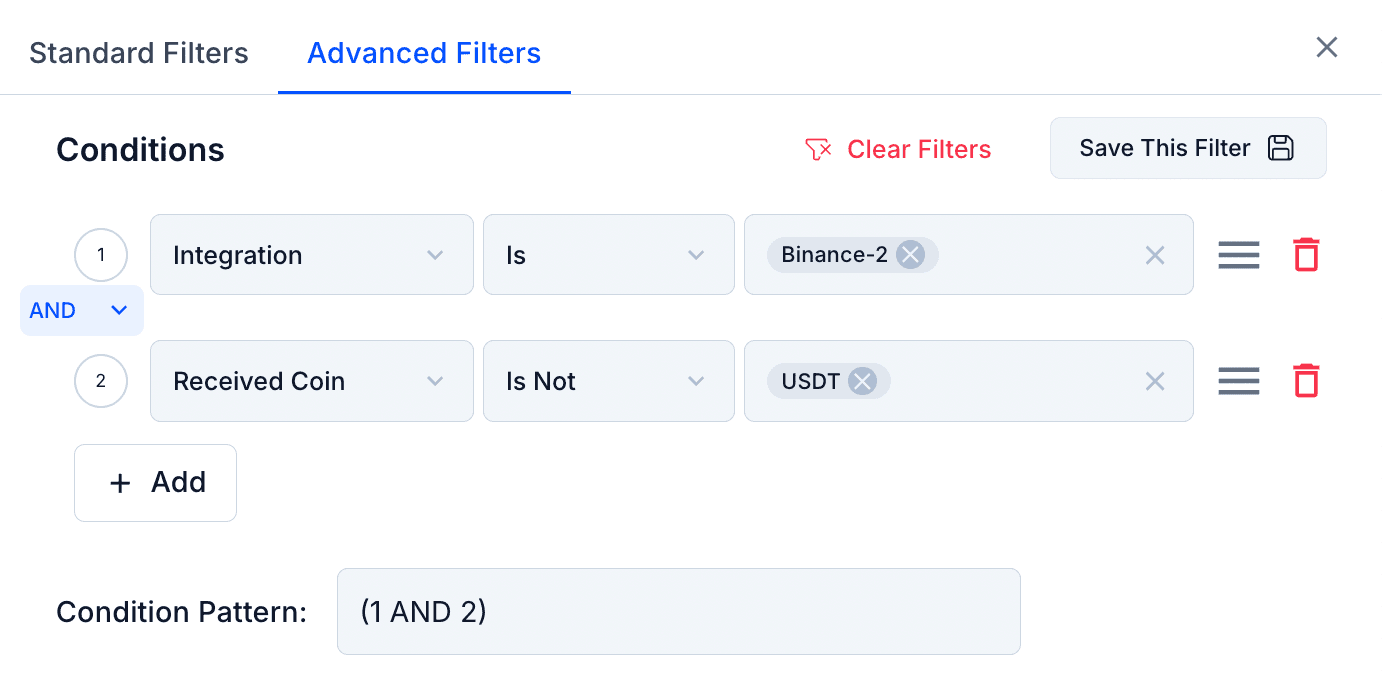
You can now apply advanced, multi-condition filters to narrow down transactions with far greater precision. This makes it easier to isolate specific scenarios and analyse your data at a deeper level.
Balance Sheet (At Market Value) Report
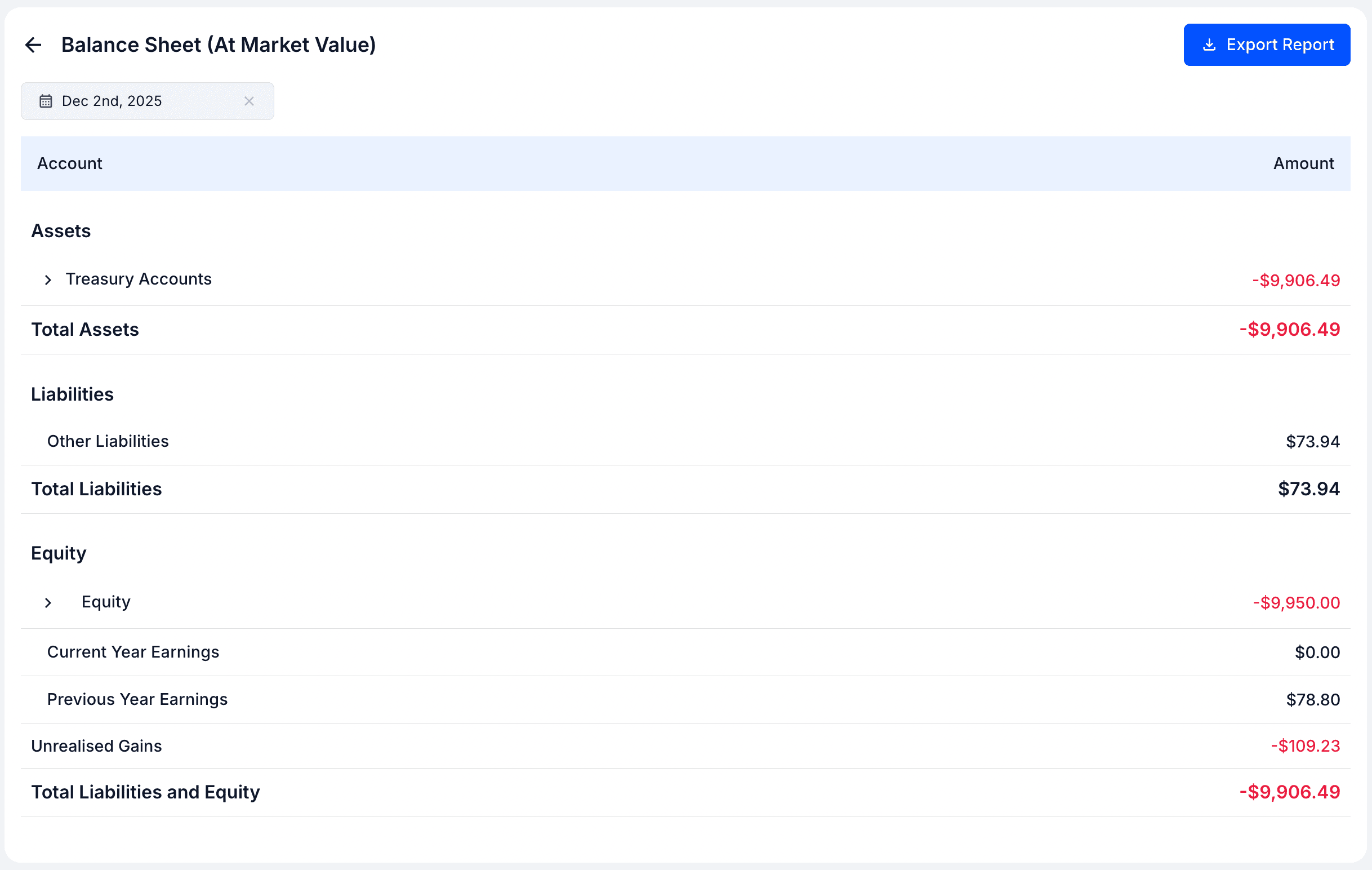
We've added a new balance sheet report that values your crypto assets at their current market value instead of cost. You'll also see a new "Unrealised Gains" entry to reflect the difference between market and cost values.
Disposable Portfolio Lots Report
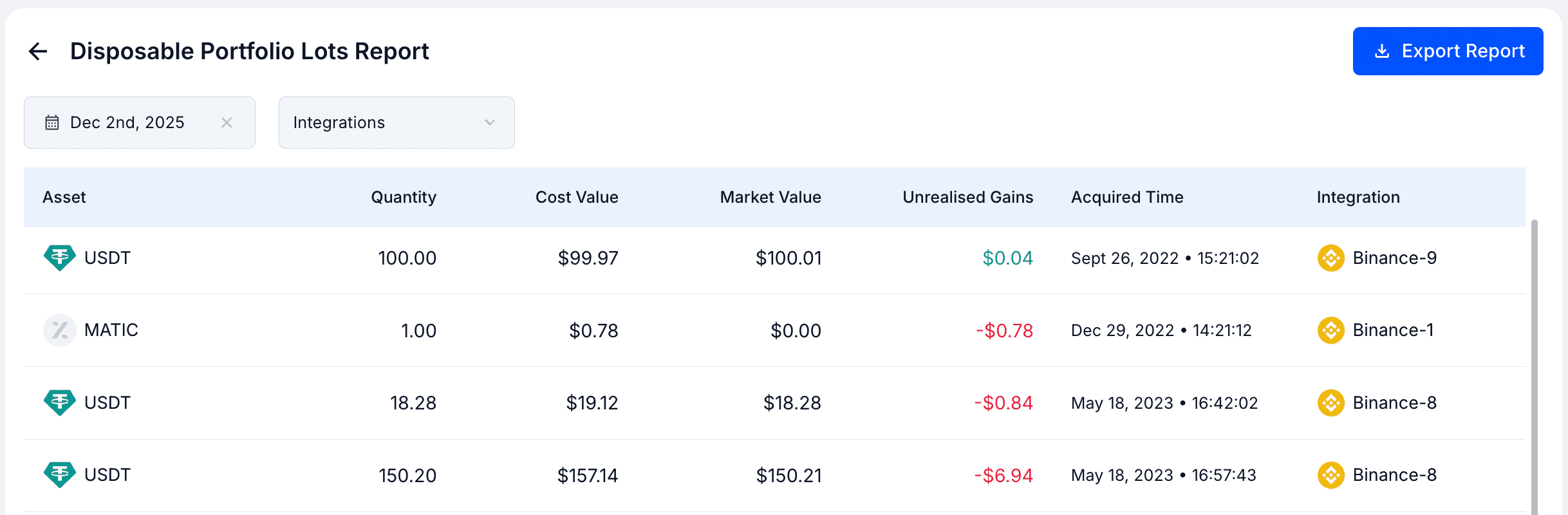
For users focused on tax reporting, this new report—also known as the Rolling Lots Report—shows which portfolio lots will carry forward into the next tax period. It offers valuable insights for planning and compliance.
Workspace Settings Page
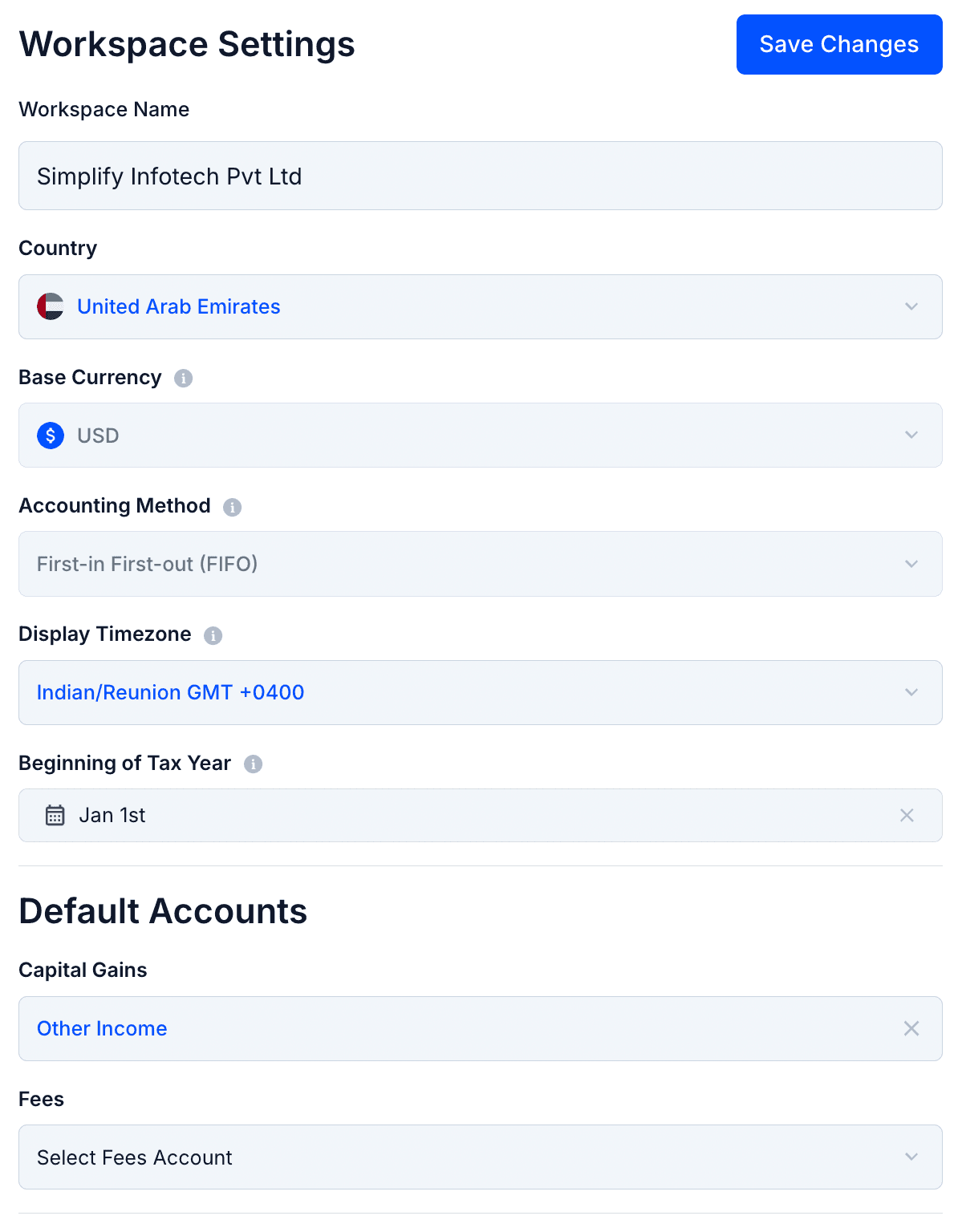
A dedicated Workspace Settings page is now live. You can update your workspace's name, country, tax year, timezone, and view other key settings like base currency. You can also configure transaction treatment settings and default accounts used during categorization.
Mark as Spam / Not Spam
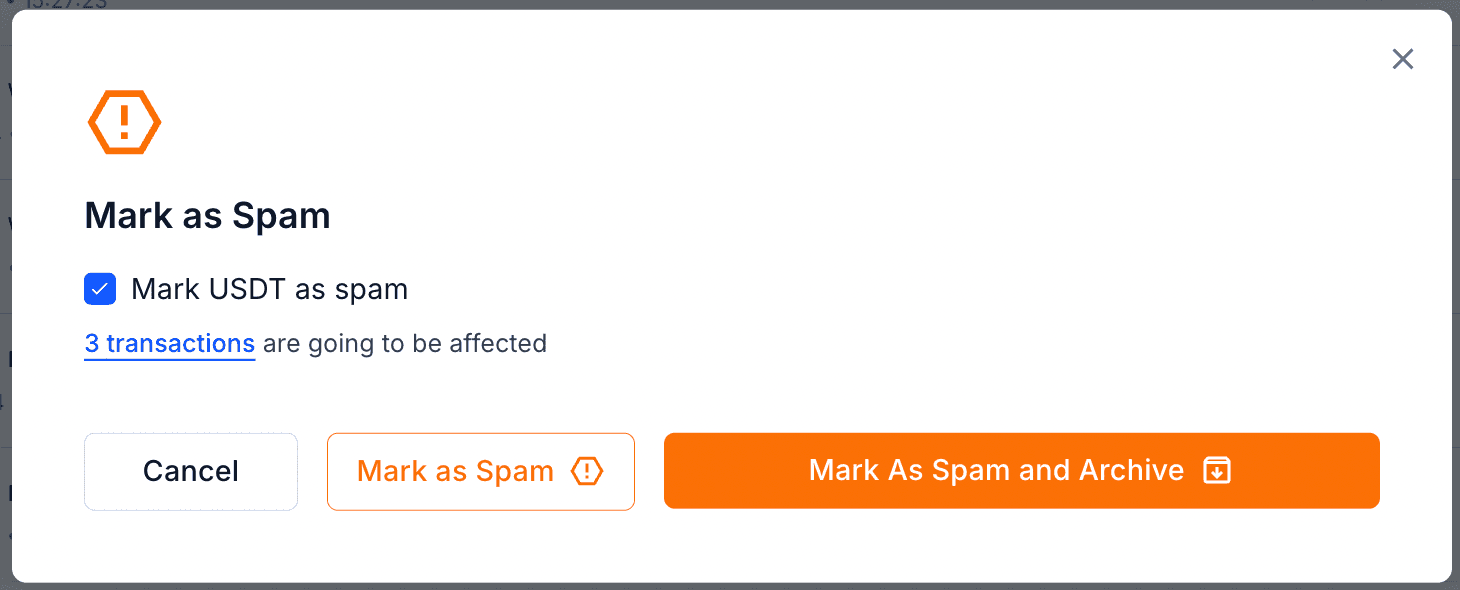
You can now select transactions and mark coins as spam or not spam. When marking as spam, you can either leave the transaction in the Uncategorized tab or choose "mark as spam and archive" to tidy up your workspace instantly.
Customisable Columns in the Transactions Table
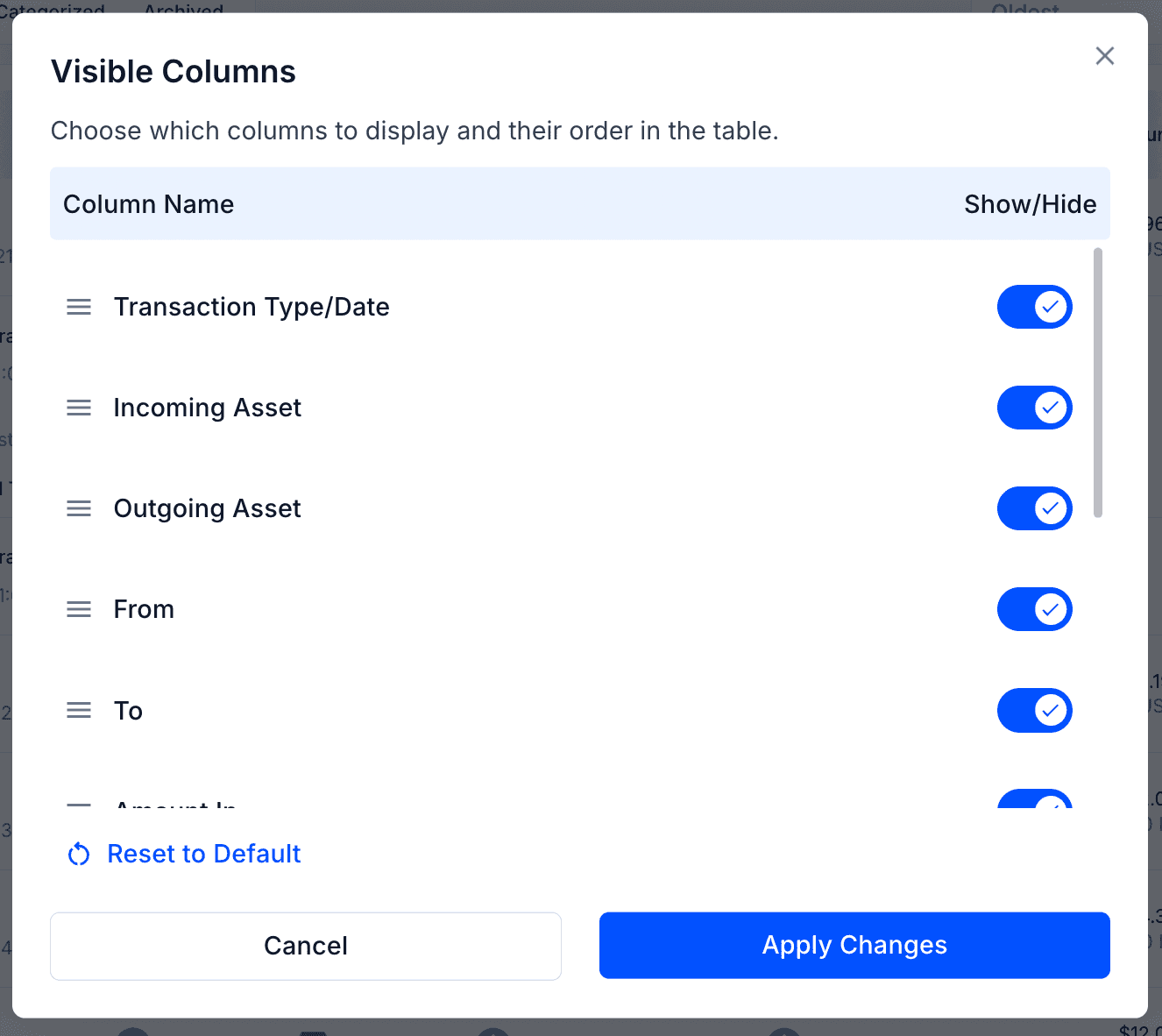
Users wanted more flexibility in how they view their transaction data—so we delivered. You can now choose which columns to display, including Description and Transaction Hash, and even reorder them to match your workflow.
Journal Details in the Transaction Details Sidebar
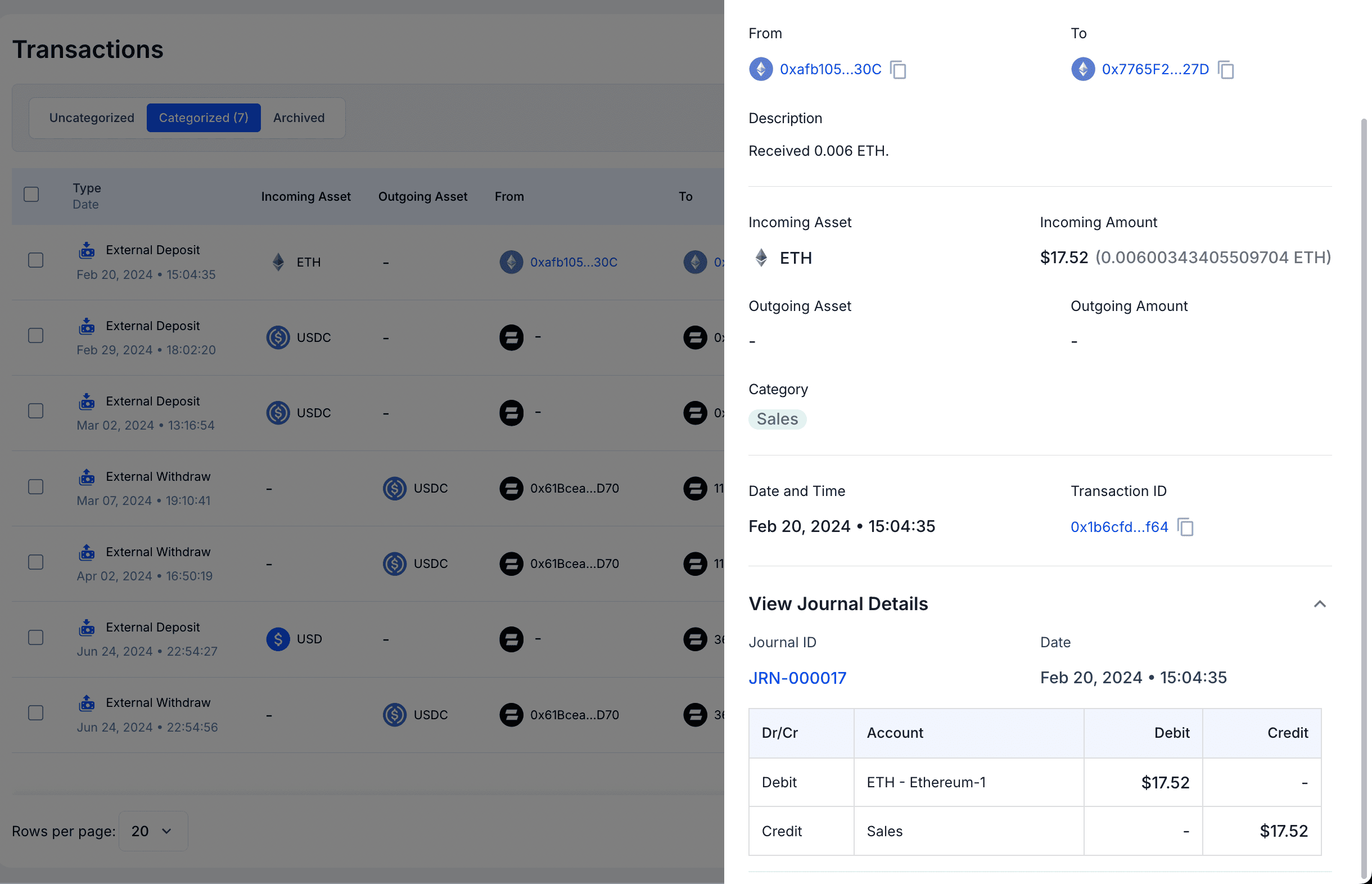
Along with transaction information, you can now view the corresponding journal entry directly within the transaction details sidebar. This saves time and gives you complete context without navigating away.
Sticky Header for Transactions Table
The header row in the Transactions table now stays fixed as you scroll. This ensures column labels remain visible at all times, making long lists of transactions easier to review.