
February is a packed release for KoinX Books. We've launched ERP integrations so your accounting system connects directly with KoinX, added a new Trial Balance for a Period report, introduced multi-currency journal entries, and shipped a dedicated Address Book with name tag support. Alongside these, we've made several improvements across categorisation, reporting, and data imports. Here are the key highlights of this release:
ERP Integrations
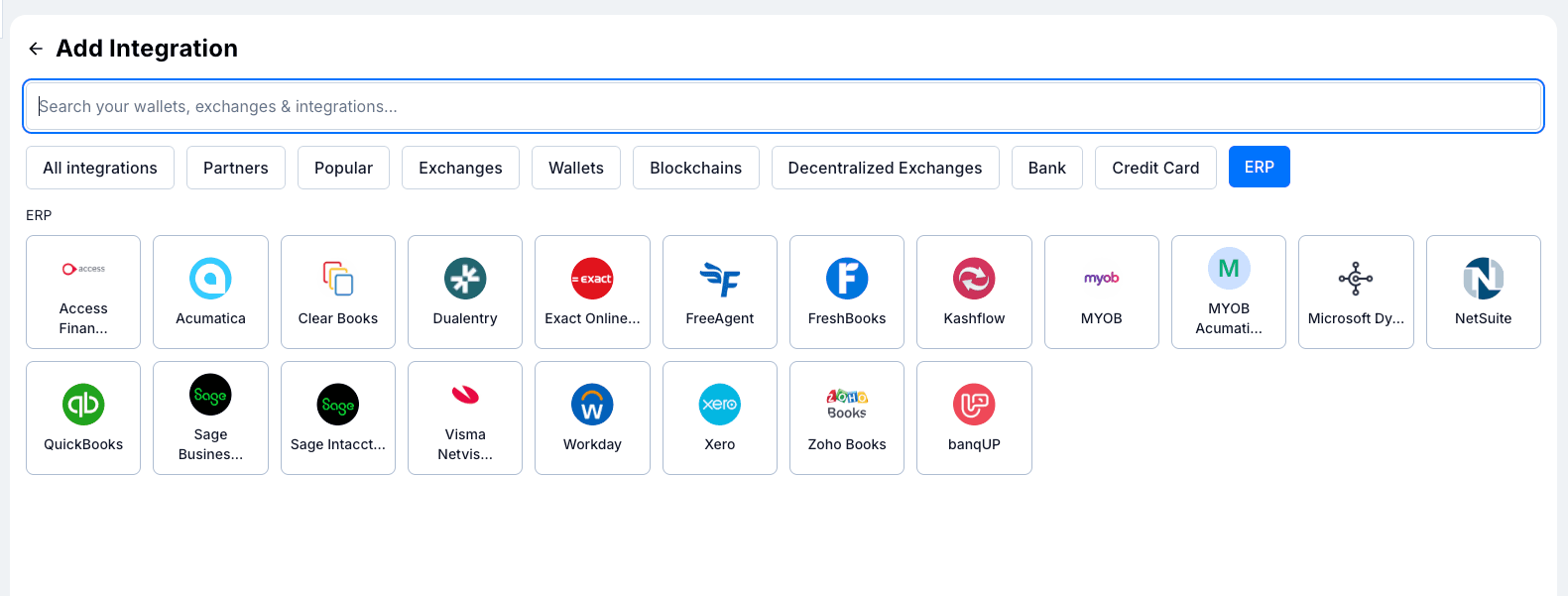
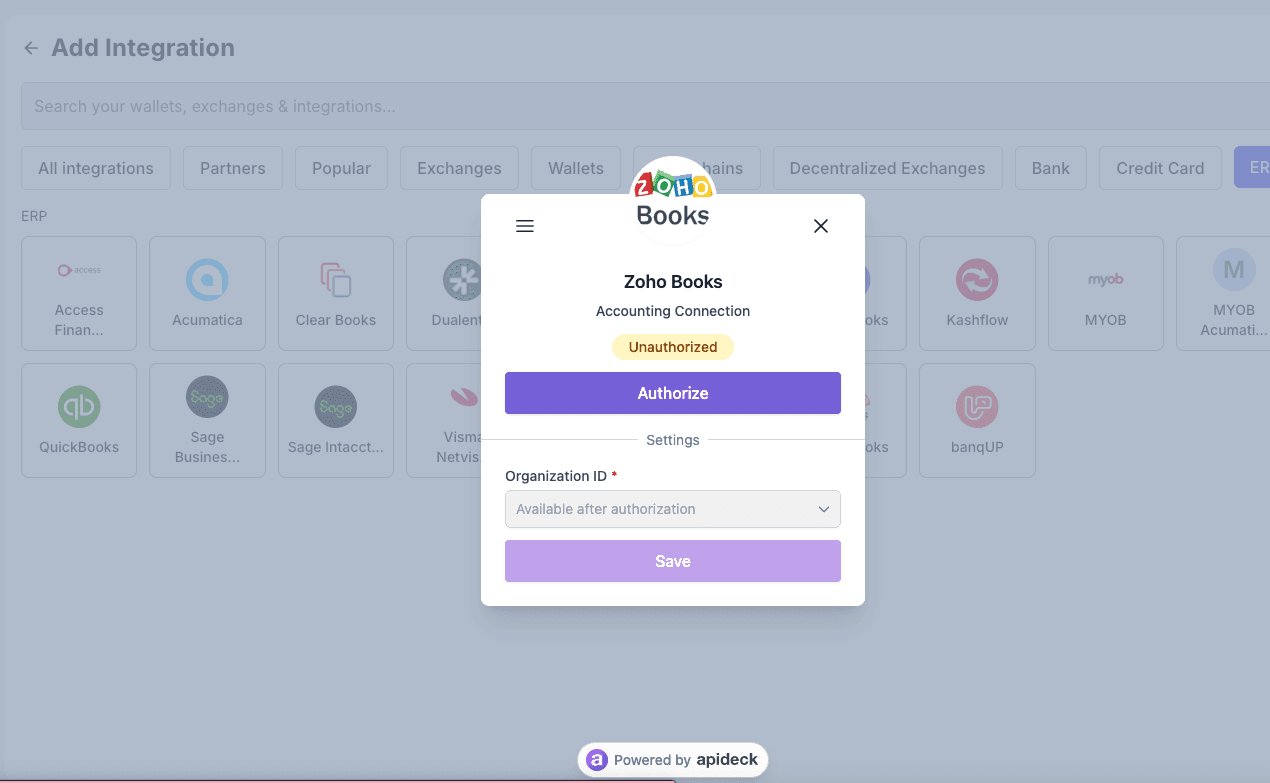
KoinX Books now supports ERP integrations. You'll find a dedicated ERP tab on the Add Integration page with support for over 20 accounting systems, including QuickBooks, Xero, Zoho Books, NetSuite, FreshBooks, Sage, Sage Intacct, Microsoft Dynamics, MYOB, Workday, and more. To connect, select your ERP, authorise the connection, and KoinX will verify and sync your account details automatically.
ERP Integration for Chart of Accounts
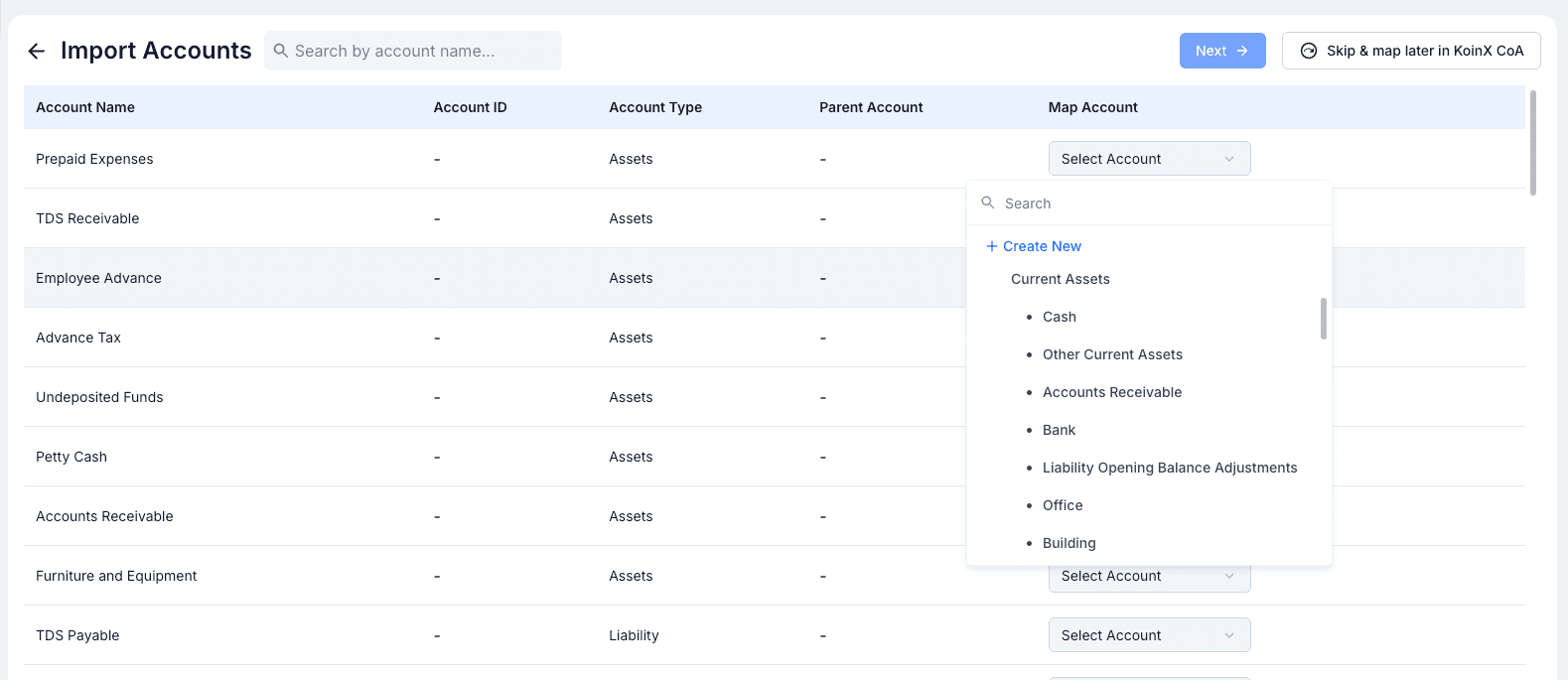
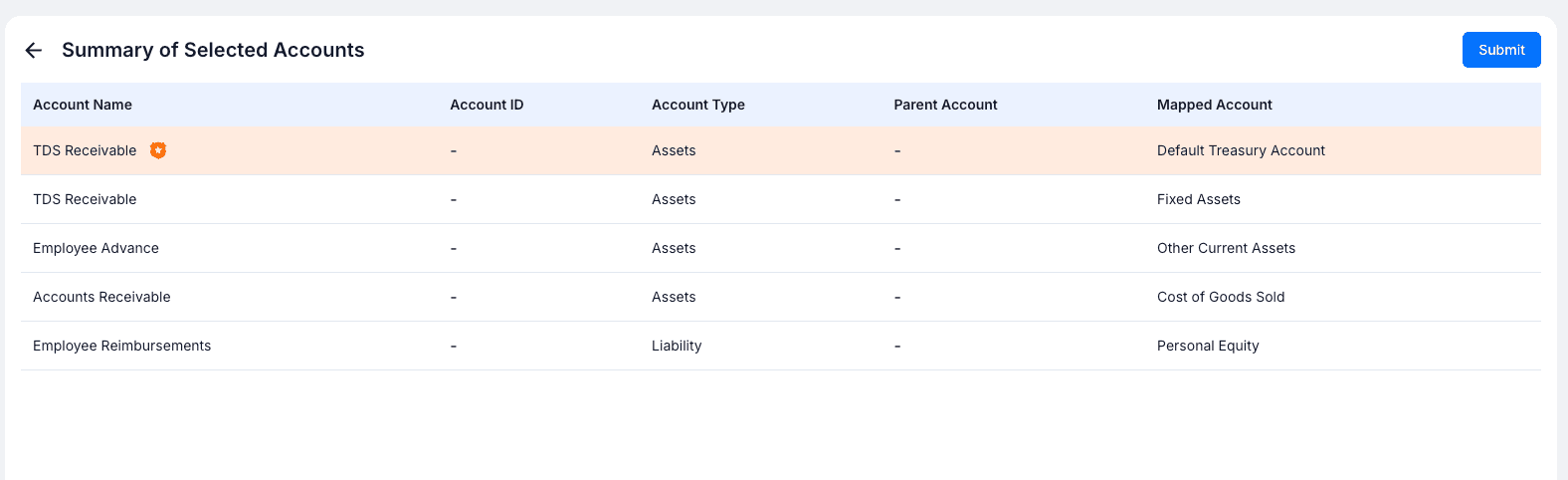
Once your ERP is connected, you can import your general ledger accounts directly into KoinX. The import flow lets you map each ERP account to a corresponding KoinX account. For any accounts left unmapped, you can set a default treasury account to ensure they're captured correctly. Before confirming, you get a full summary of all your mappings to review, so your chart of accounts in KoinX stays aligned with your ERP from day one.
Trial Balance for a Period
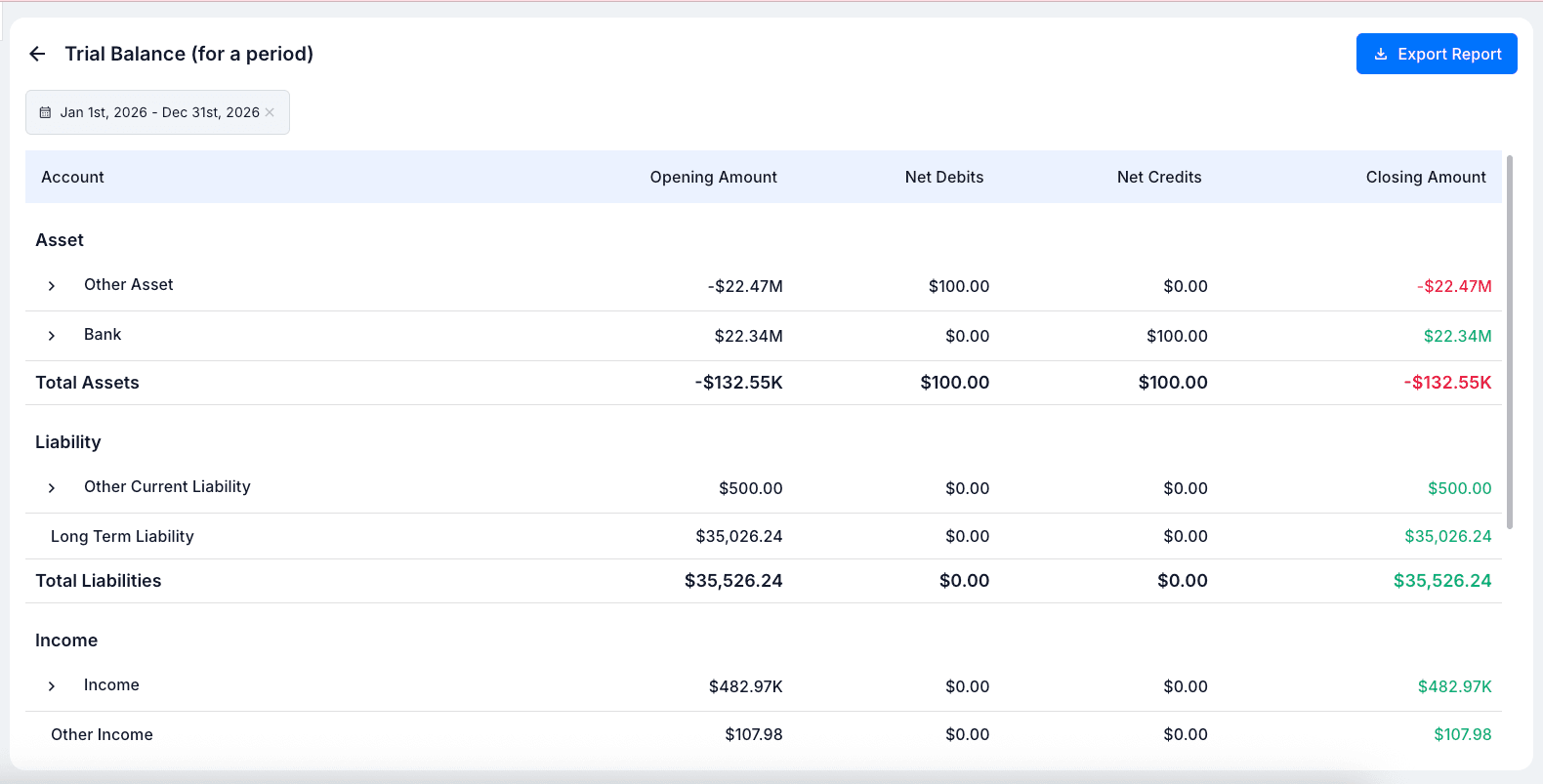
You can now generate a Trial Balance for a Period in addition to the existing "as on date" report. Instead of a point-in-time snapshot, this report takes a date range and shows the opening amount, net debits, net credits, and closing amount for every account, giving you a complete picture of account movements over the selected period. It's particularly useful for month-end reviews, period-end closes, and audit preparation.
Multi-Currency Journals
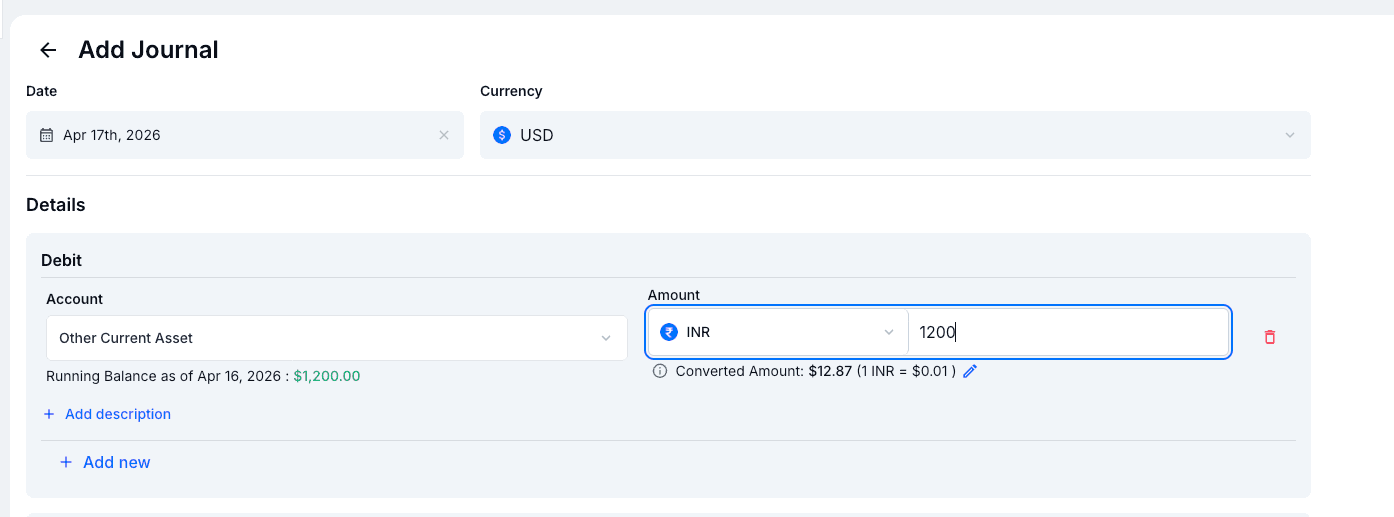
You can now record journal entries in a currency different from your base currency. Each line item supports its own currency selection, and KoinX automatically calculates the converted amount in your base currency based on the exchange rate. The conversion rate can also be overridden manually if needed. The final posted journal will always balance in your base currency, keeping your books consistent.
Name Tag & Address Book
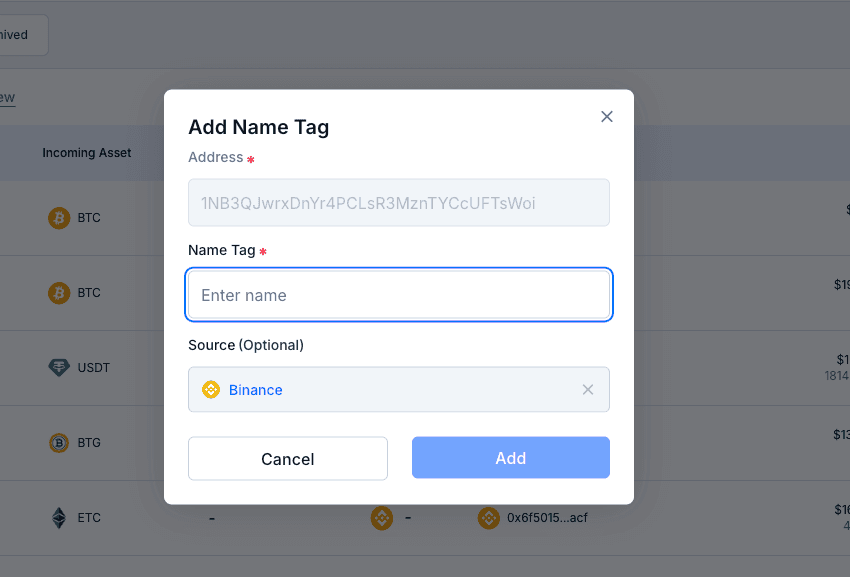
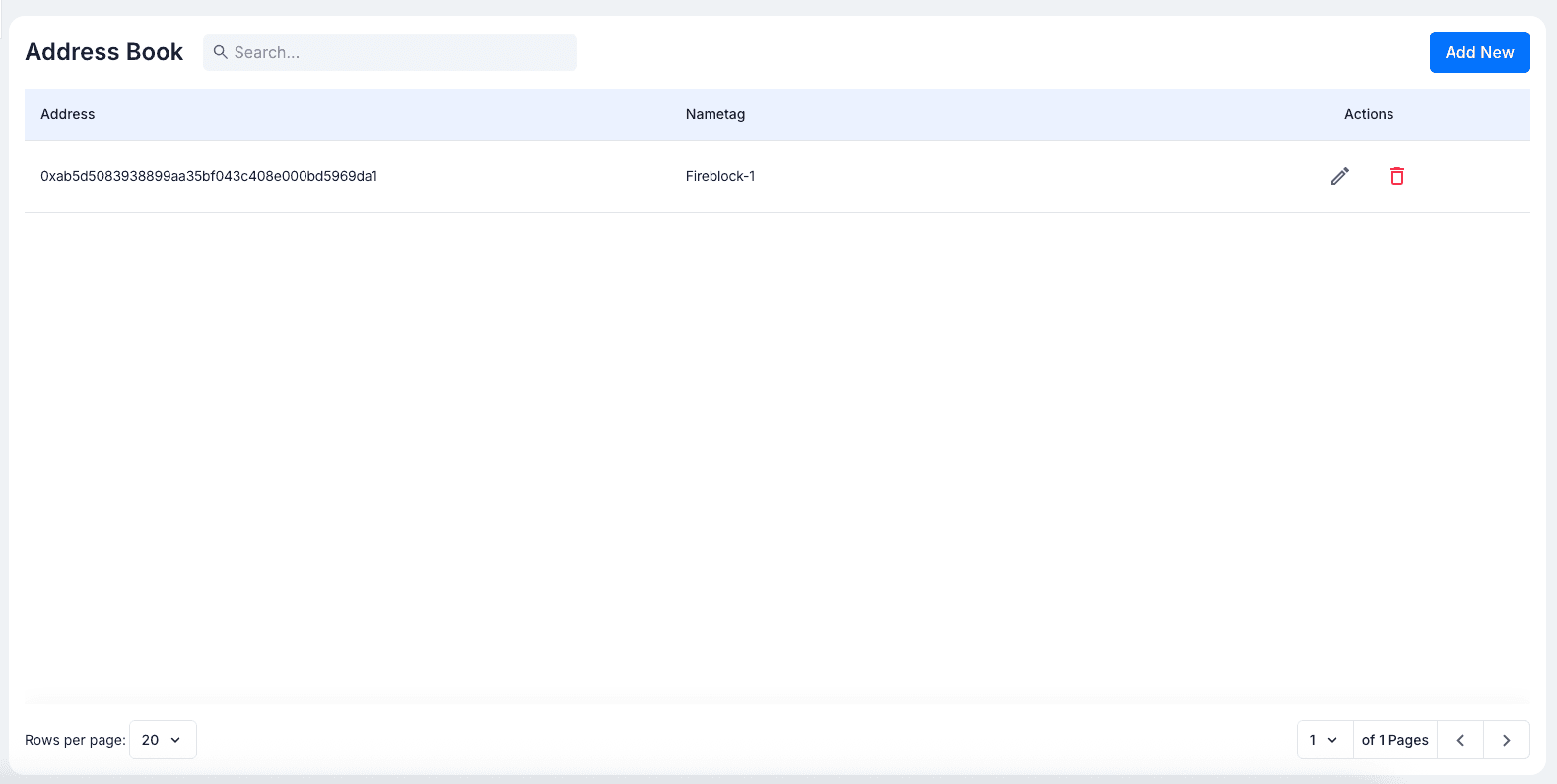
You can now assign custom name tags to blockchain addresses and save them in a dedicated Address Book. When a tagged address appears as a sender or receiver in chain transactions, its name is automatically displayed, making it much easier to identify counterparties without decoding raw addresses. The Address Book gives you a searchable, paginated view of all your saved labels, with options to edit or delete entries at any time.
Re-run Internal Transfer Settings

When you update your Internal Transfer Settings, including the time window, amount difference threshold, or timestamp ordering, you can now enable the Re-run on existing transactions toggle before saving. This reprocesses your entire transaction history using the updated rules, keeping your internal transfer classifications accurate without any manual re-categorisation.
Custom Bank & Credit Card Integrations
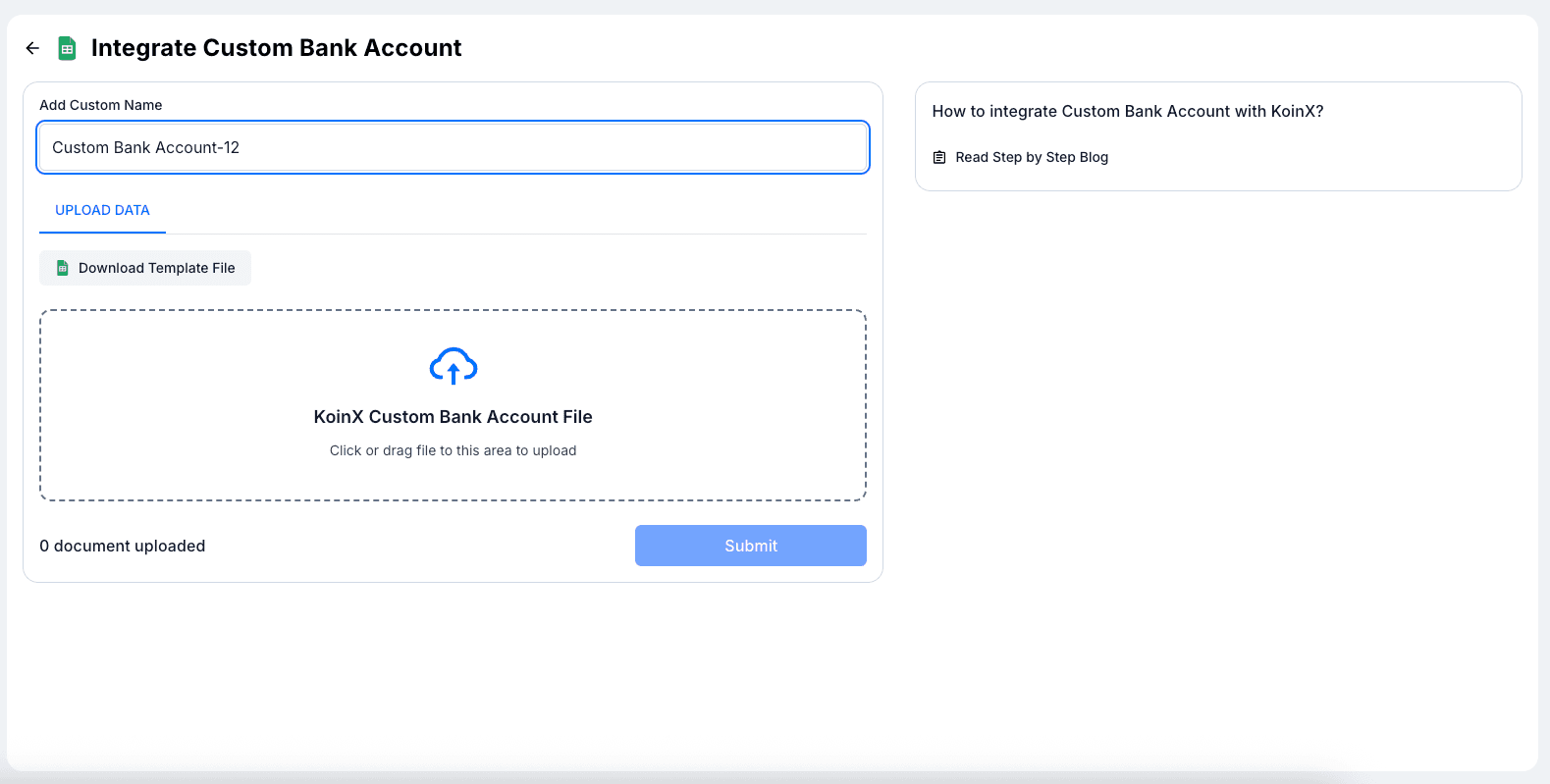
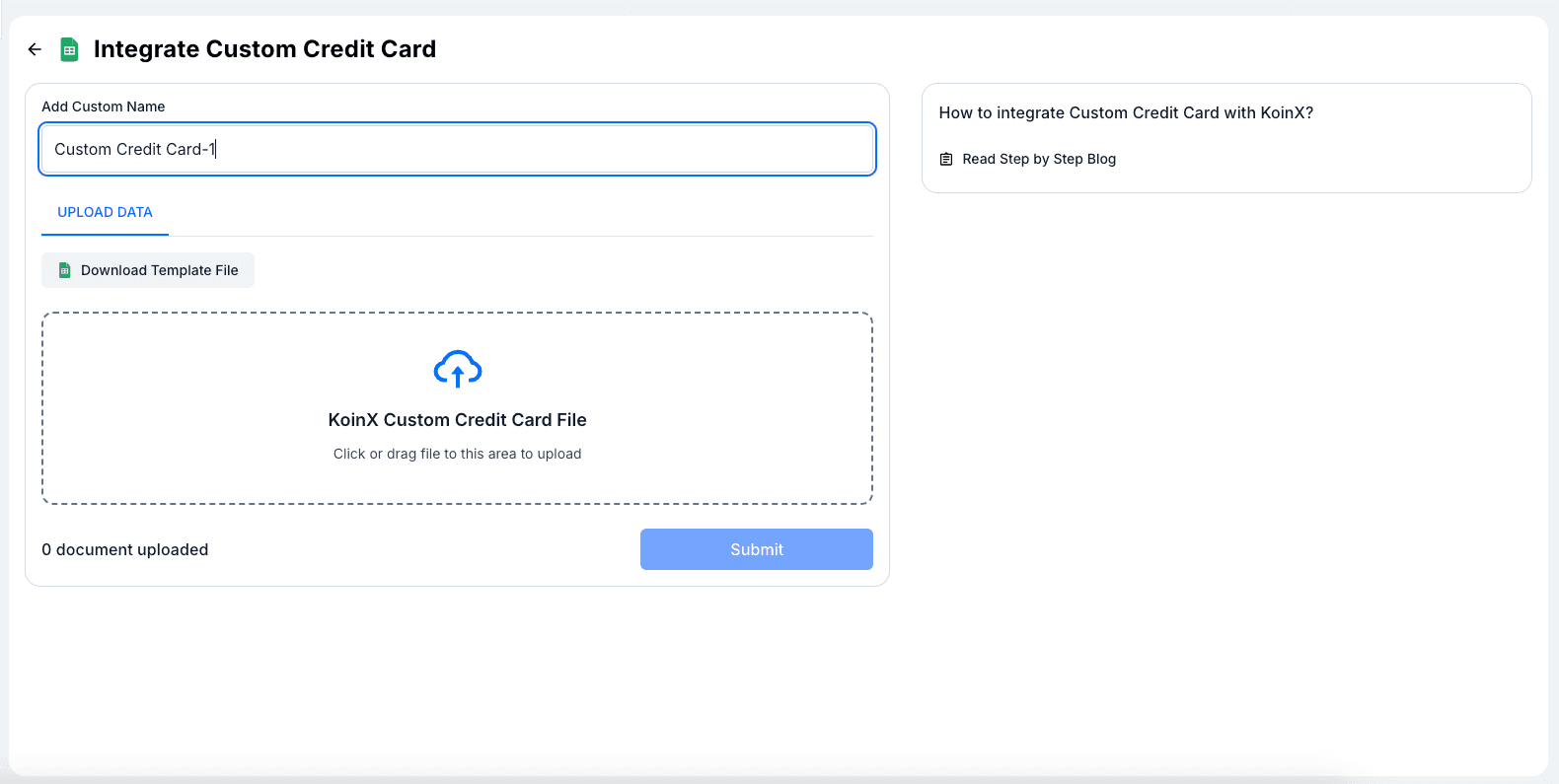
Setting up custom bank and credit card integrations is now more straightforward. We've added downloadable Excel template files for both custom bank accounts and custom credit cards, so you know exactly what format your data needs to follow before uploading. Each integration page also includes a link to a step-by-step blog guide to help you get started.
Trial Balance Improvements
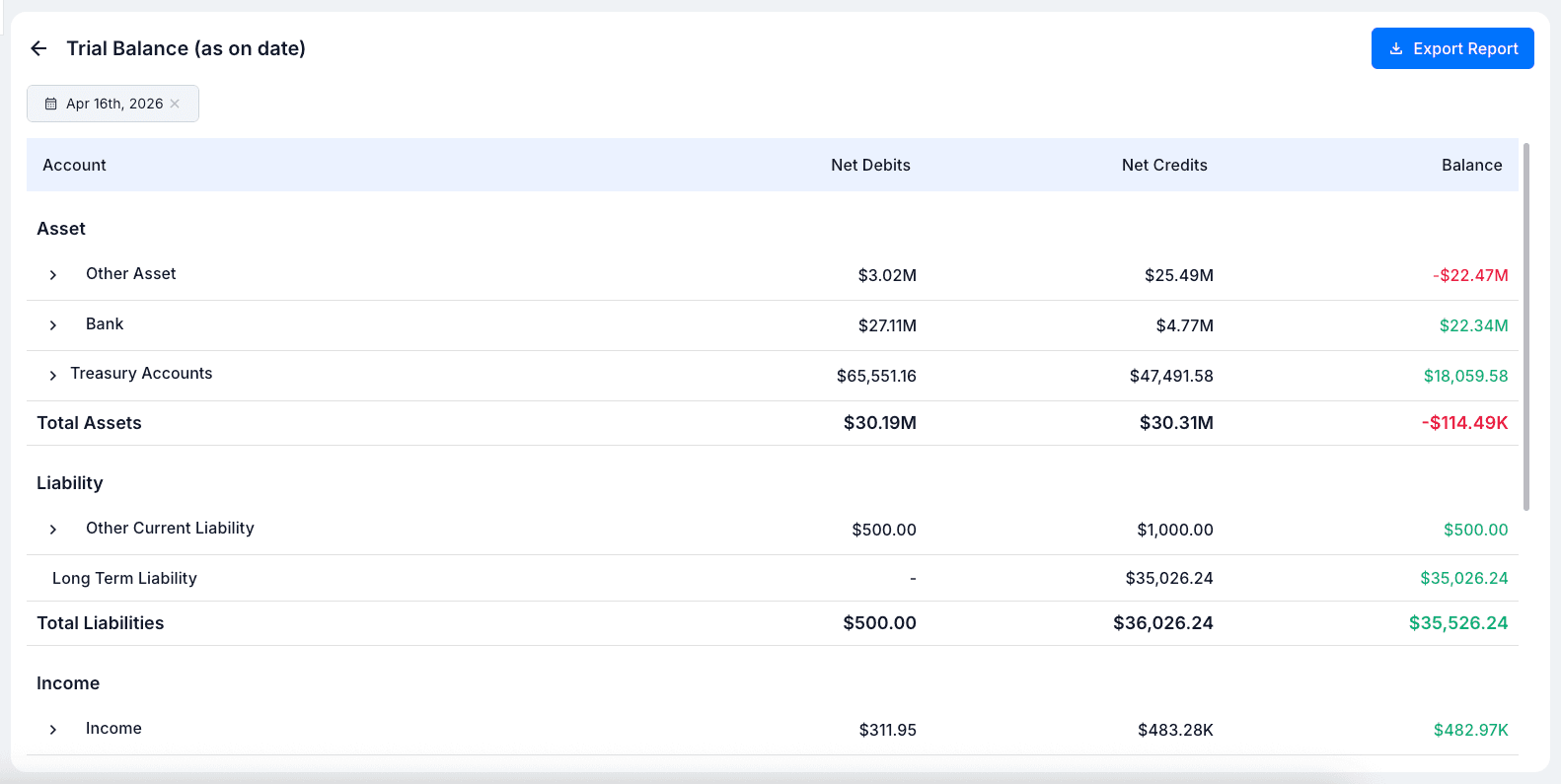
The Trial Balance report now displays Net Debits and Net Credits as separate columns alongside the closing balance. This gives you a clearer breakdown of transaction activity for each account and sub-account, making the report more useful for financial review and audit purposes. The overall layout has also been refined to more closely resemble a standard financial report.
Move to Recognised
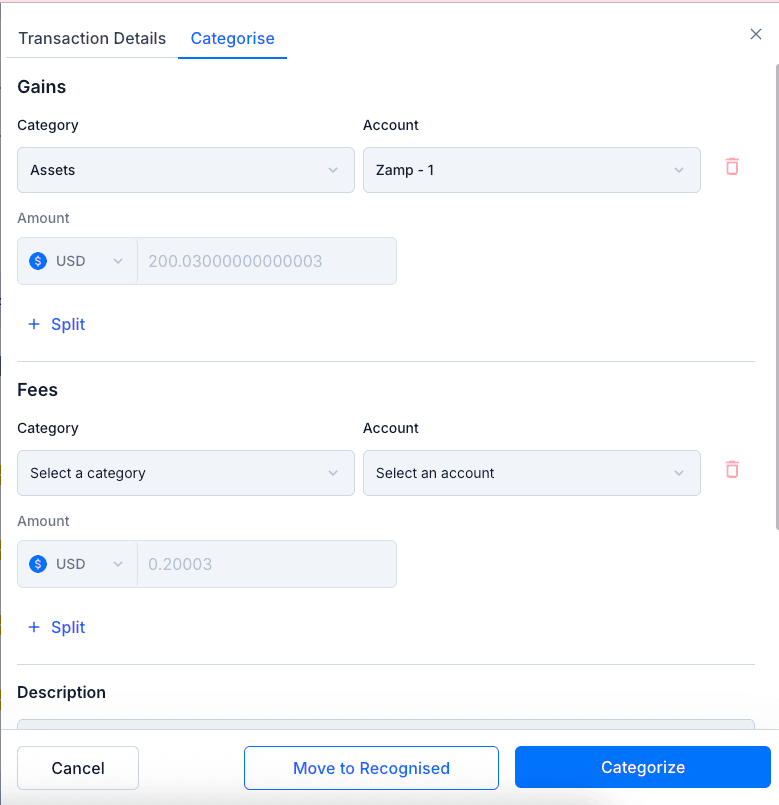
When categorising unrecognised transactions, you'll now see a Move to Recognised button directly in the categorisation drawer. This lets you quickly mark a transaction as recognised without going through additional steps. It's useful when you want to acknowledge a transaction without assigning it to a specific account right away.
Improved Chain Selection in Import
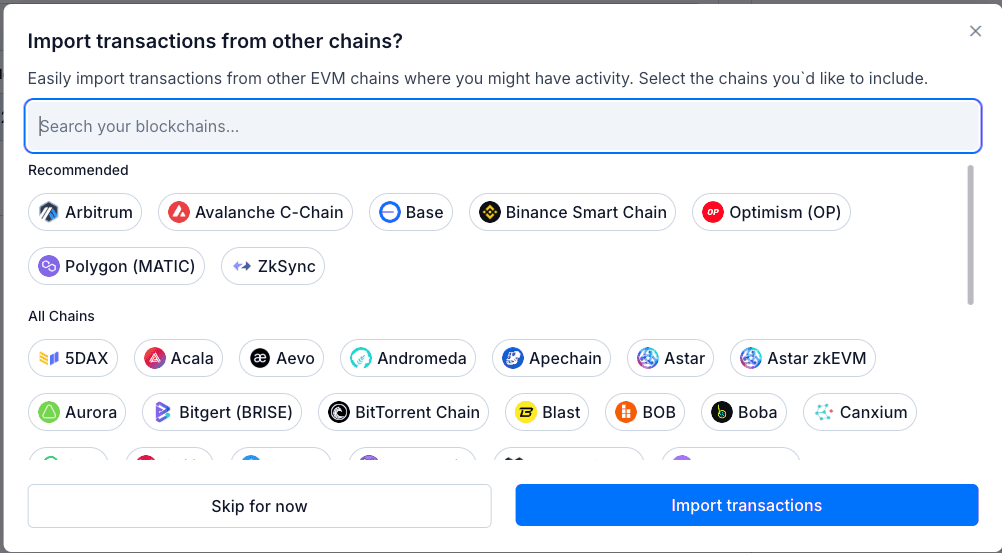
The "Import transactions from other chains" popup has been redesigned for easier chain discovery. It now features a Recommended section at the top with the 8 most popular EVM chains — Ethereum, BSC, Base, Arbitrum, Polygon, Optimism, Avalanche, and zkSync — followed by an All Chains section listing every supported chain. Both sections are fully searchable, so finding the right chain is faster regardless of how many you work with.
KoinX Accountants Directory

We've launched the KoinX Accountants Directory (opens in a new tab) on the KoinX website. The directory lists crypto-native tax and accounting professionals so businesses can find and connect with the right expert quickly.
Minor Improvements
- Category selection is no longer required before choosing an Account while categorising. If no category is selected, all available accounts will appear in the Account dropdown. Once you pick an account, the category is auto-filled to match. This helps when you know the account but aren't sure which category it belongs to.
- Reports that support a date range now show both the start date and end date in Excel and PDF exports, instead of only the end date.
- The "Lost" label has been added to the list of external label types, giving you a more accurate way to classify assets that are no longer recoverable.