
March brings some of the most impactful updates to KoinX Books yet. AI-powered natural language search is now live for transactions, bulk approve and categorise actions let you process your entire transaction set in one go, and you can now push journals directly to your connected ERP. Alongside these, we've made meaningful improvements to address filtering, journal creation, and the overall categorisation experience. Here are the key highlights of this release:
AI Search

You can now search your transactions using natural language through the new Ask KoinX AI bar at the top of the Transactions page. Type what you're looking for in plain English, like "Fetch BTC and ETH transactions in FY25", and KoinX will interpret your query and apply the relevant filters automatically.
AI Search also remembers your last 3 searches. When you click into the search bar, your recent queries appear as suggestions so you can instantly re-apply them. Individual suggestions can be deleted from history at any time.
Bulk Approve & Categorise
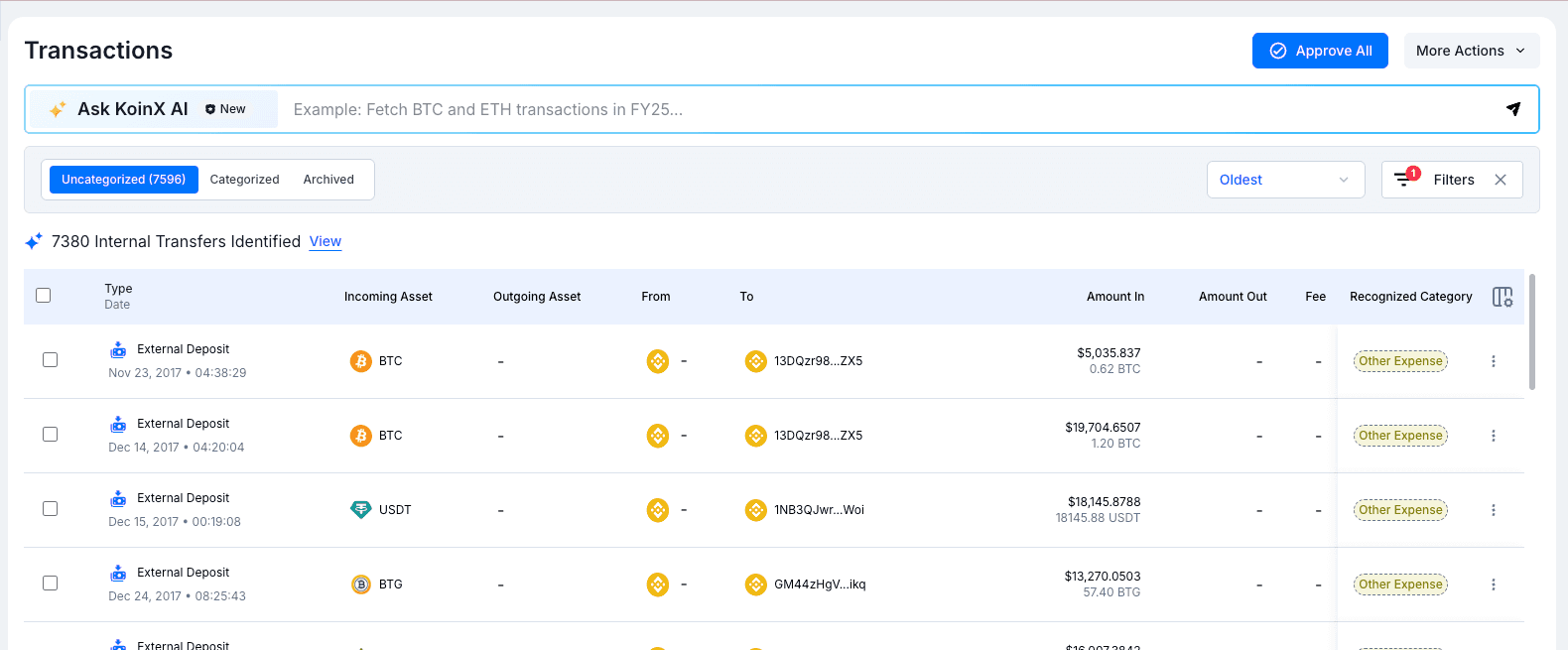
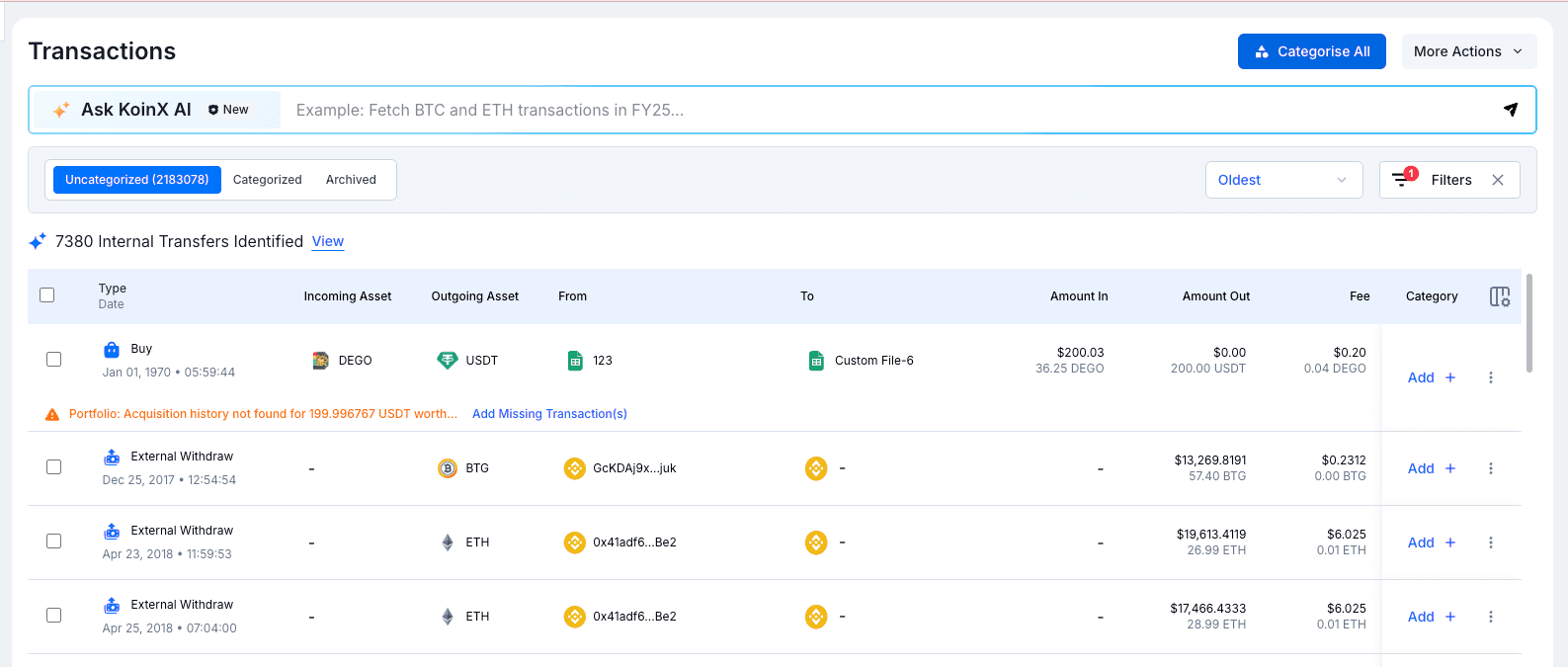
You can now act on all your transactions at once with two new bulk actions. Approve All lets you approve every transaction matching your current filters in a single click. Categorise All opens a drawer where you can assign a category and account to all matching transactions at once. Both actions respect your active filters, so you can narrow the scope before applying. No more processing transactions one by one.
Push to ERP for Journals
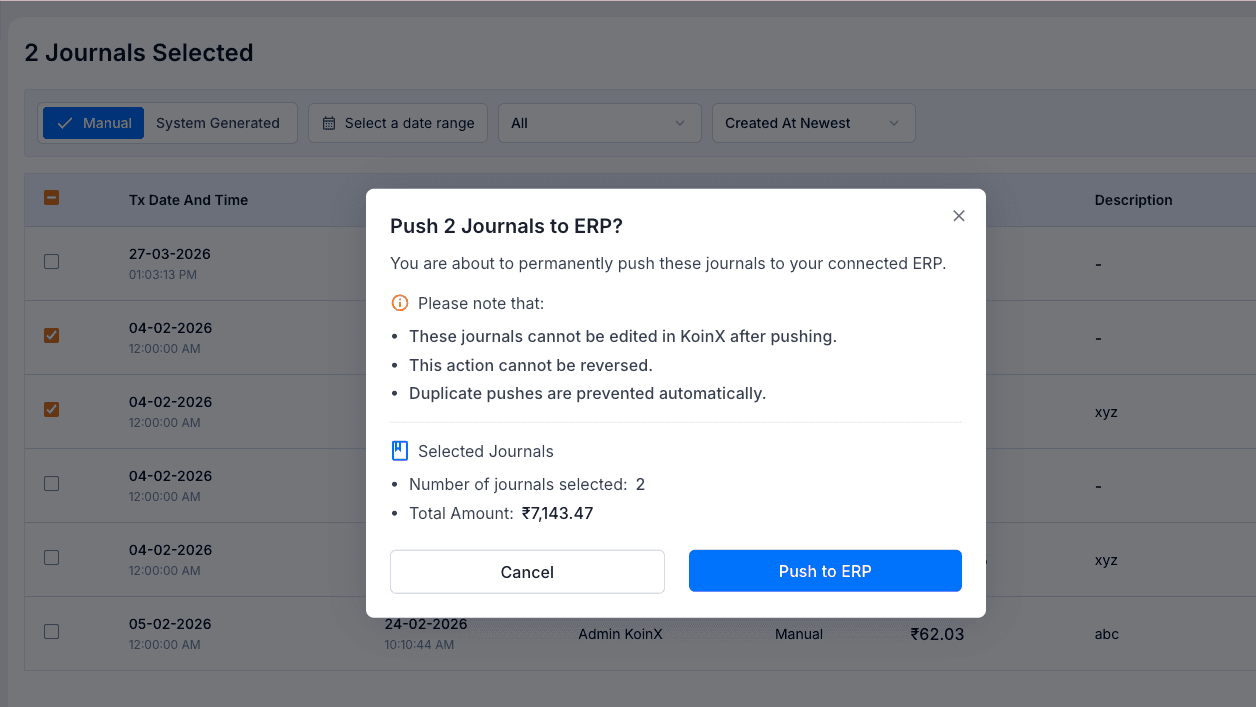
You can now select multiple journals and push them directly to your connected ERP system in one action. Before confirming, a summary shows the number of journals selected and the total amount, along with a clear notice that pushed journals cannot be edited in KoinX afterwards and the action cannot be reversed. Duplicate pushes are also prevented automatically.
Address Filter Upgrade
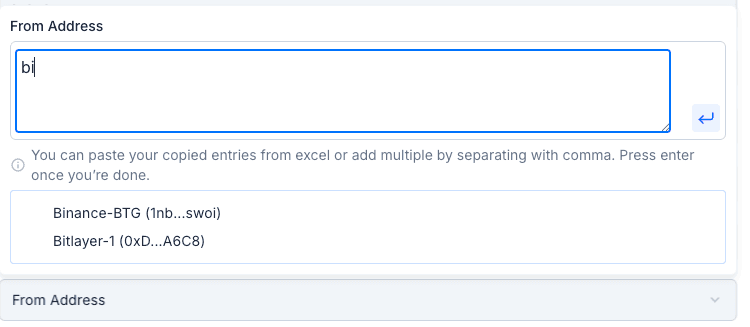
The address filter in transaction views has been upgraded. You can now type a name tag to search for addresses by their saved label, and matching suggestions from your Address Book and connected wallets will appear as a dropdown. You can also paste multiple addresses at once, separated by commas, and KoinX will parse and apply them all automatically.
Running Balance in Journal Creation
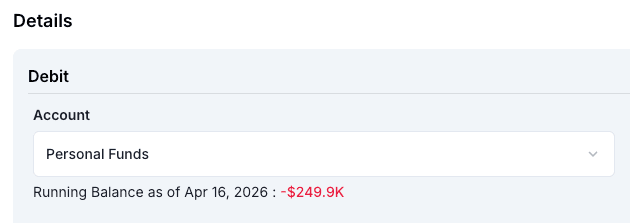
While creating a journal entry, each account line now shows the running balance of that account as of the current date. This gives you a live view of the account's position before the entry is posted, helping you catch errors and make more informed accounting decisions without leaving the journal form.
Move to Unrecognised & UI Improvements
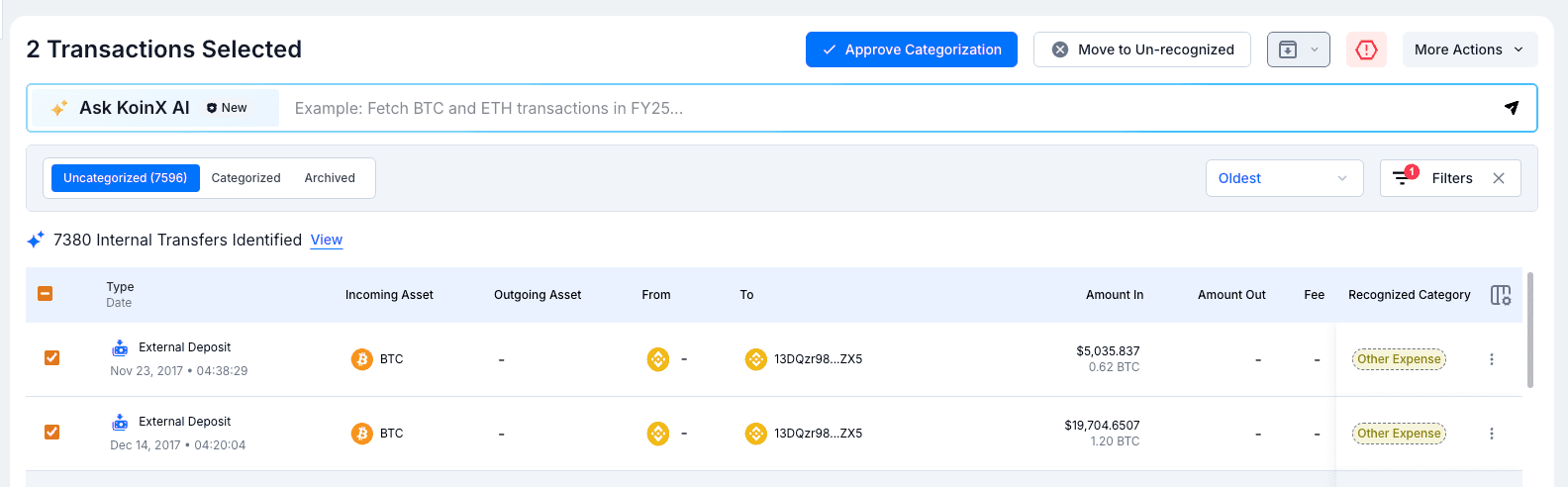
Recognised transactions can now be moved back to unrecognised using the new Move to Un-recognized button that appears in the action bar when transactions are selected. We've also tidied up the top action bar: archive-related actions are grouped into a single dropdown icon, and Mark as Spam is a standalone icon button, keeping the most common actions accessible without cluttering the interface.
Clickable Accounts in Journal Details
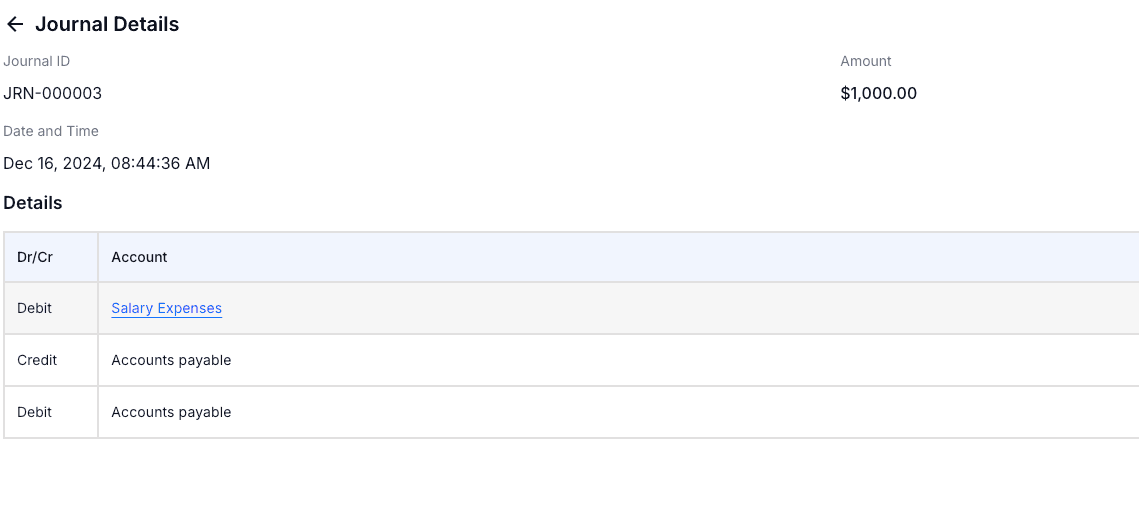
Account names in the Journal Details page are now hyperlinked. Clicking an account takes you directly to its page in the Chart of Accounts, making it easier to cross-reference journal entries with your account setup without navigating there separately.
Multi-Select in Category Filter
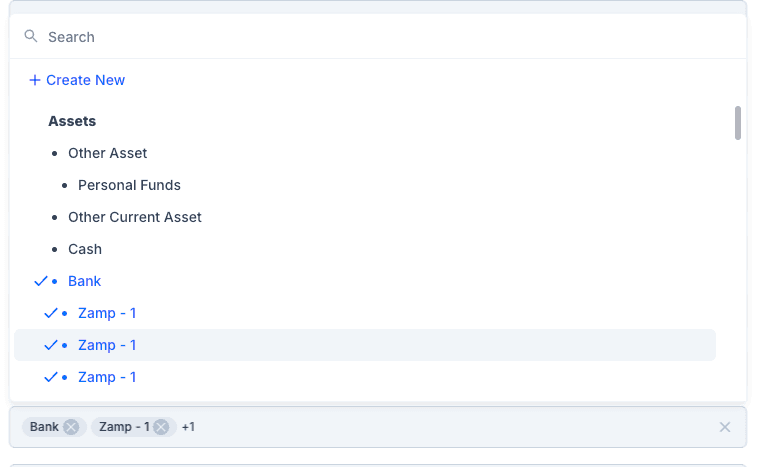
The category filter in the Transactions module now supports multi-select. You can pick multiple accounts at once from the hierarchical account list. Selected accounts appear as chips at the bottom of the dropdown and can be removed individually. This makes it easier to filter across related accounts in a single pass.
Minor Improvements
- The Journals page now has a redesigned filter bar. A new Sync Status filter lets you view all, published, or unpublished journals at a glance, alongside the existing date range and sort controls.