
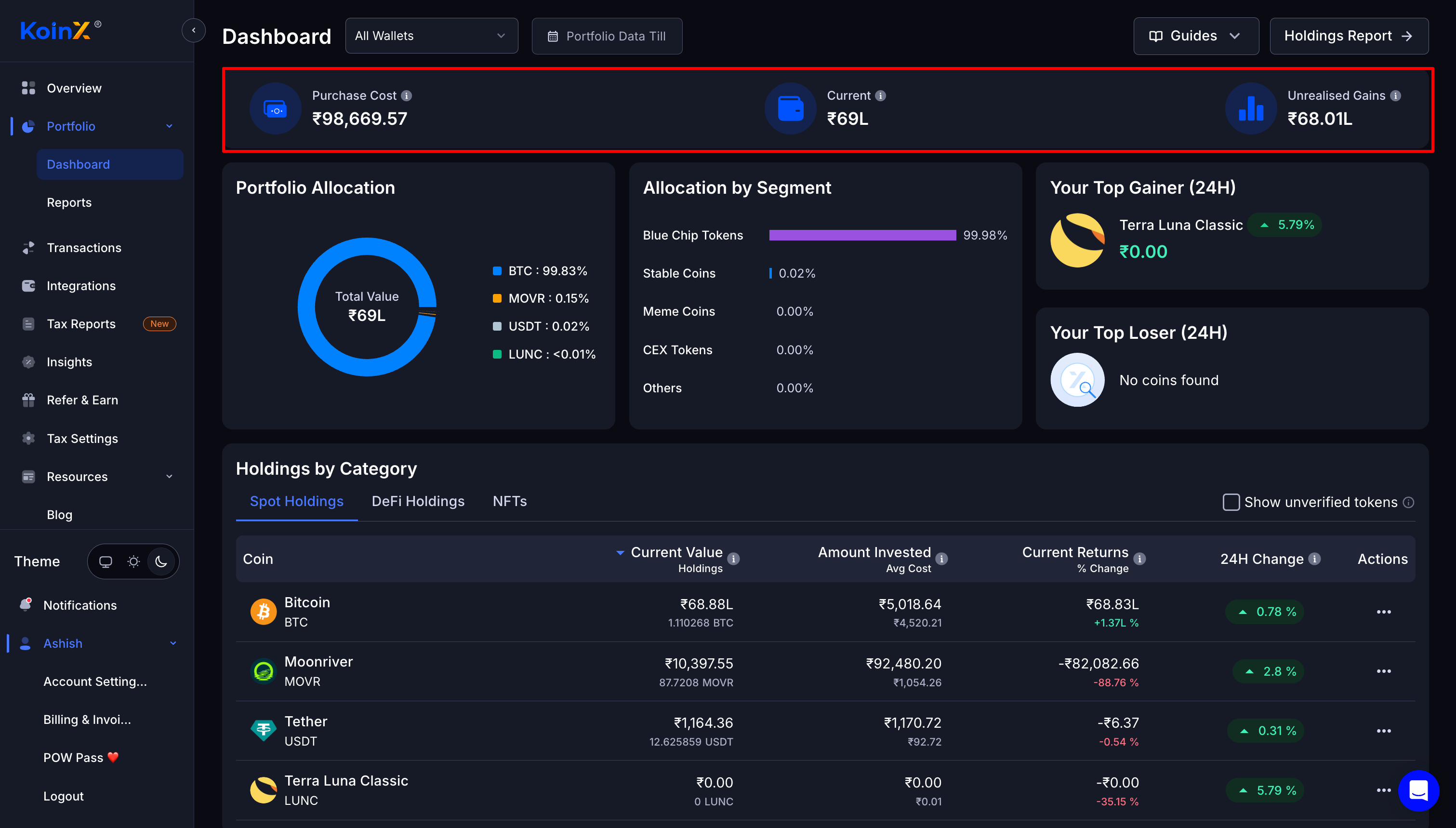
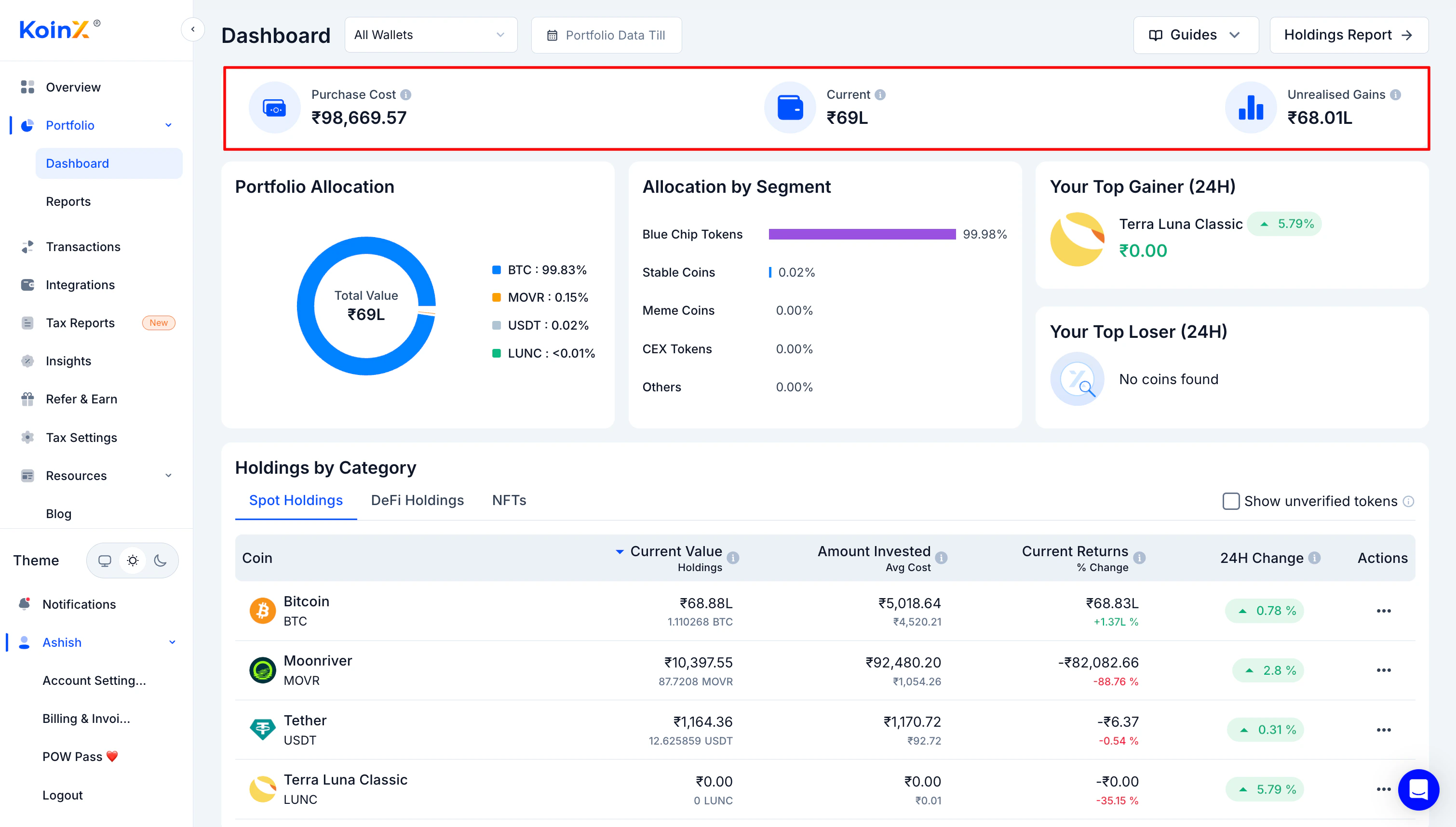
Purchase Cost
Purchase Cost is the total cost of the crypto you currently hold. Not everything you ever bought. Only the assets still in your portfolio right now. KoinX calculates this using your selected accounting method (FIFO, HIFO, etc.). How your accounting method determines purchase cost Example: You bought BTC three times at Rs. 20,000, Rs. 25,000, and Rs. 30,000. Then you sold part of it. KoinX recalculates the cost of only the BTC you still hold. That remaining cost is your Purchase Cost. Think of it as: “How much money is still sitting inside my current holdings.”Current Value
Current shows the market value of your holdings right now. KoinX multiplies each asset’s quantity by its current market price, then sums it across your portfolio. So if you hold BTC, ETH, USDT, and a few other tokens, KoinX calculates the value of each and shows the combined total.KoinX refreshes market prices approximately every 6 hours, not in real time. Small differences between KoinX and your exchange’s live price are normal.
Unrealised Gains
Unrealised Gains is simply: Current Value minus Purchase Cost. A positive number means you are in profit. A negative number means you are sitting on a loss. It is called “unrealised” because the gain only becomes real when you sell the asset. Until then, it is the market telling you how your portfolio is performing on paper.Why Your Numbers Change When You Switch Wallets
At the top of the dashboard you will see a wallet selector. By default, All Wallets is selected, which means KoinX combines every exchange, wallet, and chain you have connected into one portfolio view. If you switch to a specific wallet (like Binance), the numbers update to show only that wallet’s holdings. This is useful when you want to check how one exchange is performing, see which wallet holds which assets, or verify whether a transfer affected balances correctly.Holdings by Category
The holdings table shows each asset with its full breakdown:- How much you hold (quantity)
- What you invested (cost basis for current holdings)
- Current value at today’s prices
- Profit or loss in absolute terms
- 24-hour price performance
Portfolio Allocation Charts
The charts help answer a simple question: Where is your money actually sitting? You will see breakdowns by coin, showing which assets dominate your portfolio, whether your holdings are concentrated or spread out, and how much is in major assets versus smaller tokens. Many traders assume they are diversified until the chart shows 90% in one asset.Frequently Asked Questions
Why is my Purchase Cost different from what I remember investing?
Why is my Purchase Cost different from what I remember investing?
Purchase Cost reflects the cost of assets you currently hold, not your entire trading history. If you sold some coins earlier, their cost is removed from this calculation. Only the cost of your remaining holdings is shown.
Why does my portfolio value change when I switch wallets?
Why does my portfolio value change when I switch wallets?
Because the dashboard recalculates using only the selected wallet’s assets. “All Wallets” shows the combined portfolio across everything you have connected. Selecting a specific wallet filters the view to only that source.
Why does my portfolio value not match my exchange exactly?
Why does my portfolio value not match my exchange exactly?
Exchanges update prices in real time. KoinX refreshes market data every 6 hours, so values may differ slightly depending on when you last compared them. Additionally, if some historical transactions are not yet imported, the cost calculation may differ from your exchange’s records.
What does unrealised gain mean?
What does unrealised gain mean?
It is the profit or loss on assets you still hold, based on the difference between your purchase cost and current market value. The gain only becomes realised when you sell the asset. Until then, it has no tax impact in India.See how realised gains appear on your Transactions page
Why is my unrealised gain showing as negative even though prices went up today?
Why is my unrealised gain showing as negative even though prices went up today?
Your unrealised gain is calculated against your purchase cost, not yesterday’s price. If you originally bought at a higher price than today’s market value, the gain will show as negative regardless of whether prices moved up today.
Can I see each wallet's performance separately?
Can I see each wallet's performance separately?
Yes. Use the wallet selector at the top of the dashboard to filter by a specific exchange or wallet. Each view recalculates all metrics for that wallet only.