
AI Summary
- Spam tokens are junk airdropped into your wallet by scammers, mark them as spam to exclude them from your tax report
- Token mapping errors happen when KoinX links a real coin to the wrong price feed, causing incorrect values
- Use “Mark as Spam” for junk tokens and “Migrate Coin(s)” for mapping errors, they’re different tools for different problems
- Renamed or migrated tokens (like MATIC → POL) need manual attention using the Token Migration feature to keep your cost basis accurate
Spam Tokens: What They Are and Why They Show Up
Random tokens appearing in your wallet uninvited is one of the most frustrating parts of being active on-chain. Here’s what’s actually happening: Bad actors airdrop worthless tokens (sometimes with names like “$10,000 CLAIM REWARDS”) into thousands of wallets at once. The tokens themselves are worth nothing. The scam is in what happens next: they want you to visit their website to “claim” more tokens. Connecting your wallet to that site or approving a transaction from it is where your funds are at risk. For tax purposes: These tokens have no real value, but if left unaddressed in KoinX, they may appear in your income calculation as if they were real airdrops. KoinX automatically flags known spam tokens based on multiple signals: the coin’s reputation, on-chain behaviour, and value indicators. But it’s not a perfect system. You may need to manually mark tokens as spam, or unmark real tokens that got incorrectly flagged.How to Mark a Token as Spam
Go to Transactions and find the transaction for the spam token
Click the three-dot menu (···) on that transaction
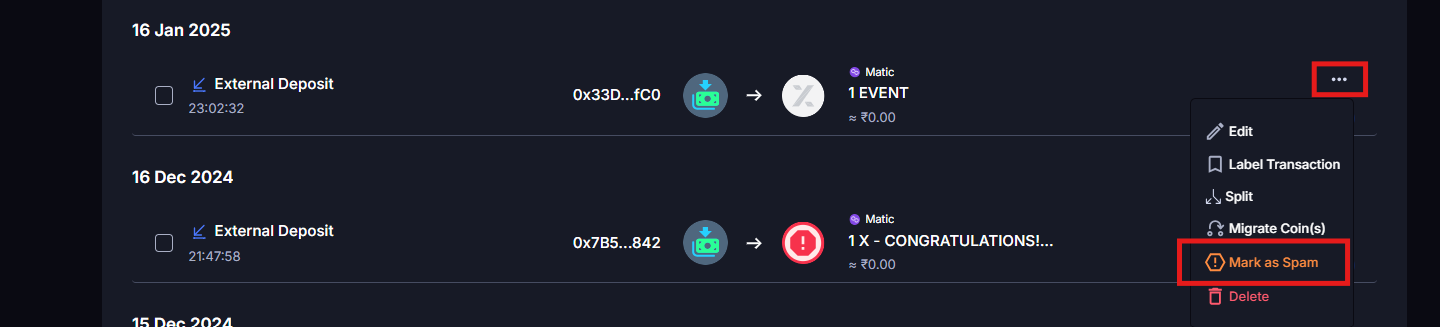
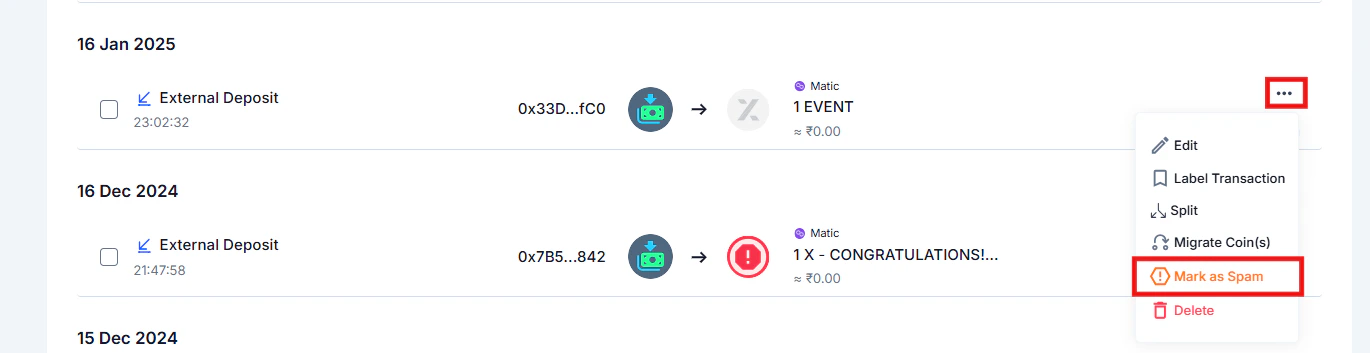
Select Mark as Spam
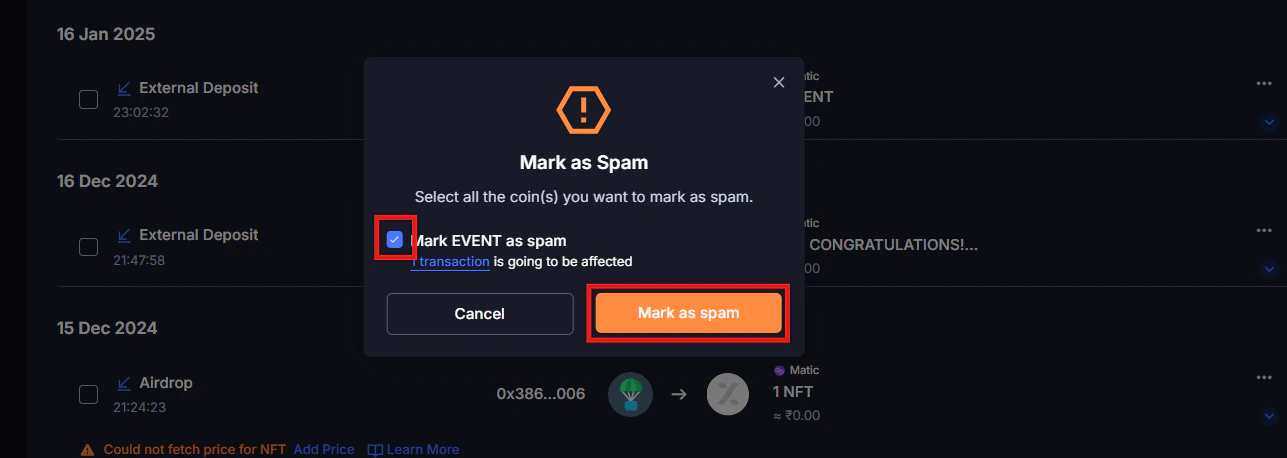
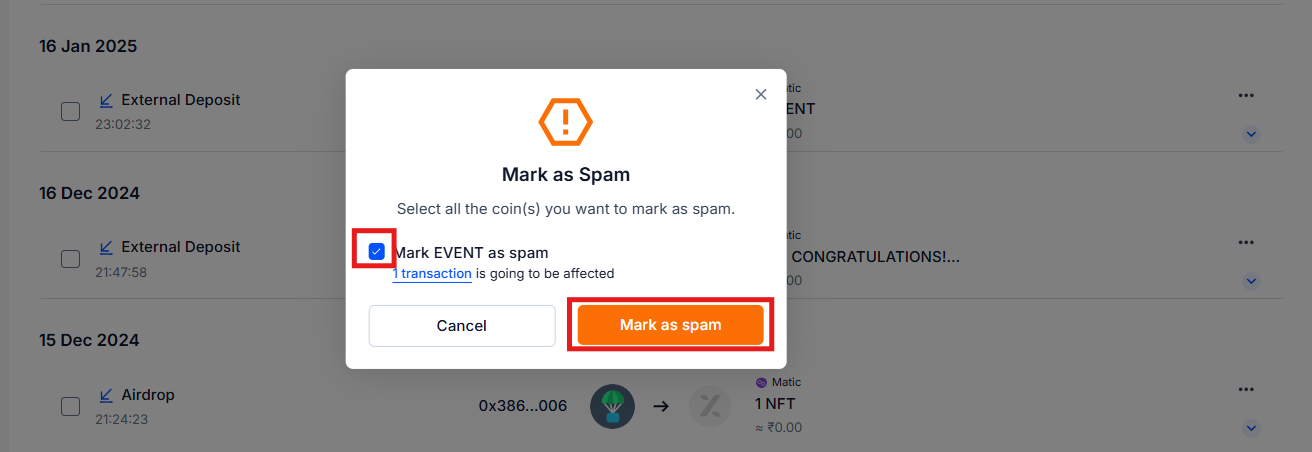
KoinX will ask you to choose all the transactions, then click Mark as Spam
How to Find and Unmark Incorrectly Flagged Tokens
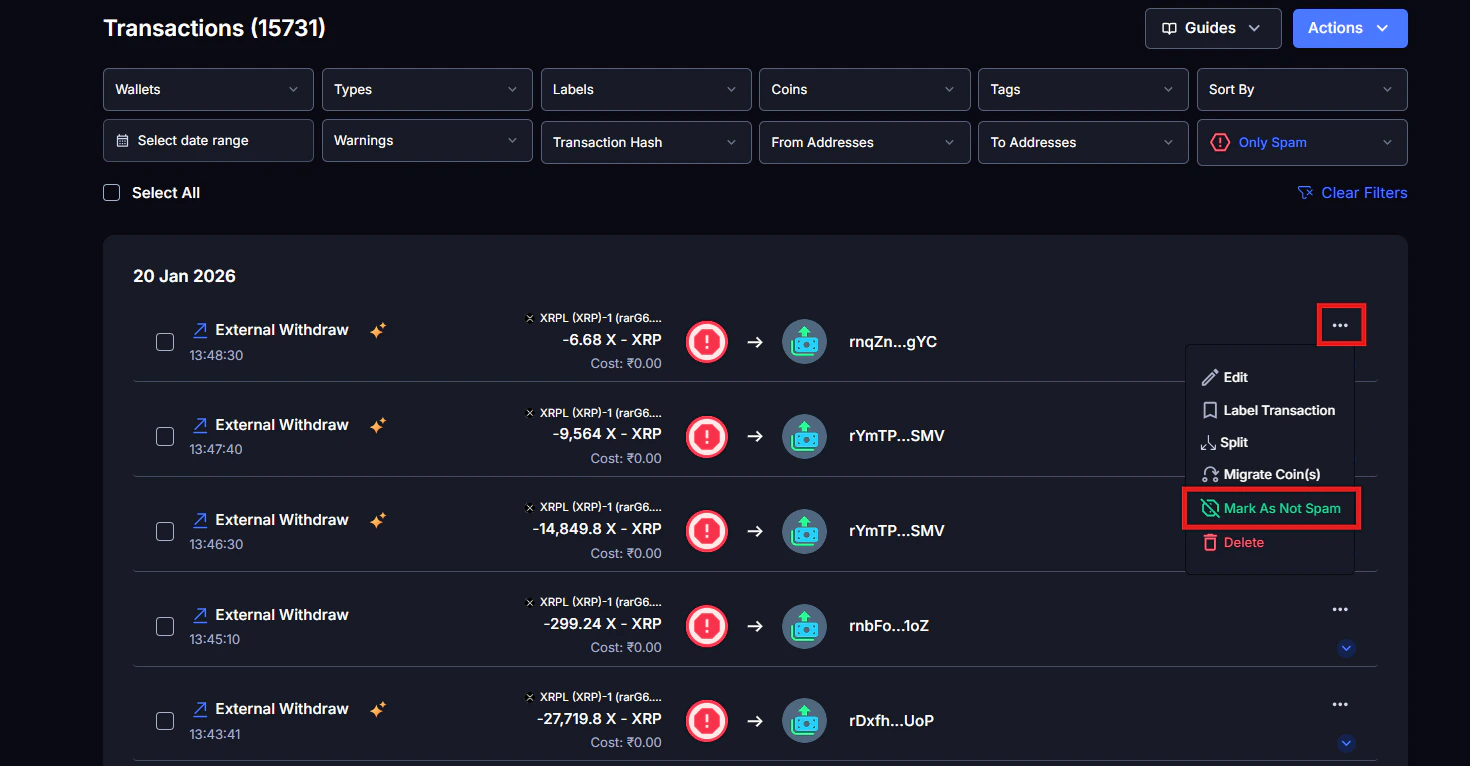
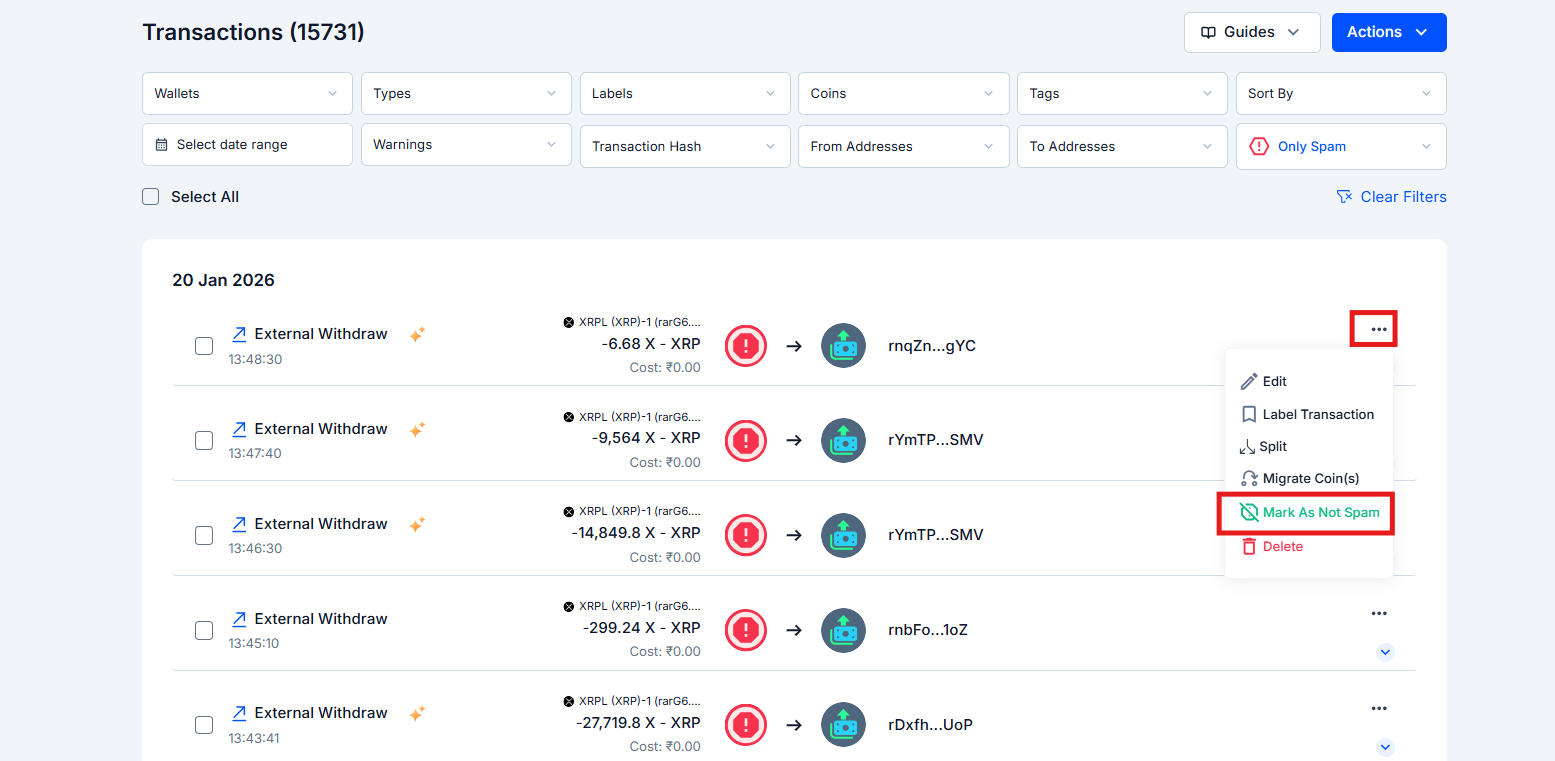
If KoinX has marked a real token as spam:Go to Transactions
Use the Spam filter to show spam-marked transactions
Find the legitimate token
Click the three-dot menu → select Mark As Not Spam
Token Mapping Errors: What They Are and How to Fix Them
What is token mapping?
Token mapping is how KoinX connects a ticker symbol (like “USDC” or “MATIC”) to a price feed. When the mapping is correct, your transactions show accurate market values. When it’s wrong, the values can be way off.Why mapping errors happen
- Shared ticker symbols: two completely different tokens can share the same ticker (e.g., “USDC” exists on multiple chains, and a bridged version might map to the wrong price feed)
- Newly listed tokens: tokens listed recently may not yet be in KoinX’s database
- Rebranded tokens: a token changes its name or migrates to a new contract
How to identify a mapping error
Look for transactions where:- The market value is showing ₹0 for a coin you know has a real price
- The value is dramatically too high or too low compared to what you’d expect
- A token you hold is showing the price of a completely different, unrelated coin
How to fix a token mapping error
Find a transaction with the suspicious or incorrect price
Click the three-dot menu (···) on that transaction
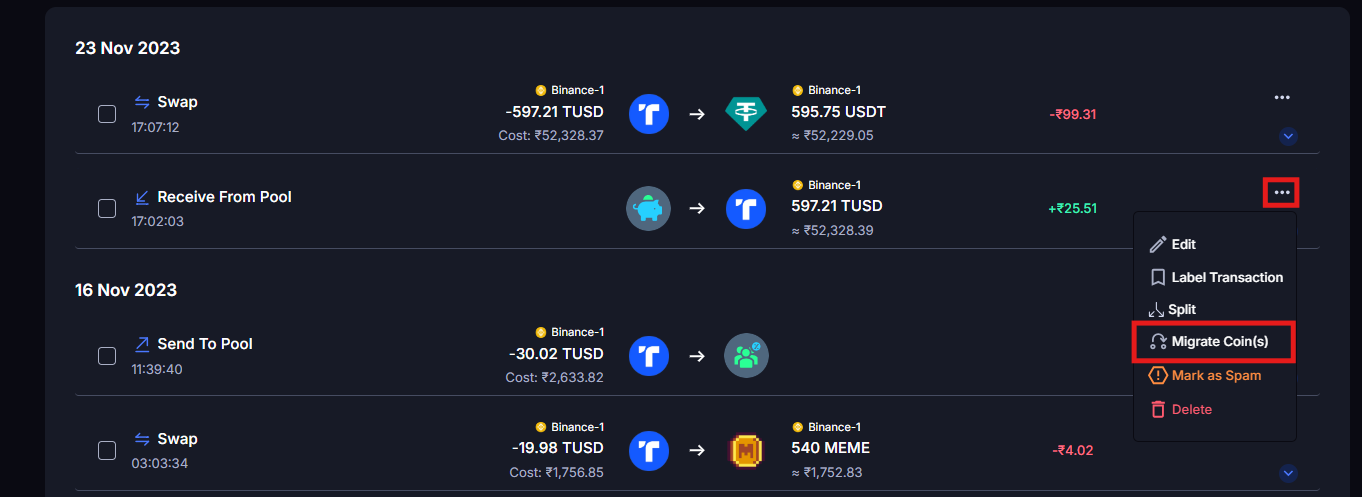
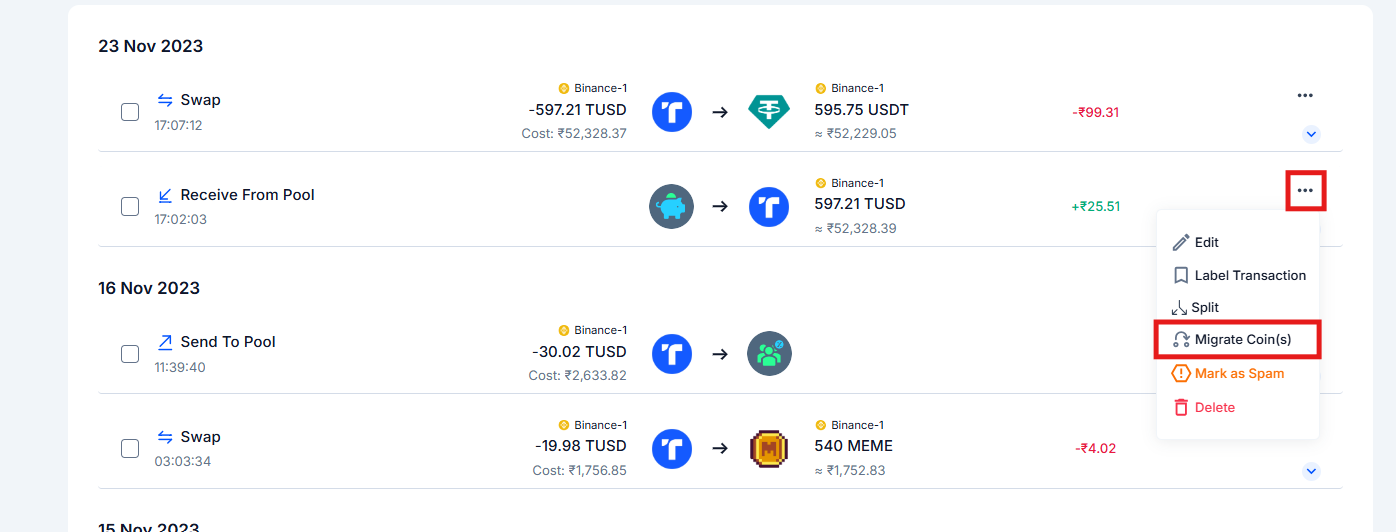
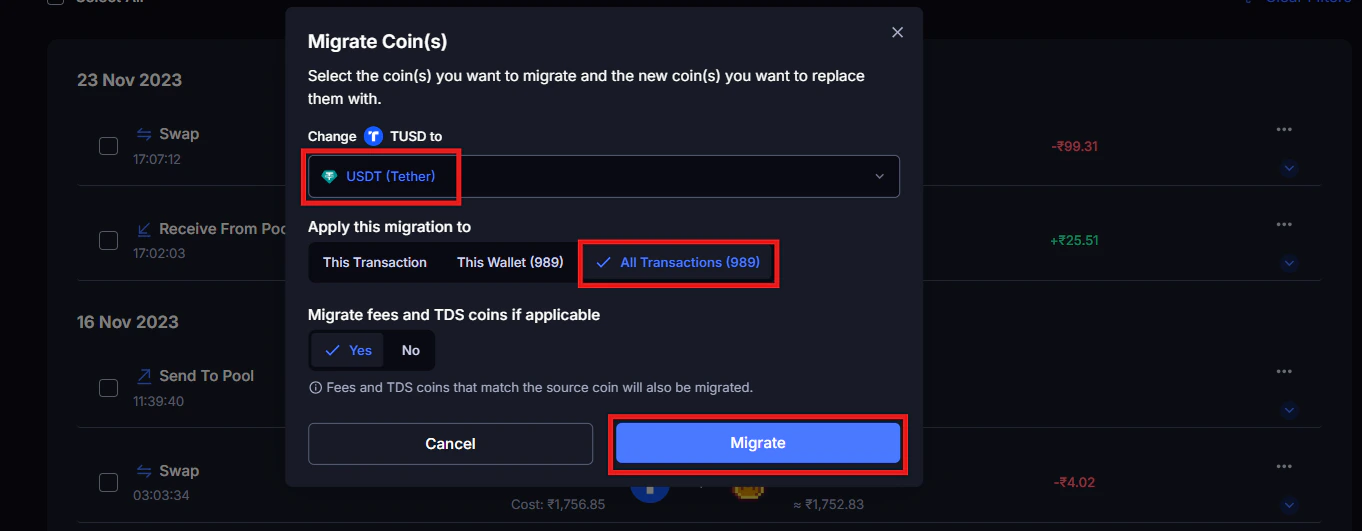
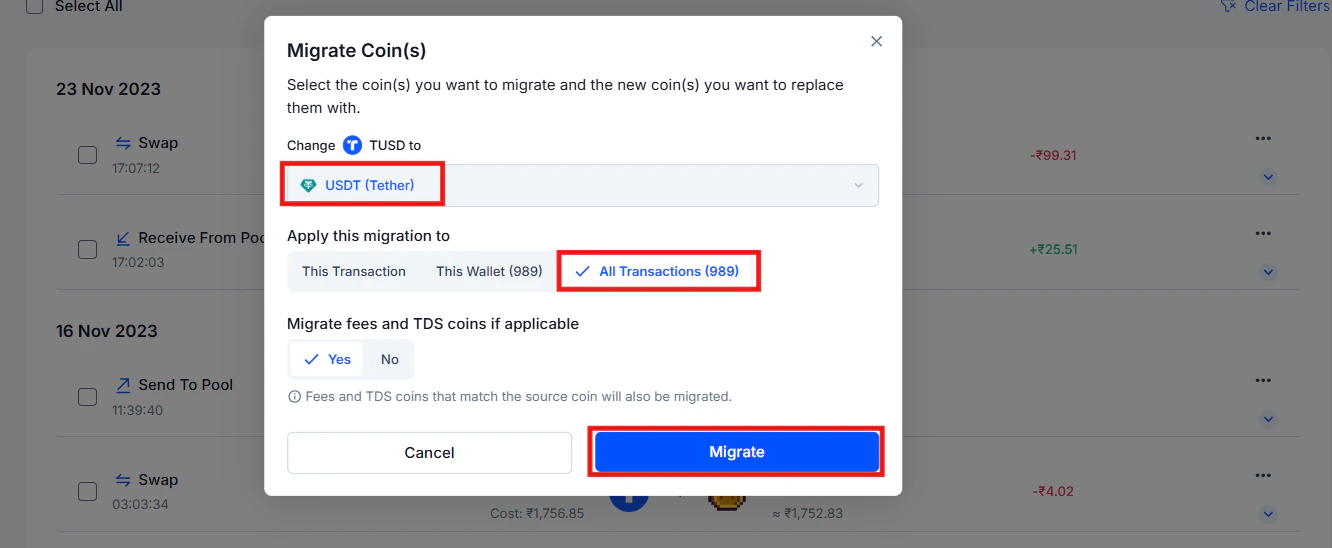
Select Migrate Coin(s)
Search for the correct coin from KoinX's database and select it
Choose the scope
- This transaction: remaps only this one transaction
- This wallet: remaps all transactions for this token in the current wallet
- All transactions: remaps all transactions for this token across all integrations
Confirm, transactions update immediately
Renamed and Migrated Tokens
Tokens change over time. Projects rebrand. Blockchains upgrade. Some tokens migrate to an entirely new contract address with a new ticker, like MATIC’s migration to POL.How KoinX handles token migration
KoinX sometimes does not handle token migrations automatically. When a token migrates (like MATIC → POL), you need to use the Token Migration feature to update your records manually. What happens when you run a migration: KoinX changes the old token to the new migrated token across your transaction history. No new transaction is created, and the original transaction categories remain the same. Koinx simply updates the token label to reflect the new contract. Your cost basis from the original acquisition carries forward correctly under the new token name.How to run Token Migration
Go to the transaction or portfolio entry showing the old token
Click the three-dot menu (···) → select Migrate Coin(s)
Search for the new token name/ticker in KoinX's database and select it
Choose the scope (this transaction / this wallet / all transactions) and confirm
Common Issues / Edge Cases
I marked a token as spam and now it's missing from my portfolio
I marked a token as spam and now it's missing from my portfolio
The token logo is wrong, does that mean my data is wrong too?
The token logo is wrong, does that mean my data is wrong too?
Two different tokens are being treated as the same coin
Two different tokens are being treated as the same coin
Frequently Asked Questions
How do I know if a token is actually spam or just an obscure coin I forgot about?
How do I know if a token is actually spam or just an obscure coin I forgot about?
Why is my token showing ₹0 even though it has a real market price?
Why is my token showing ₹0 even though it has a real market price?
I used Migrate Coin(s) but the price is still wrong
I used Migrate Coin(s) but the price is still wrong
My entire staking reward history is mapped to the wrong token, can I fix all of them at once?
My entire staking reward history is mapped to the wrong token, can I fix all of them at once?
Will fixing a token mapping error update my already-generated tax report?
Will fixing a token mapping error update my already-generated tax report?