Learn how to open and navigate KoinX tax settings so you can manage country, currency and crypto tax options in one place before generating reports.
Managing your crypto tax obligations efficiently is crucial in today’s digital age. KoinX provides a streamlined platform that simplifies the process, ensuring you remain compliant while maximising your benefits.The following guide outlines a step-by-step process to access the KoinX Tax Settings feature on the platform.
Step-by-Step Guide to Accessing Crypto Tax Tools on KoinX
1
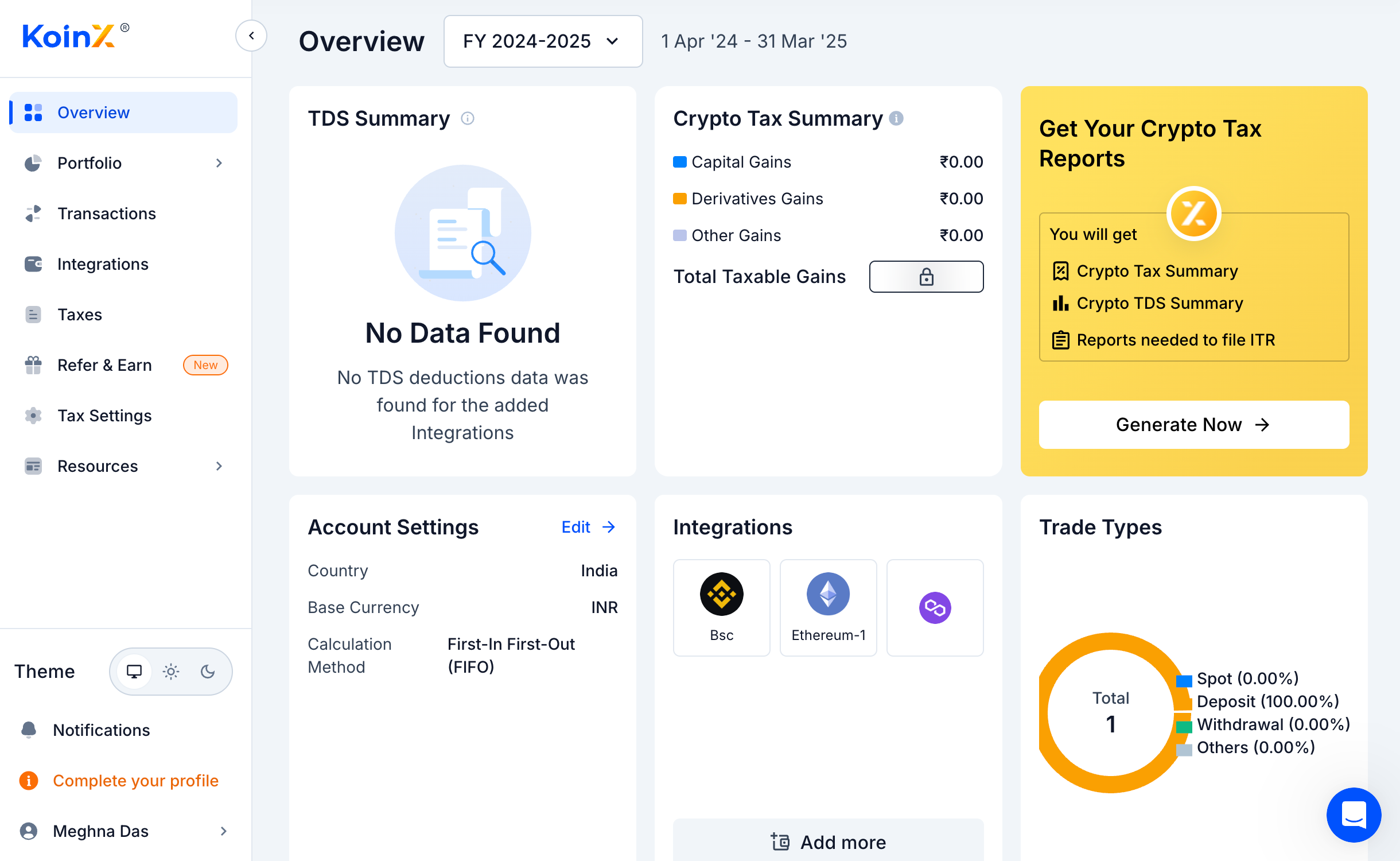
Get to the KoinX overview page.
Log in to your KoinX account and click on the Overview page.
2
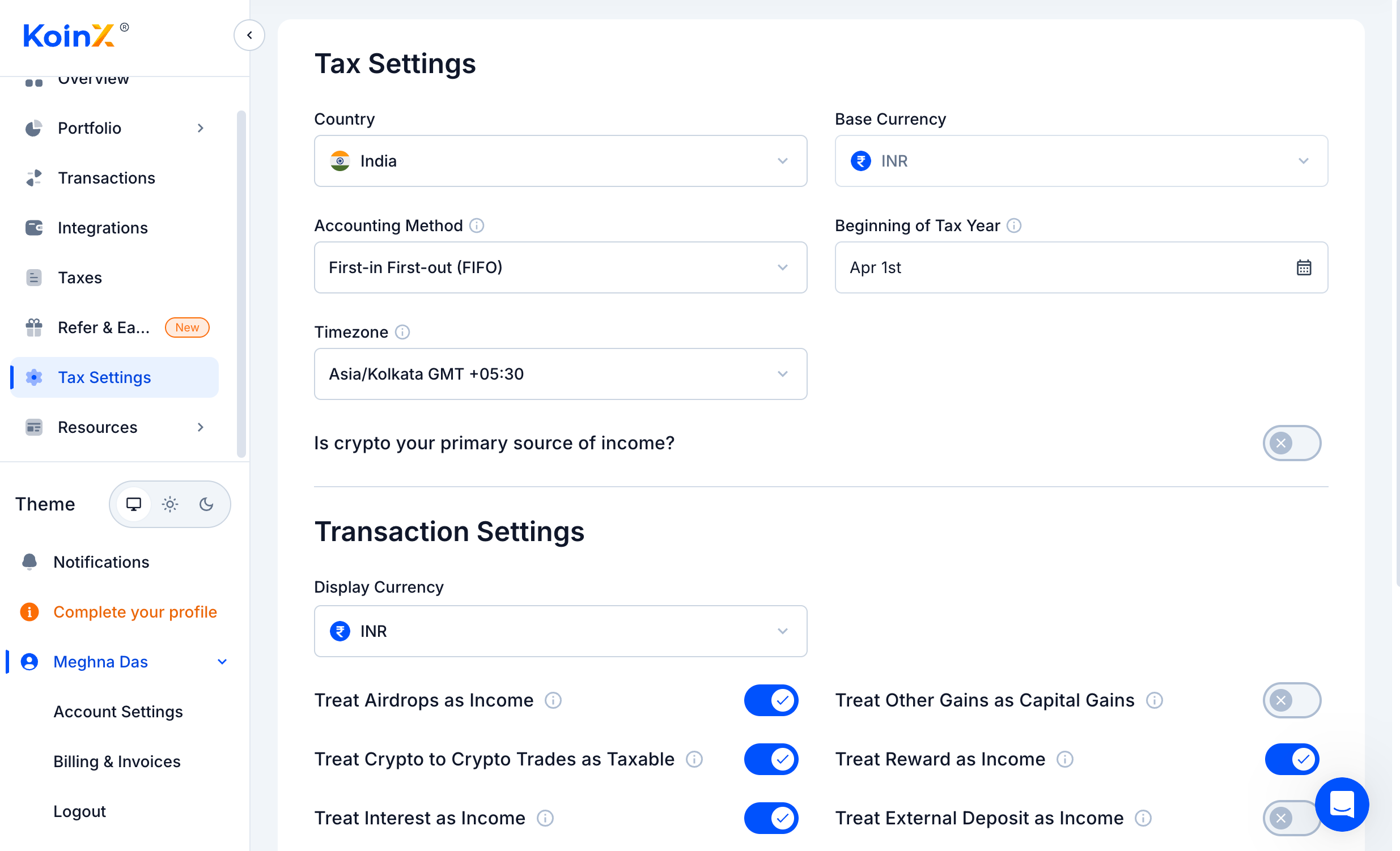
Select Tax Settings.
From the side navigation bar, select “Tax Settings.”
3
Select your country and preferences
Select your Country and Currency.
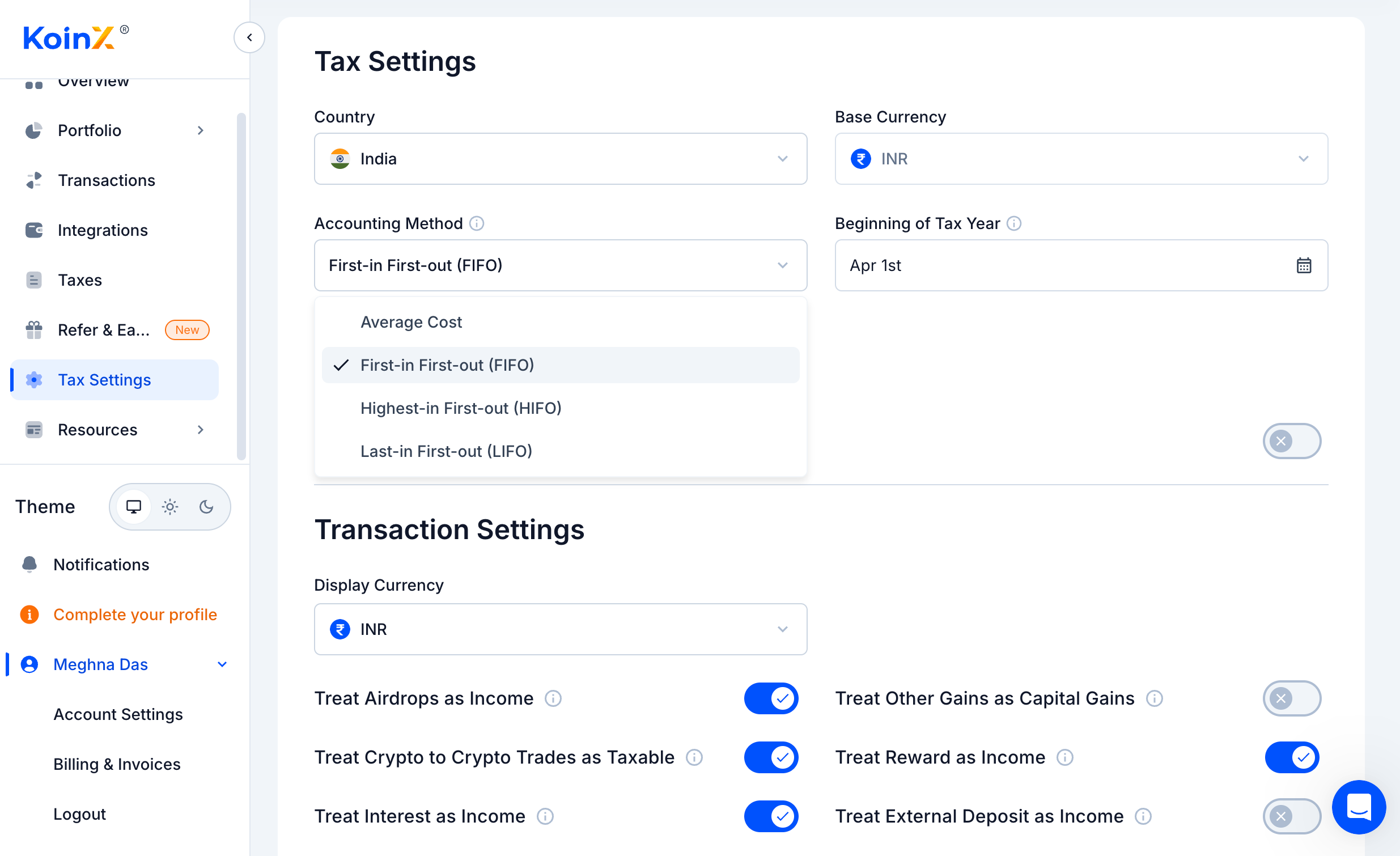
Under the Accounting method, select “First In, First Out!”.
4
Review and check the Other Information
Also, KoinX complies with the country’s crypto tax regulations, so ensure that the Tax Settings are edited accordingly. Only select what is required by your country’s law.
By following these simple steps, KoinX makes it easy for users to navigate their platform and access the dedicated crypto tax solution.With KoinX, staying compliant with tax regulations has never been more straightforward. Enjoy the ease and efficiency of managing your crypto taxes the smart way.