
Why Is My Token Value So High?
If your portfolio displays tokens you do not recognise or shows unusually high values, it is almost always one of two things: Spam tokens: Unsolicited tokens sent to your public wallet address by scammers. Incorrect transaction data: Mapping issues during import that caused a token to be priced incorrectly.What are spam tokens?
Blockchain addresses are public, which means anyone can send tokens to them. Scammers exploit this by airdropping worthless tokens to thousands of wallets as part of fake airdrop promotions, phishing schemes (where the token name contains a malicious URL), pump-and-dump projects, or general spam campaigns. These tokens appear in your wallet even if you never purchased or interacted with them.How to Handle Spam Tokens
1
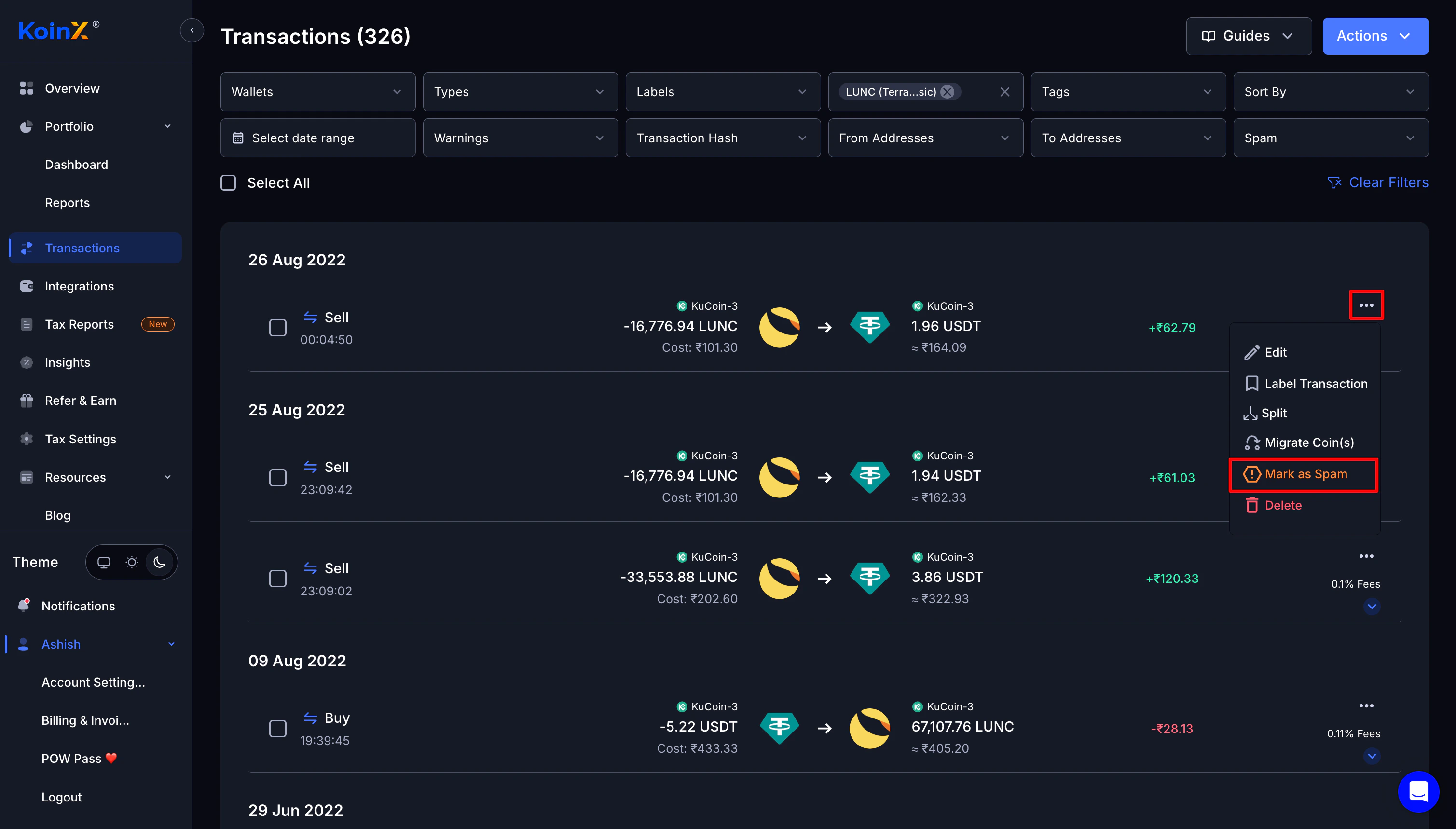
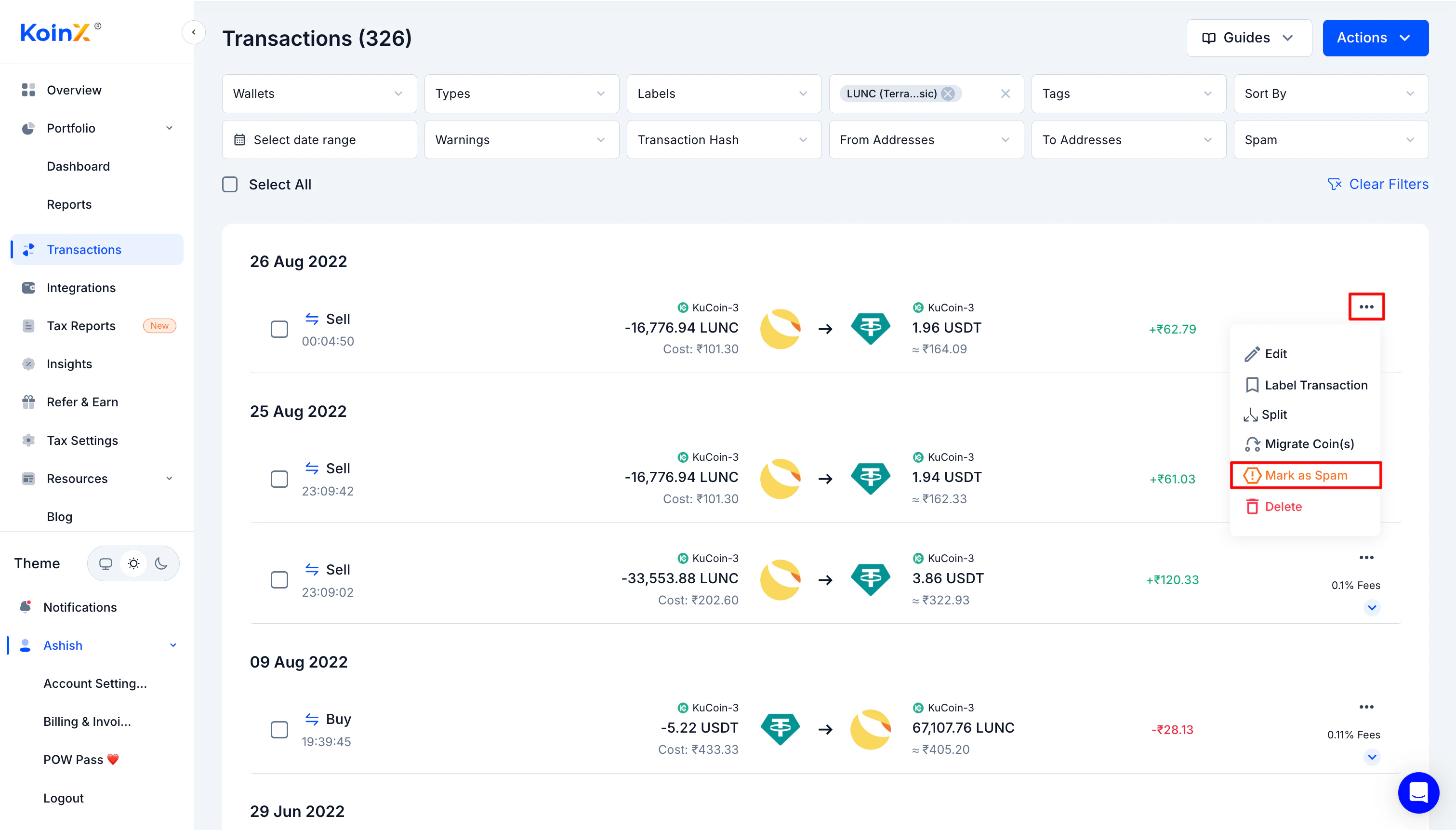
Mark the token as spam
2
Refresh your connection
Unlink and re-link the affected wallet to refresh the data from that source.
3
Sync again
Click Sync Now to fetch the latest transaction data and recalculate your portfolio.
What Happens After Marking as Spam
Once you mark a token as spam:- It is excluded from portfolio calculations
- Your holdings and valuations update automatically
- The transactions remain in your history for record-keeping but do not affect your portfolio or tax reports
Verified vs Unverified Tokens
KoinX distinguishes between two types of tokens: Verified tokens: Established coins with confirmed contract addresses and reliable pricing data from recognised sources. Unverified tokens: New, obscure, or potentially spam tokens without verified market data. These may show as Rs. 0 value or display inaccurate pricing because there is no reliable source to pull from. Not all unverified tokens are spam. Some are simply new or low-volume projects. Use your own judgement, and mark any you do not recognise as spam.”I Don’t Own These Tokens”
If tokens are appearing that you definitely did not buy:- For blockchain wallets: Someone sent them to your public address (spam airdrop). This is common and not your fault.
- For exchange accounts: Check whether it is a promotional bonus, referral reward, or dust from a completed trade.
Frequently Asked Questions
Can spam tokens affect my tax calculation?
Can spam tokens affect my tax calculation?
Receiving spam tokens does not create a tax liability by itself. Taxes only apply if you sell or trade them. However, if they are not marked as spam, they may inflate your portfolio value and appear in reports. Mark them as spam to keep your data accurate.
Should I try to sell spam tokens since they show a high value?
Should I try to sell spam tokens since they show a high value?
No. Most spam tokens are worthless and have zero liquidity, so you cannot actually realise that value. Worse, many are specifically designed to steal your funds if you approve them for swapping. The safest approach is to ignore them entirely and mark them as spam in KoinX.
Why can't KoinX automatically filter all spam tokens?
Why can't KoinX automatically filter all spam tokens?
New spam tokens appear constantly, and some legitimate new projects can initially look similar to spam. KoinX flags known spam tokens automatically, but manual marking gives you control over your own portfolio view. If you see something suspicious, mark it yourself.
The value still looks wrong after marking as spam. What now?
The value still looks wrong after marking as spam. What now?
If the portfolio still shows incorrect values after marking spam tokens, syncing, and refreshing your connections, reach out to KoinX support with the token name, transaction date, and a screenshot. Some issues require manual investigation to resolve.
Does marking a token as spam delete the transaction?
Does marking a token as spam delete the transaction?
No. The transaction stays in your history for record-keeping. Marking as spam only excludes it from portfolio calculations and report totals. You can reverse this if needed.