
AI Summary
- Warnings in KoinX flag transactions with missing or incorrect data that will make your tax report inaccurate
- The most critical warning is “Can’t find purchase transaction”. It causes KoinX to treat your entire sale proceeds as taxable gain
- Always fix all warnings before generating your tax report, generating with unresolved warnings produces wrong numbers, not an error message
- Use the Warnings filter on the Transactions page to find every flagged entry in one view
Do Warnings Actually Affect Your Tax Calculation?
Yes. And some of them significantly. Here’s the key thing most users don’t realise: KoinX will still generate a tax report even if you have unresolved warnings. It doesn’t stop or throw an error. It just produces a report with whatever data it has, which may include ₹0 cost bases, missing income entries, or incorrectly matched transfers. The warnings are telling you where the gaps are. Fixing them before you generate is what makes the report accurate.How to Find All Your Warnings
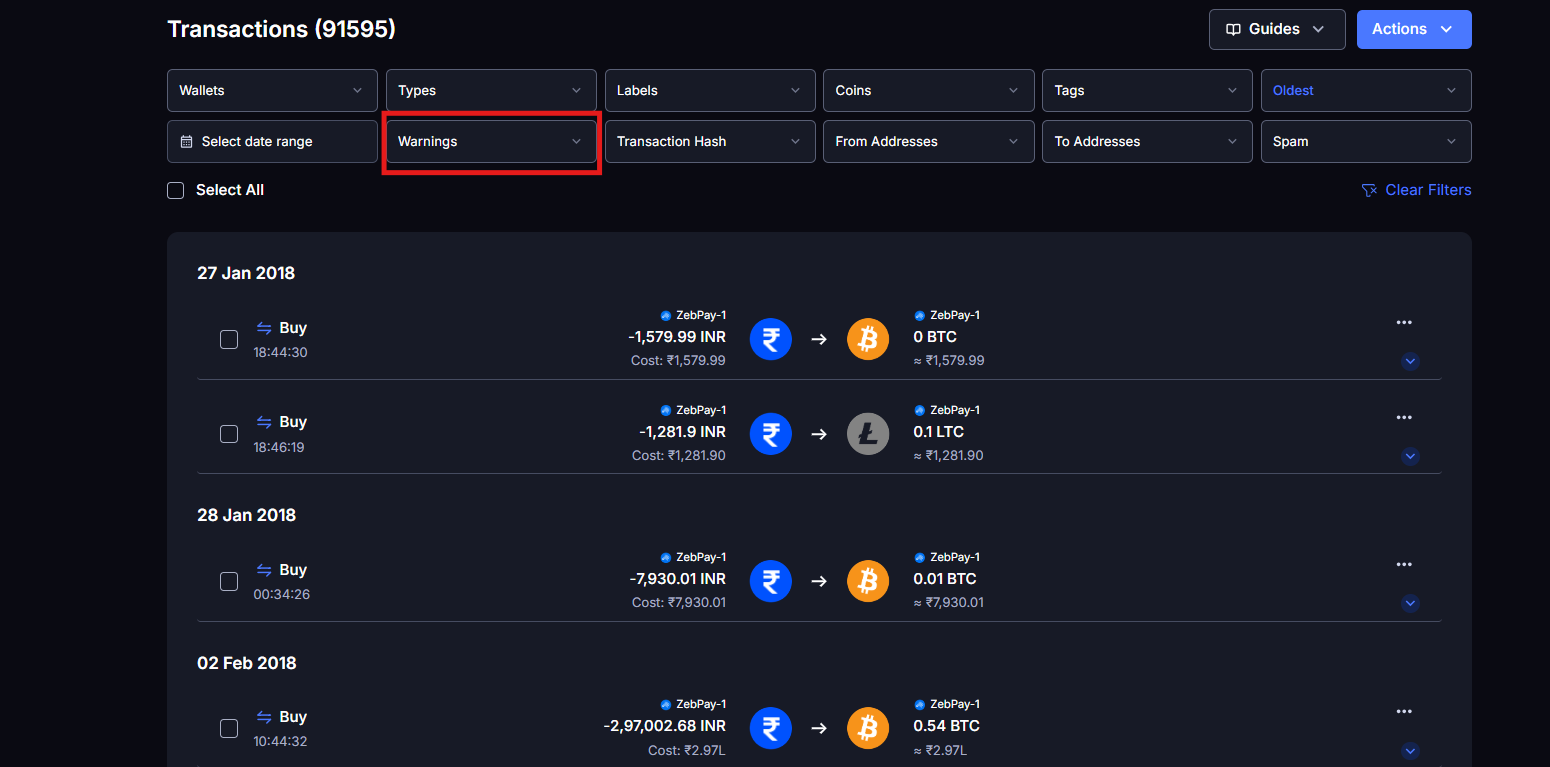
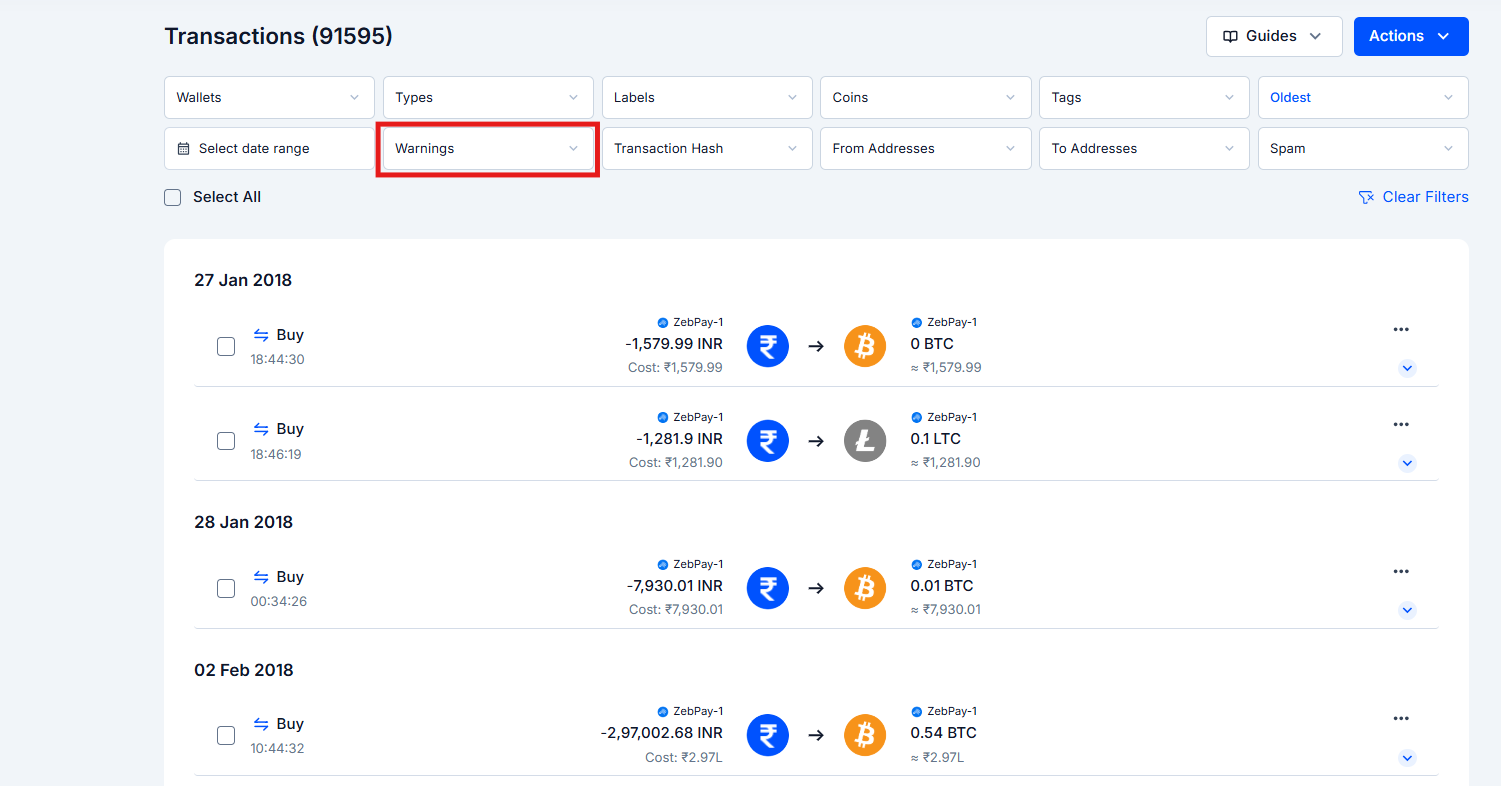
Go to Transactions in the left sidebar
Click the Warnings filter in the filter bar
Select the warning type(s) you want to view
Warning Type 1: Can’t Find Purchase Transaction
What it means
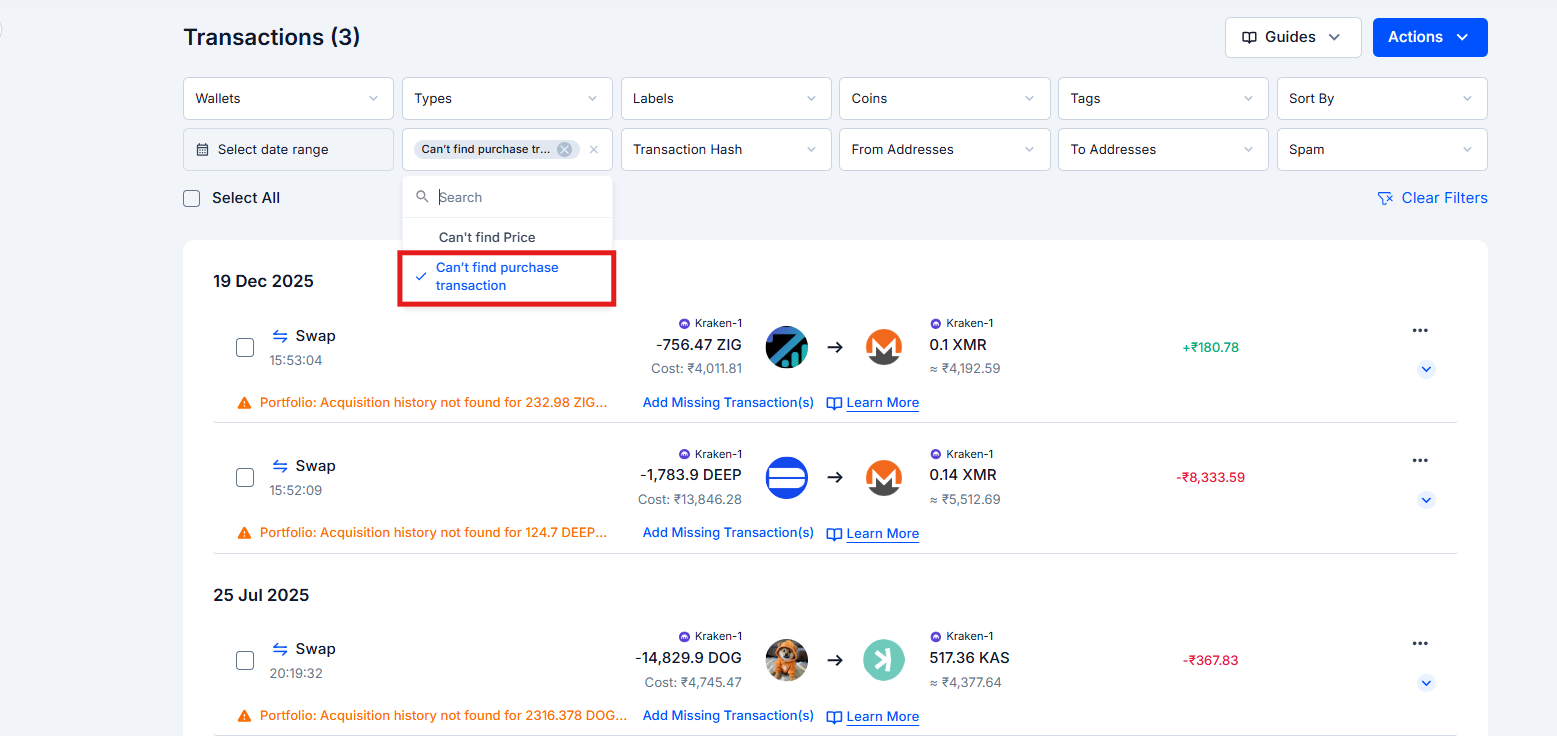
KoinX found a disposal event. You sold, traded, or transferred out an asset, but couldn’t find the original purchase record for it within the data you’ve connected or uploaded. You’ll see this as “Can’t find purchase transaction” in the warnings filter, and “Portfolio: Acquisition history not found for [asset]” on the transaction card itself.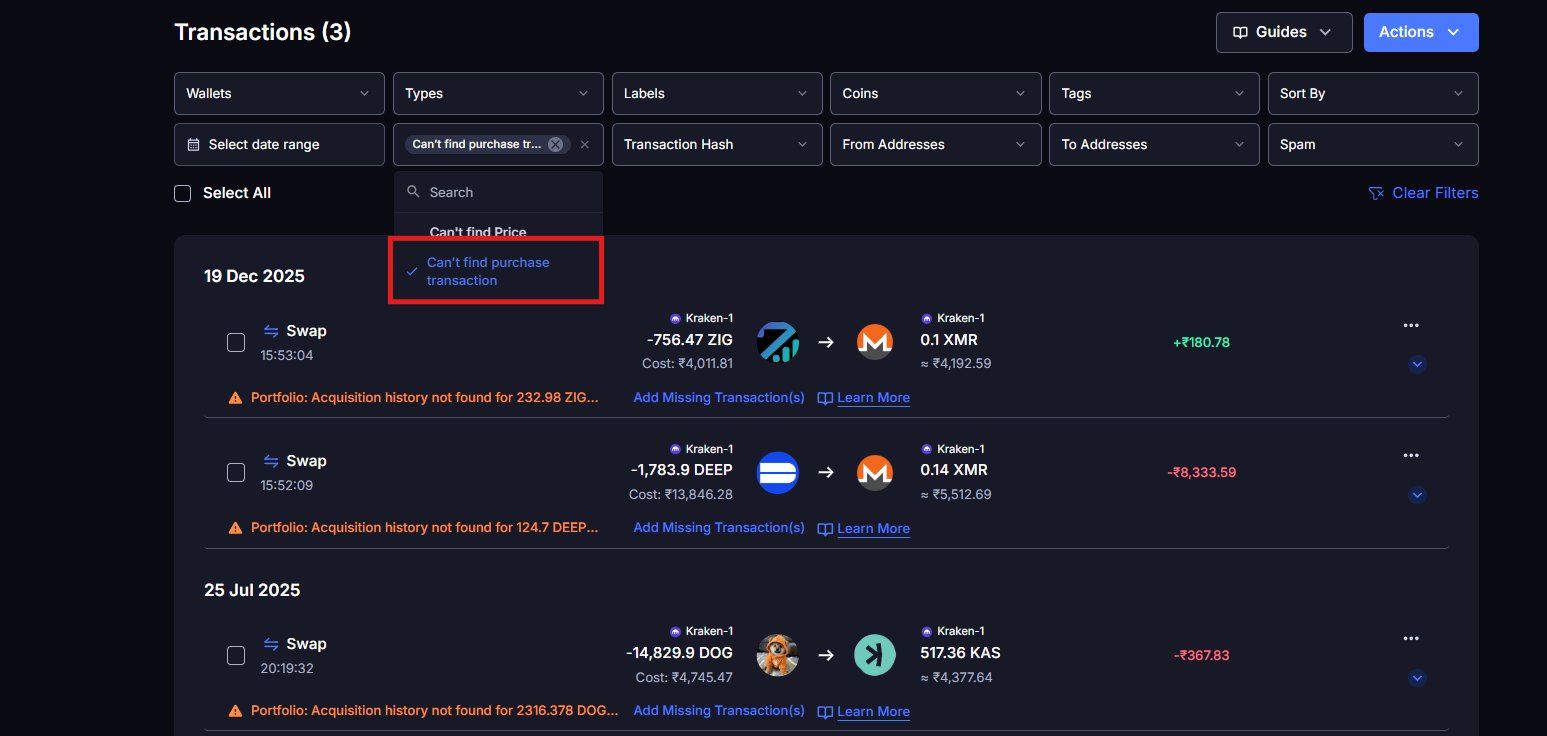
Why it matters
This is the most financially damaging warning. Without an acquisition record, KoinX assumes your cost basis is ₹0. That means when the cost basis or value shows ₹0, the entire sale amount is treated as a Capital Gain: inflating your taxable gains. Example:- You sold ETH worth ₹5,00,000
- KoinX can’t find the original purchase history
- Calculated gain = ₹5,00,000 (instead of your actual gain, say ₹1,50,000)
- Result: you’re taxed on ₹3,50,000 more than you should be
Why this happens
- The asset was acquired in a financial year for which you have not integrated or uploaded transaction data
- The exchange API only provides the last 90–180 days and the purchase is older. The acquisition history is incomplete on that same exchange
How to fix it
Option A: Import historical data: Download your full transaction history from the exchange (going back as far as possible) and import it via Integrations → [Your Exchange] → Import CSV. This backfills missing acquisition records in bulk. Option B: Add manually: If no import is available, go to Actions → Add Transaction and manually enter the acquisition with the correct date, asset, amount, and price paid.Warning Type 2: Could Not Fetch Price
What it means
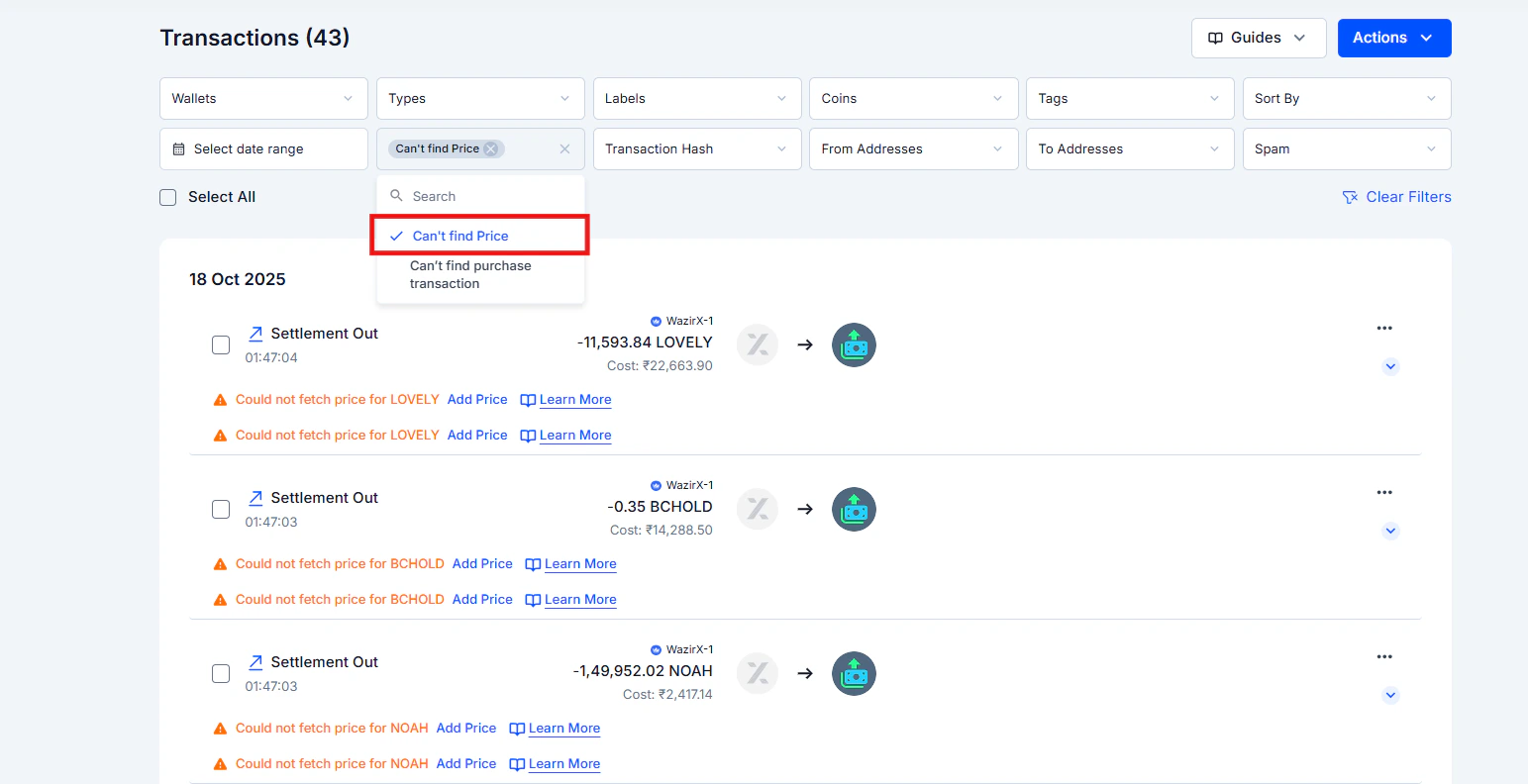
KoinX found the transaction and knows what happened, but couldn’t retrieve a market price for that asset on that date.Why it matters
Without a price, the transaction shows ₹0 value. If it’s a purchase, the cost basis is ₹0. If it’s a sale, the proceeds are ₹0.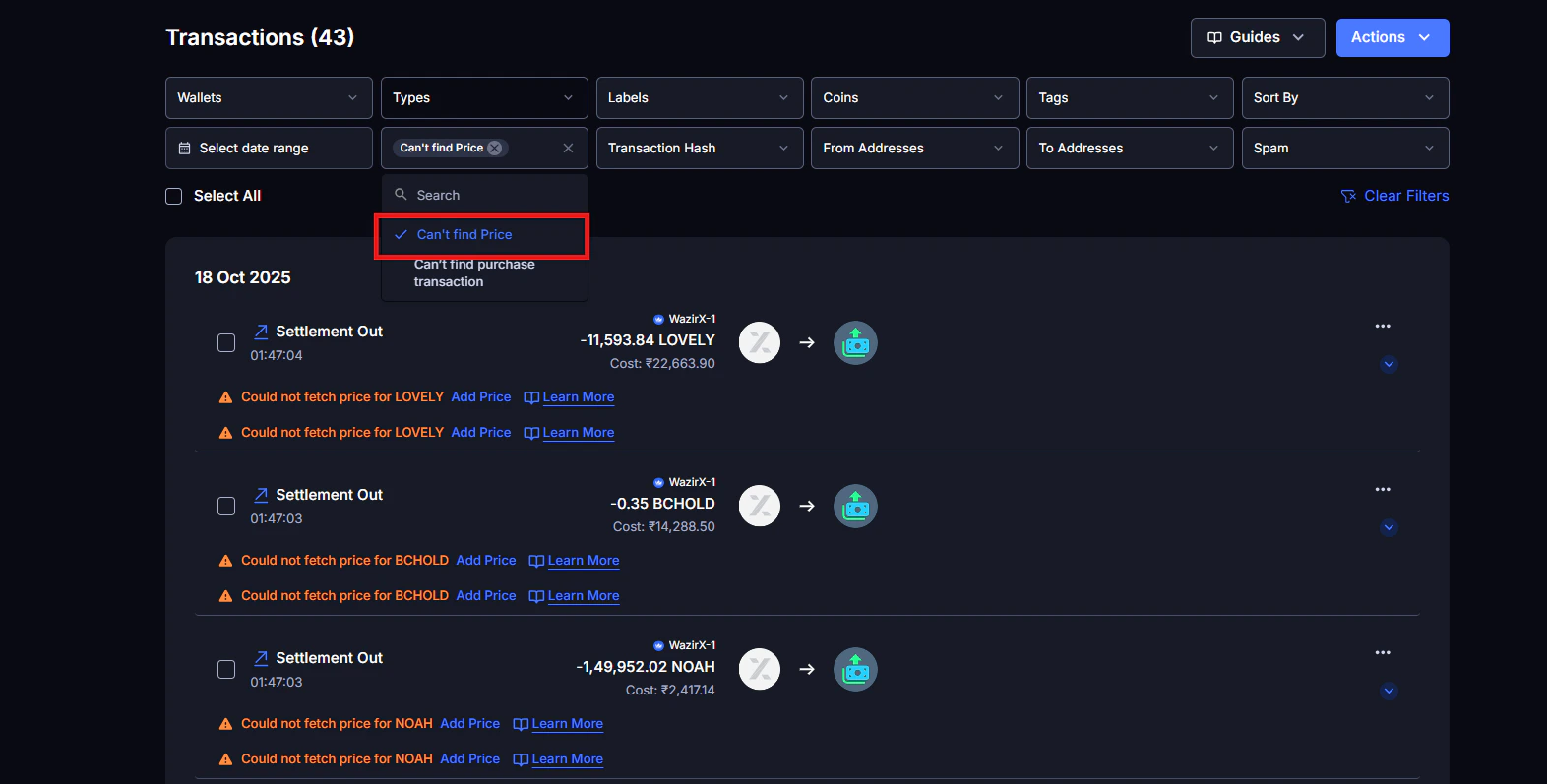
Why this happens
- Obscure or newly listed token with limited price history
- Token only trades on DEXes with no major aggregator listing
- Very old transactions where price data is sparse
- Token has since been deprecated or delisted
How to fix it
Find the transaction with the 'Could not fetch price' warning
Click the Add Price link that appears directly inline on the transaction card
Enter the per unit market price in the Market Price In field
- CoinGecko → search the coin → Historical Data tab → find the date
- CoinMarketCap → same process
- Block explorer → for DEX swaps, the token equivalent value in ETH or USDC can help you estimate
Save. The transaction value updates immediately
Step-by-Step: How to Clear All Warnings Before Generating Your Report
Follow this order for the most efficient cleanup:Filter to warnings
Fix 'Can't find purchase transaction' warnings first
Fix price-missing transactions
Verify your integrations
Check your Insights summary
Generate your Tax Report
Common Issues / Edge Cases
Warning cleared but gain/loss still looks wrong
Warning cleared but gain/loss still looks wrong
The same warning keeps coming back after I fix it
The same warning keeps coming back after I fix it
I have hundreds of warnings, where do I start?
I have hundreds of warnings, where do I start?
Warnings are showing on old transactions from years ago
Warnings are showing on old transactions from years ago
Frequently Asked Questions
What does 'Could not fetch price' mean and will it affect my taxes?
What does 'Could not fetch price' mean and will it affect my taxes?
How do I check that all my transactions are actually captured before fixing warnings?
How do I check that all my transactions are actually captured before fixing warnings?
If I generate a report and then fix warnings, do I need to generate again?
If I generate a report and then fix warnings, do I need to generate again?
Are there warning types not listed in this article?
Are there warning types not listed in this article?